
What should you do if you don’t see the “Pig Counter” tab anywhere after adding a device? This means it’s hidden in your view. To enable it:
- In the main menu, go to the Administration tab.
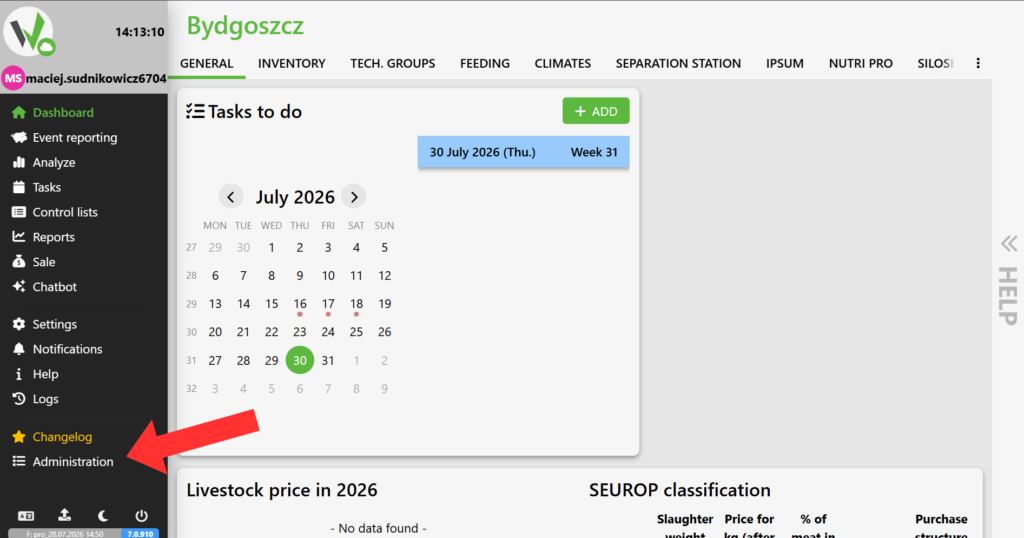
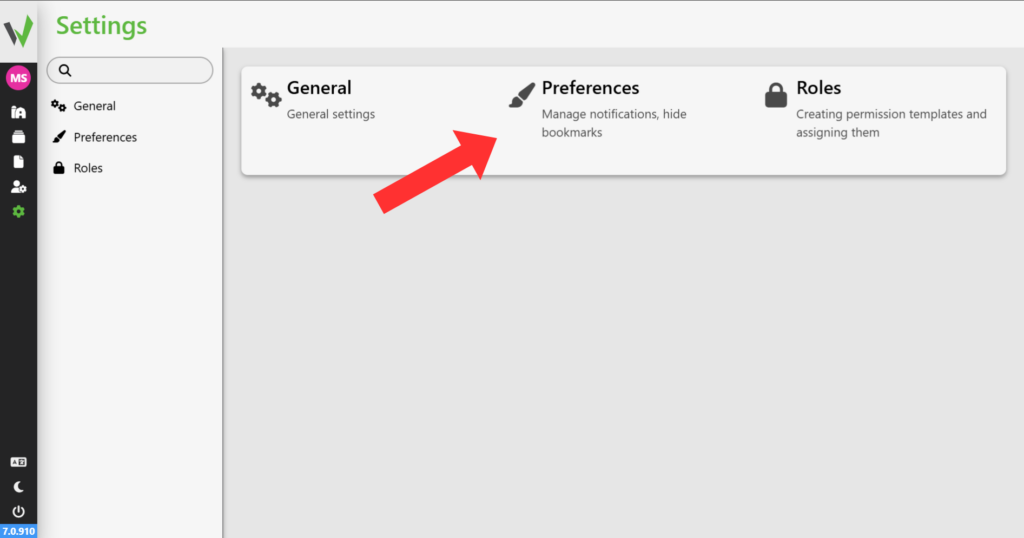
- Select Settings, and then click Preferences.
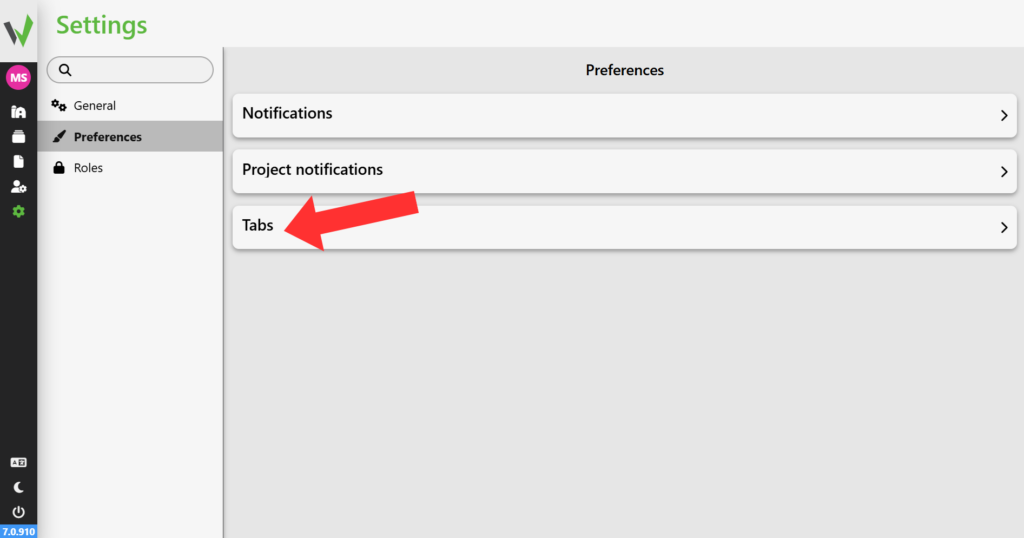
- Open the Tabs section.
- Find ” Pig Counter ” in the list and click the eye icon next to it.
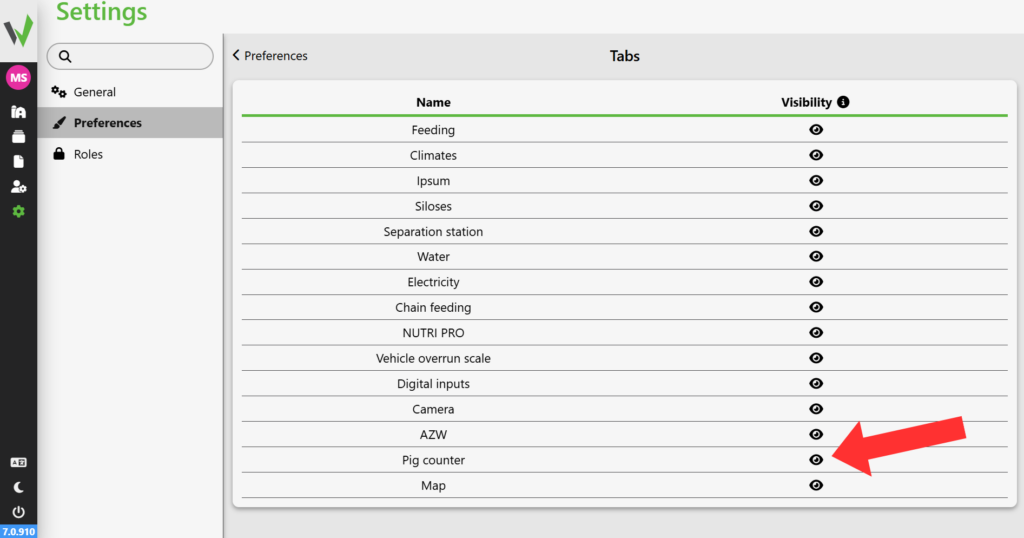
- Make sure the eye icon isn’t crossed out. Then the tab will become visible again.


