1. Home
  2. Devices
  3. Cloud Box
  4. Cloud Box – wiring and commissioning
  1. Home
  2. Devices
  3. Cloud Box – wiring and commissioning

Cloud Box – wiring and commissioning

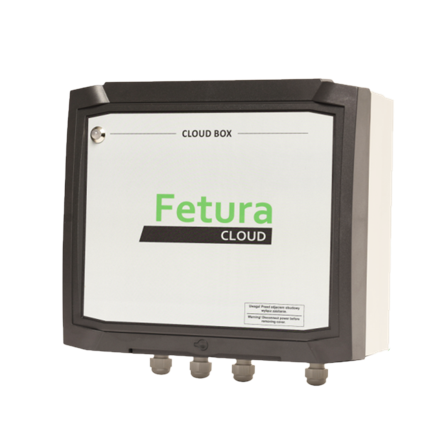
Product photo of the Cloud Box device enclosure, front view showing the Fetura CLOUD branded cover.
1. Cloud Box – overview of the device
  1. Connect main power supply [1] (115VAC or 230VAC)
  2. Connect LAN cable [2]
  3. Connect RS422 communication cable [3] to Bridge
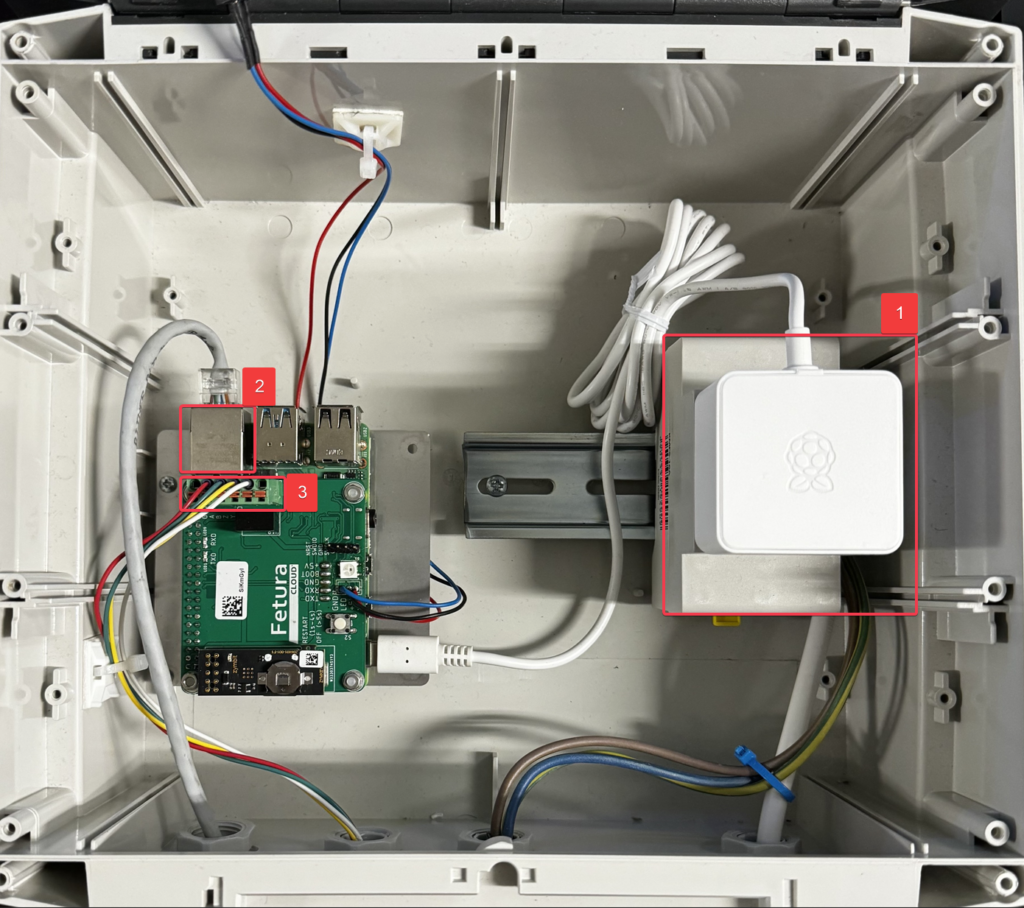
Interior of the Cloud Box enclosure with red numbered boxes 1-3 marking the main power supply, LAN connection and RS422 connection to the Bridge board.
2. Cloud Box – wiring picture
NO.Description
1Main power supply 115VAC or 230VAC
2LAN (wired Internet network connection)
3RS422 (wired connection to Bridge)
According to printed label on the board from left: A, B, Z, Y
Updated on 2026-07-23
Was this article helpful?

Related Articles

Need Support?
Can't find the answer you're looking for?
Contact Support

Leave a Comment