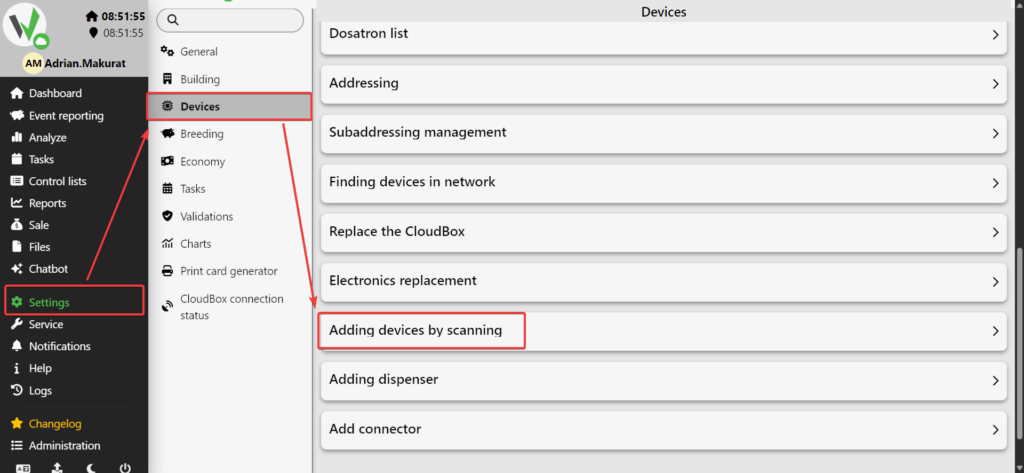
To add a device by scanning, go to the side menu and navigate to:
Settings → Devices → Adding devices by scanning.
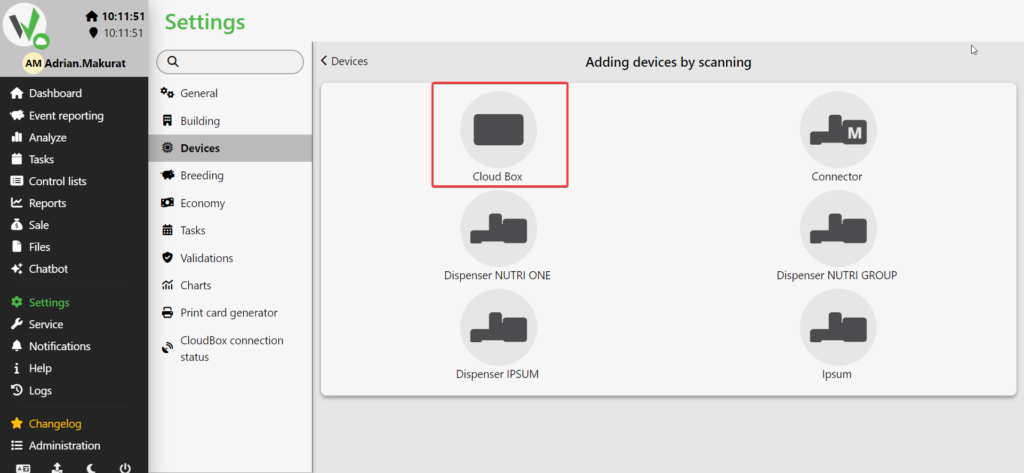
Select the Cloud Box option.
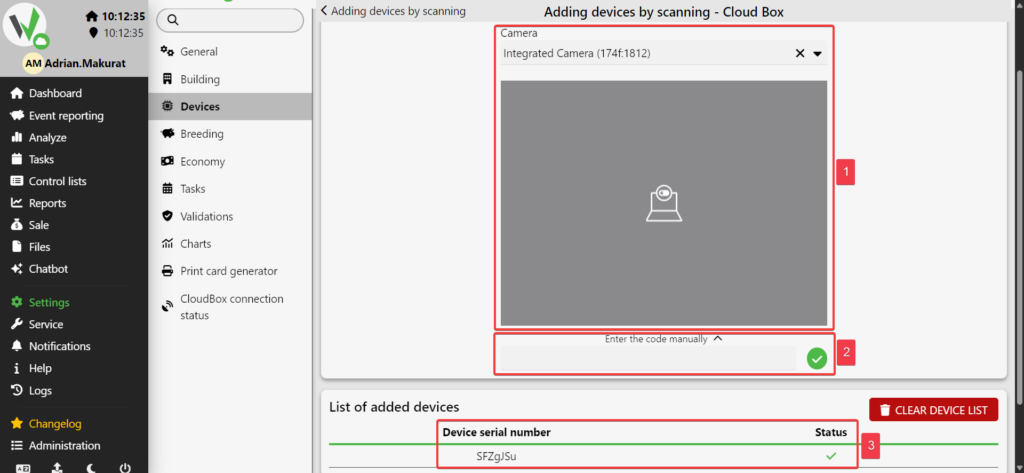
On the new screen, select your device’s camera and scan the QR code on the controller’s faceplate [1].
If the QR code is damaged, enter the S/N manually [2].
Once successfully scanned and added, the device will appear on the list [3].