1. Home
  2. Devices
  3. Nutri One
  4. Nutri One – How to set up nutrition for a sow?

Nutri One – How to set up nutrition for a sow?

To set up feeding for sows at individual stations in Nutri One:
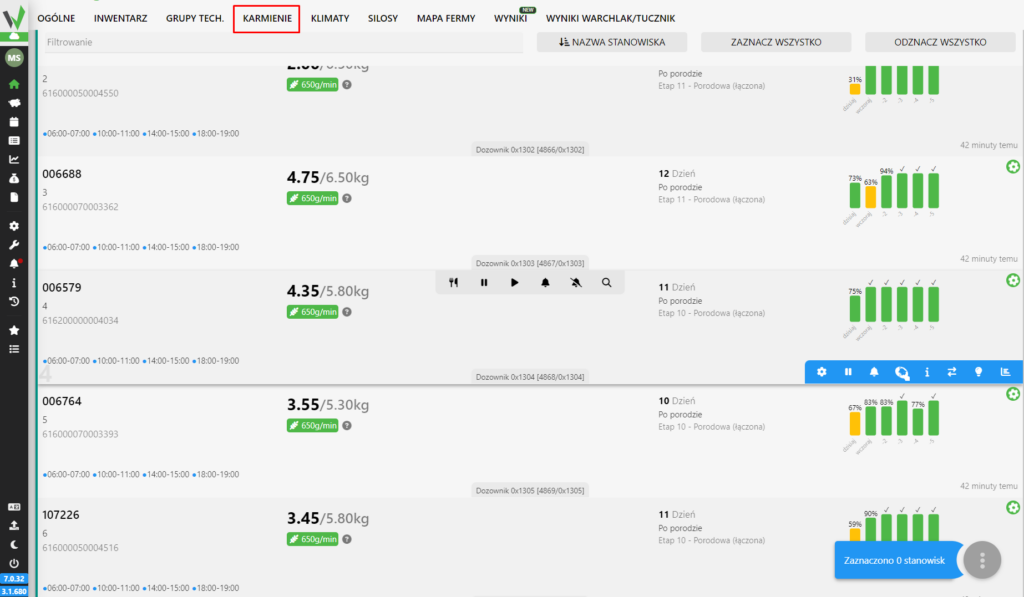
Nutri One feeding station list with the FEEDING tab highlighted in red in the top navigation bar.

Select one or multiple positions by clicking on them. The correctly selected position will light up green.
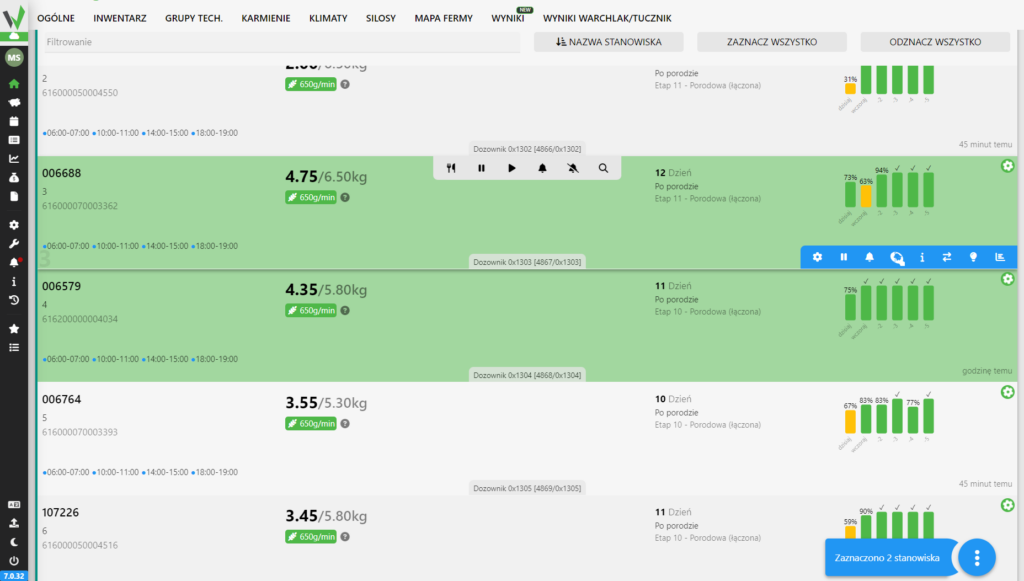
Nutri One feeding station list with several sow positions selected and highlighted in green, ready for a bulk feeding action.

Then click “menu” in the lower right corner, or press the right mouse button and click “Manage nutrition”
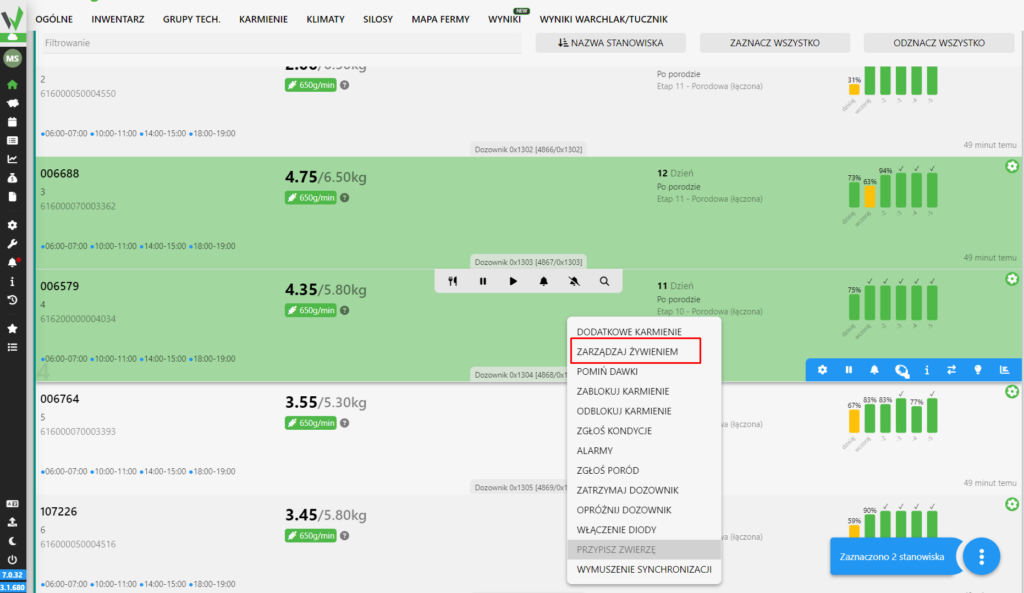
Right-click context menu on a feeding station with the Manage nutrition option highlighted in red.

In the window that appears, select a feeding curve (depending on the sector, the proposed curves may differ). The delivery date or insemination date is generated automatically. The dose deviation is set by default. To set the feeding, press the “Set” key
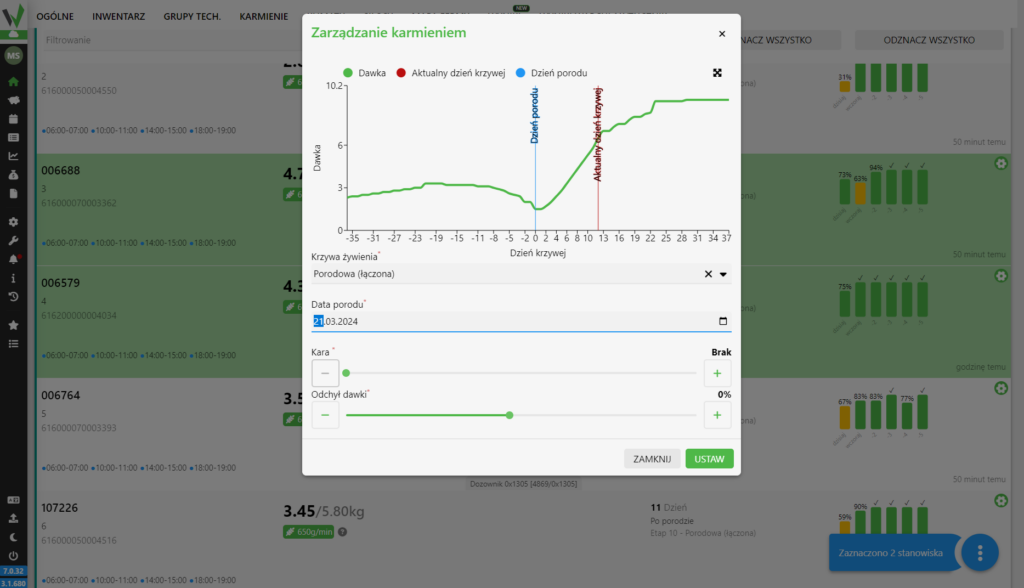
Manage feeding dialog showing the dose curve chart, feeding curve selection, farrowing date, penalty, and dose deviation settings, with the SET button to confirm.

Updated on 2026-07-23
Was this article helpful?

Related Articles

Need Support?
Can't find the answer you're looking for?
Contact Support

Leave a Comment