
The FeturaCloud program makes it possible to locate the selected animal through NutriOne dispensers using two methods. The first method involves using the feeding panel under the “Feeding” tab, and the second involves using the “Inventory” tab and the sow’s card.
Search for an animal through the Feeding tab:
- Select the “Feeding” tab.
- Choose the right chamber.
- Mark the appropriate position where the LED should be lit.
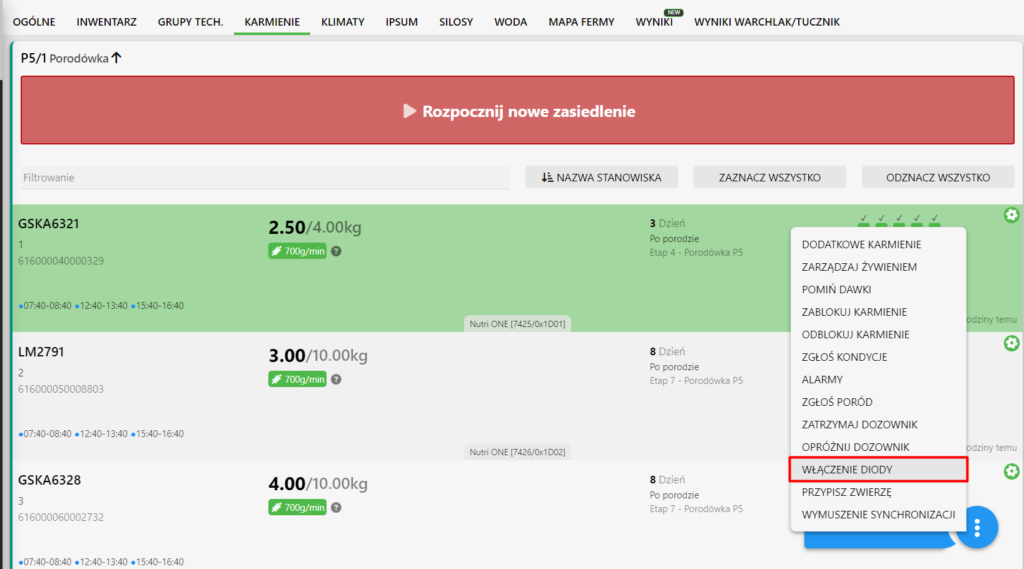
- Right-click or press the menu key.
- Select the function “Turn on Diode.”
- In the dialog box, you can turn on the LED on the dispenser, select its color, light duration, and blinking or continuous light settings.
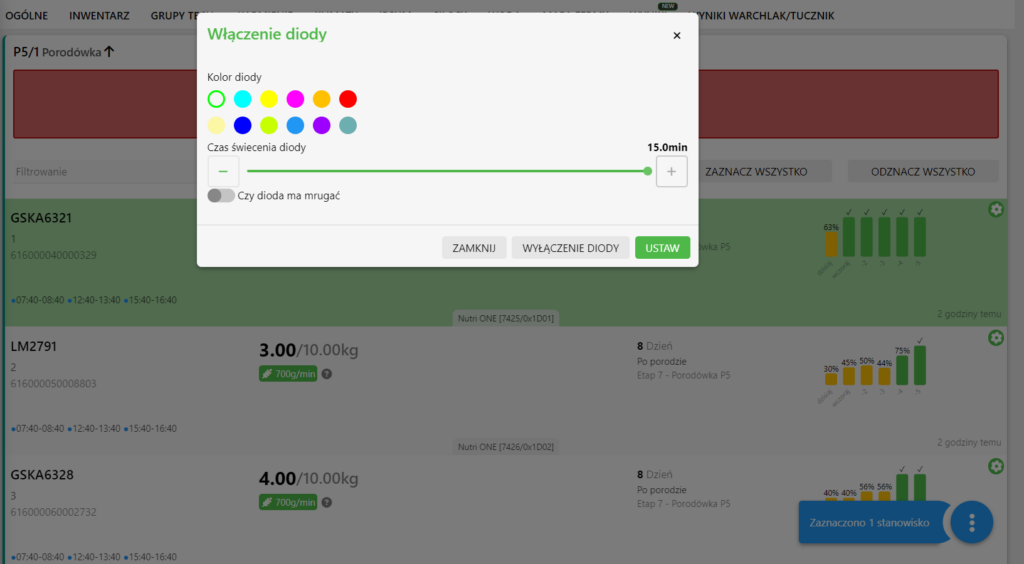
- Once the appropriate configuration is selected, the dispenser’s LED will start flashing in the indicated color, making it easier to find the animal assigned to the station.
Search for an animal through the Sow Card:
- Go to the “Inventory” tab.
- Select the pig of interest.
- In the upper left corner of the card, press the pin icon.
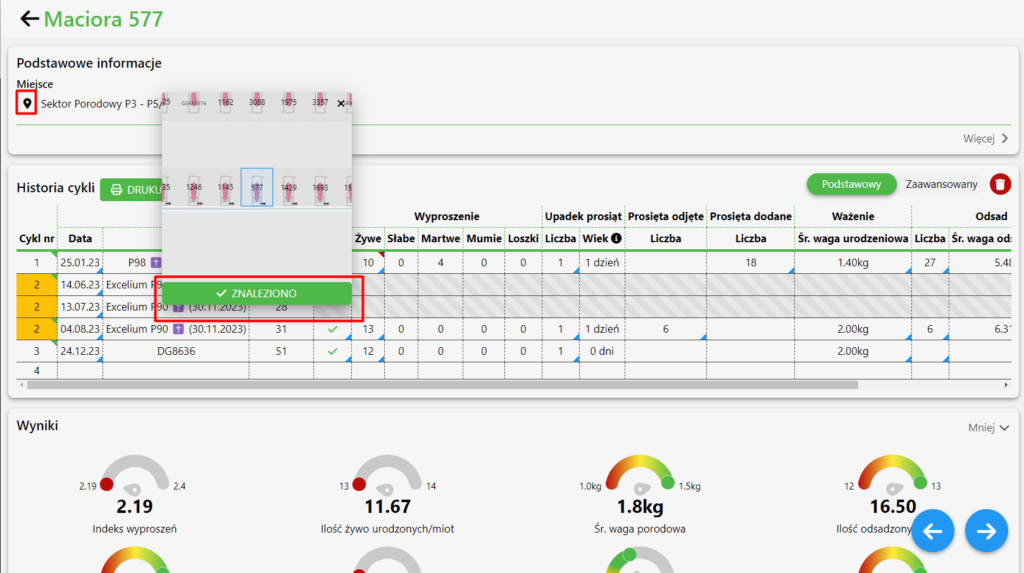
- The system will automatically indicate the pigs on the map and turn on the LED on the dispenser.
With these steps, you can easily locate the animal of your choice using NutriOne dispensers and the features available in the FeturaCloud Program.


