In this article, we will discuss the steps to take if you lose an earring for your pet.
- Transition to the Breeding Section
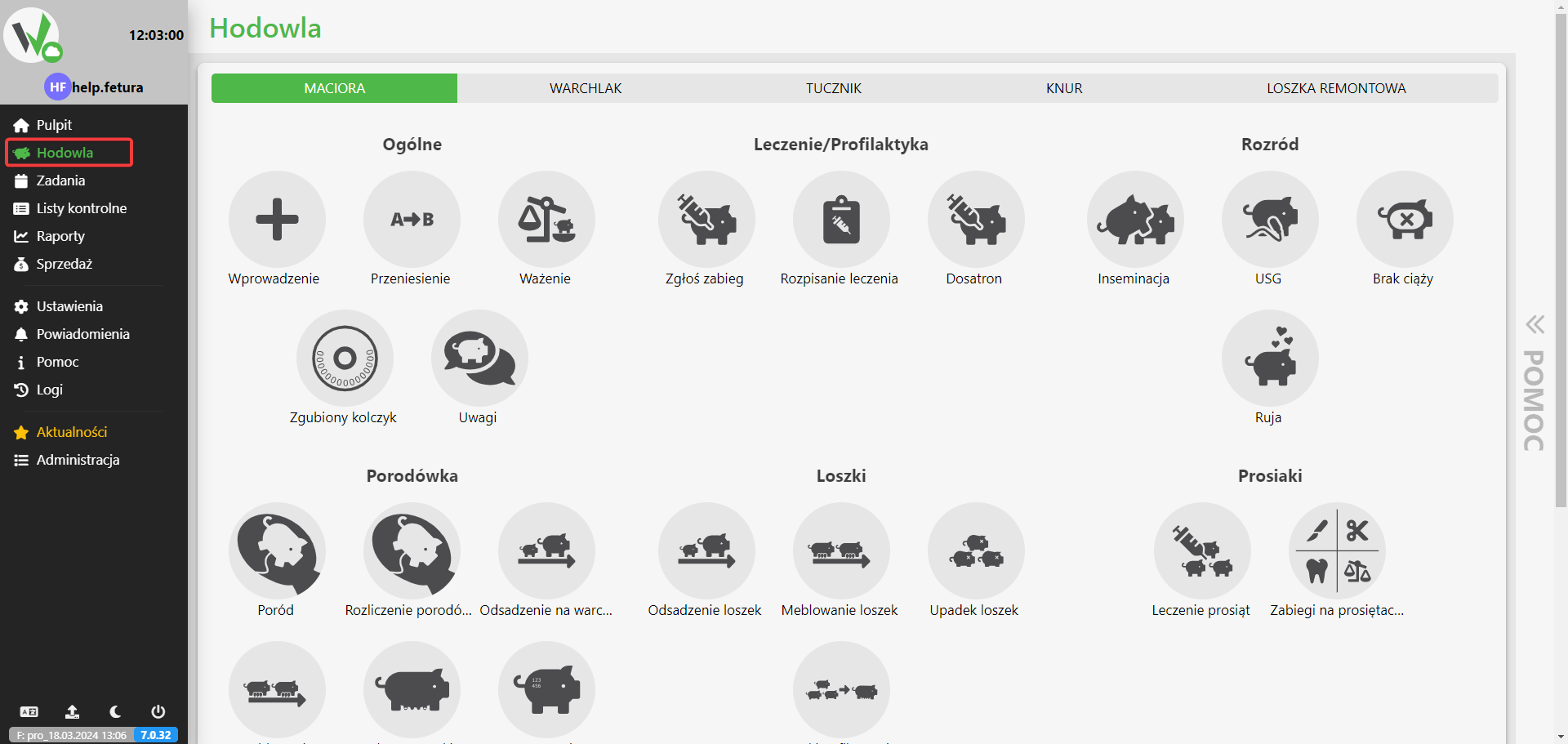
- We start by being on the home page of the application
- From the left-hand menu, select Breeding

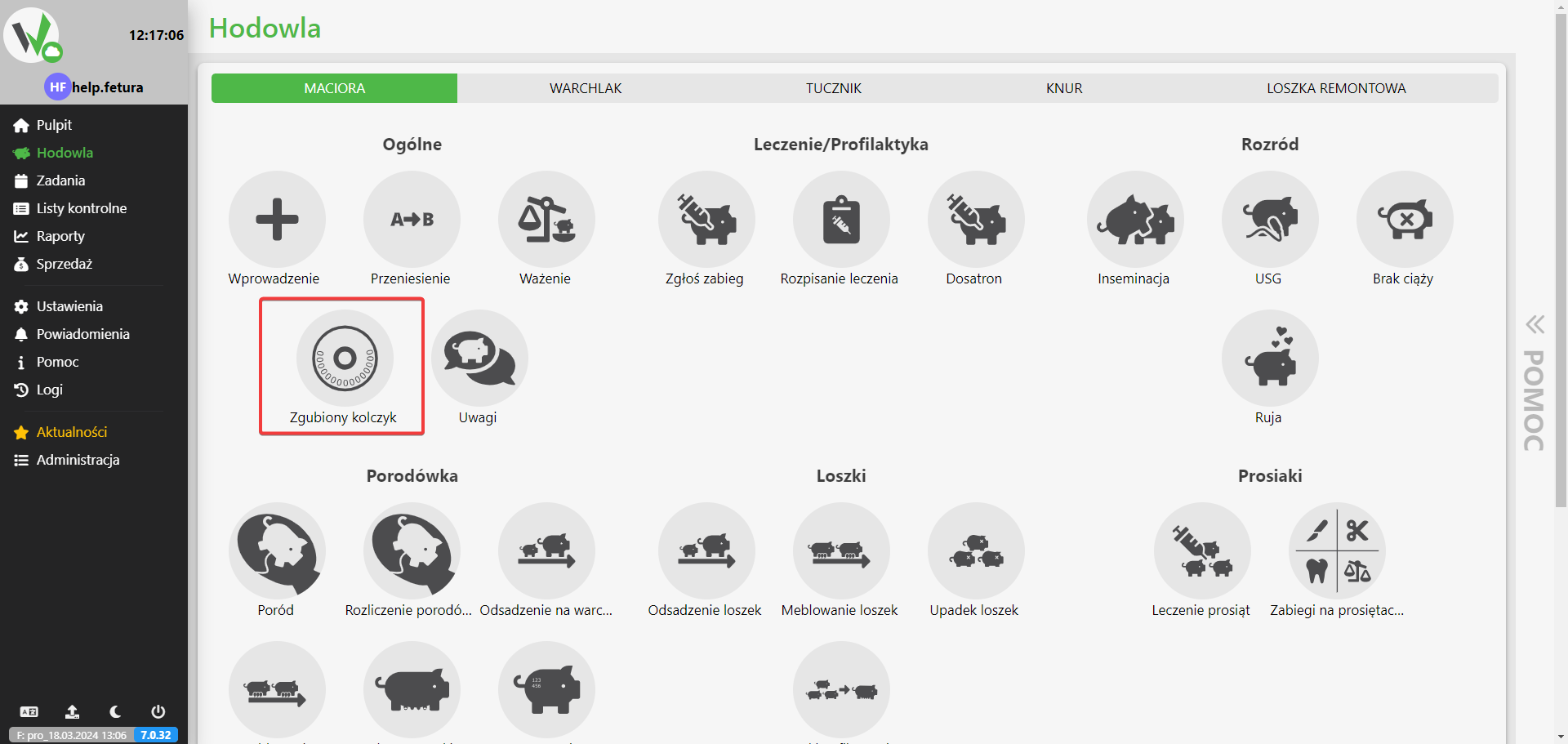
- Event selection Lost earring
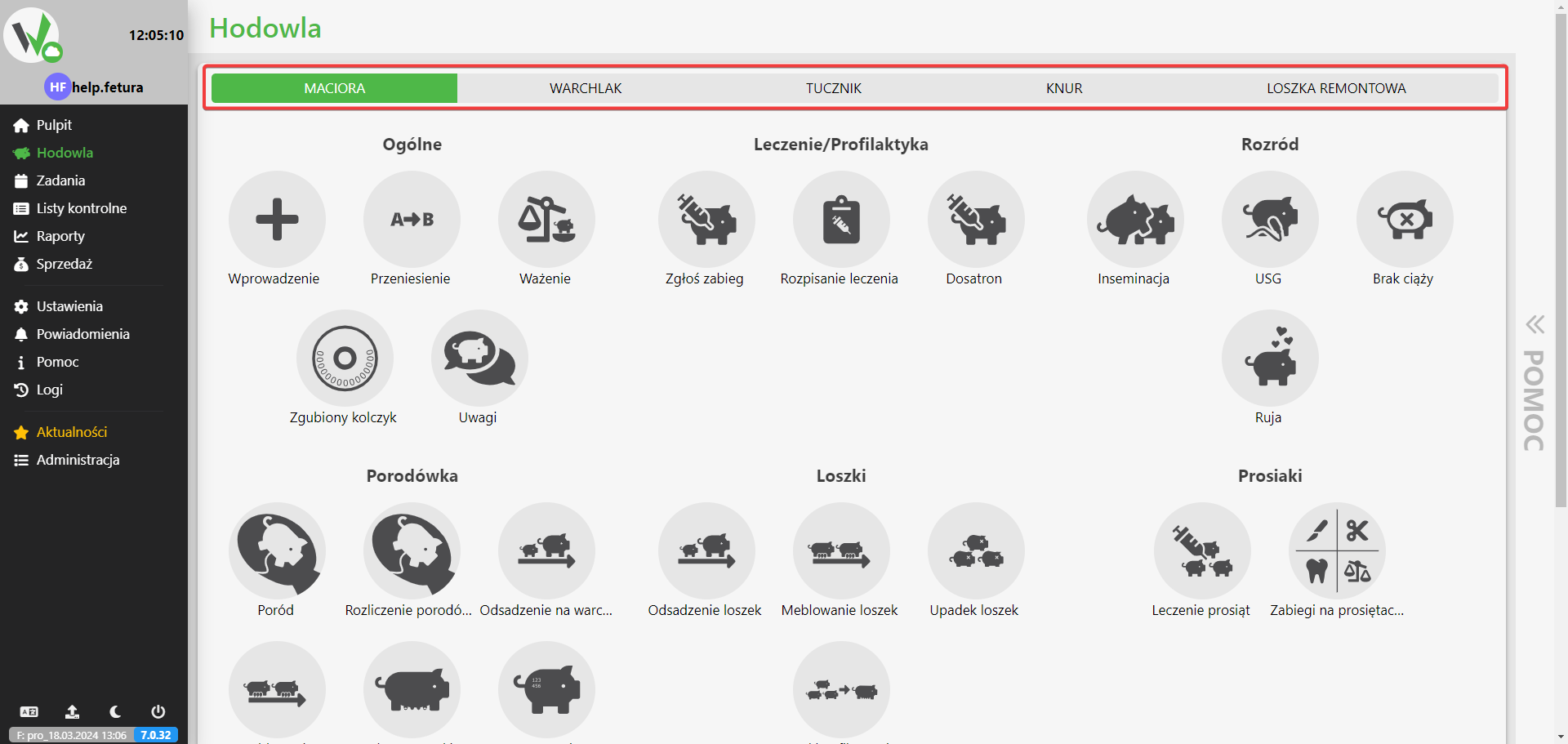
- First, select the appropriate type of animal that lost the earring.
- In the Breeding menu, select the Lost earring option.
- First, select the appropriate type of animal that lost the earring.
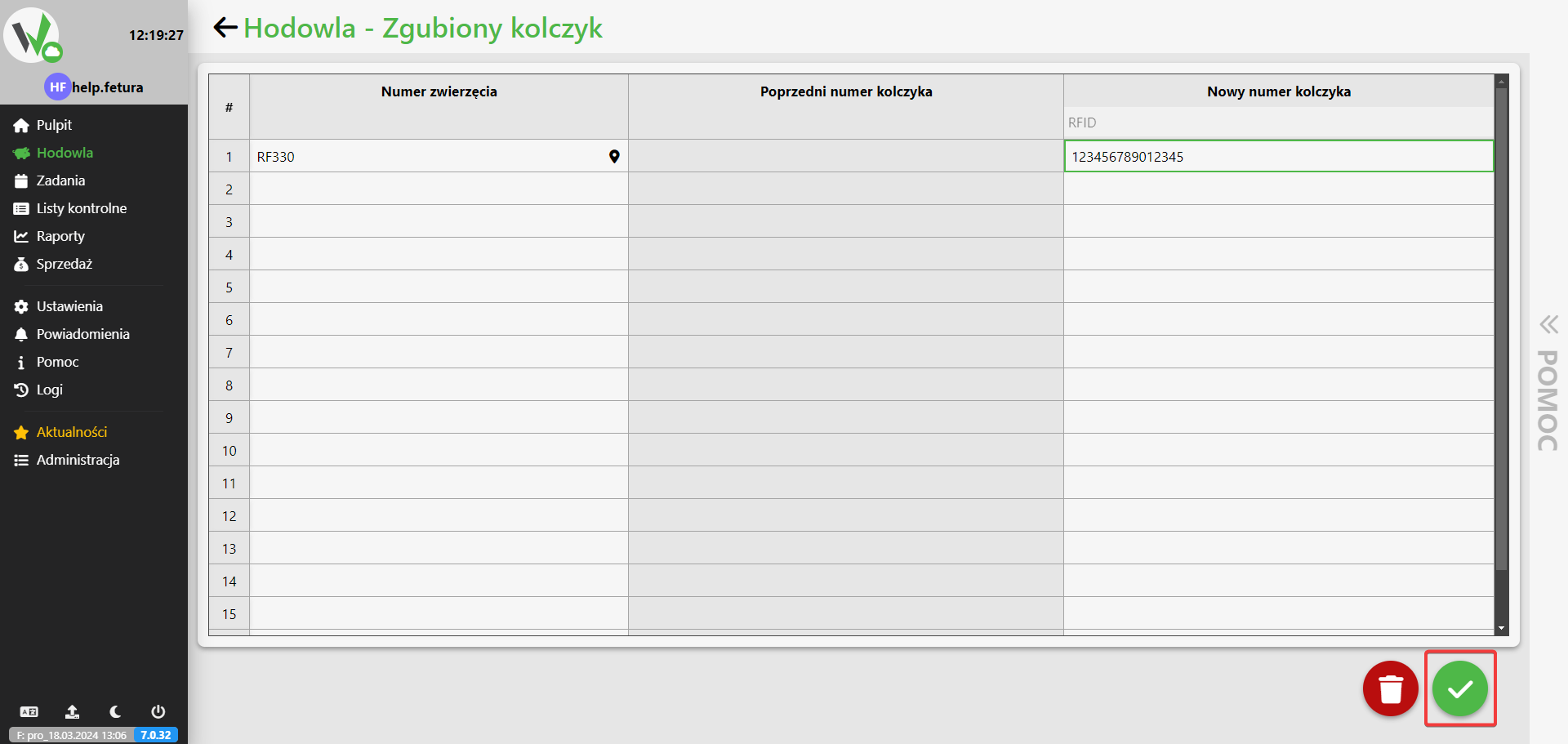
- Uzupełnienie formularza
- When you get to the form, fill in the required fields carefully:
- Animal number
- Choose an animal that has lost its earring
- Previous earring number
- The previous full RFID ear tag number will appear in this field
- New earring number
- Enter the new ear tag number to be assigned to the animal
- Animal number
- Once the form is filled out correctly, the option to save and submit the form should be available in the lower right corner.
- When you get to the form, fill in the required fields carefully:
![Lost earring form with red numbered markers pointing to the animal number field [1], the previous earring number field [2] and the new earring number field [3].](https://help.fetura.pl/wp-content/uploads/2024/03/NZH1J0q74A.png)