1. Home
  2. Breading
  3. Weaner/Finisher
  4. How to remove an animal from a farm?
  1. Home
  2. Inventory
  3. How to remove an animal from a farm?
  1. Home
  2. Breading
  3. How to remove an animal from a farm?

How to remove an animal from a farm?

In this article we will show how to remove the animal from the farm.

  1. Moving to the Inventory section
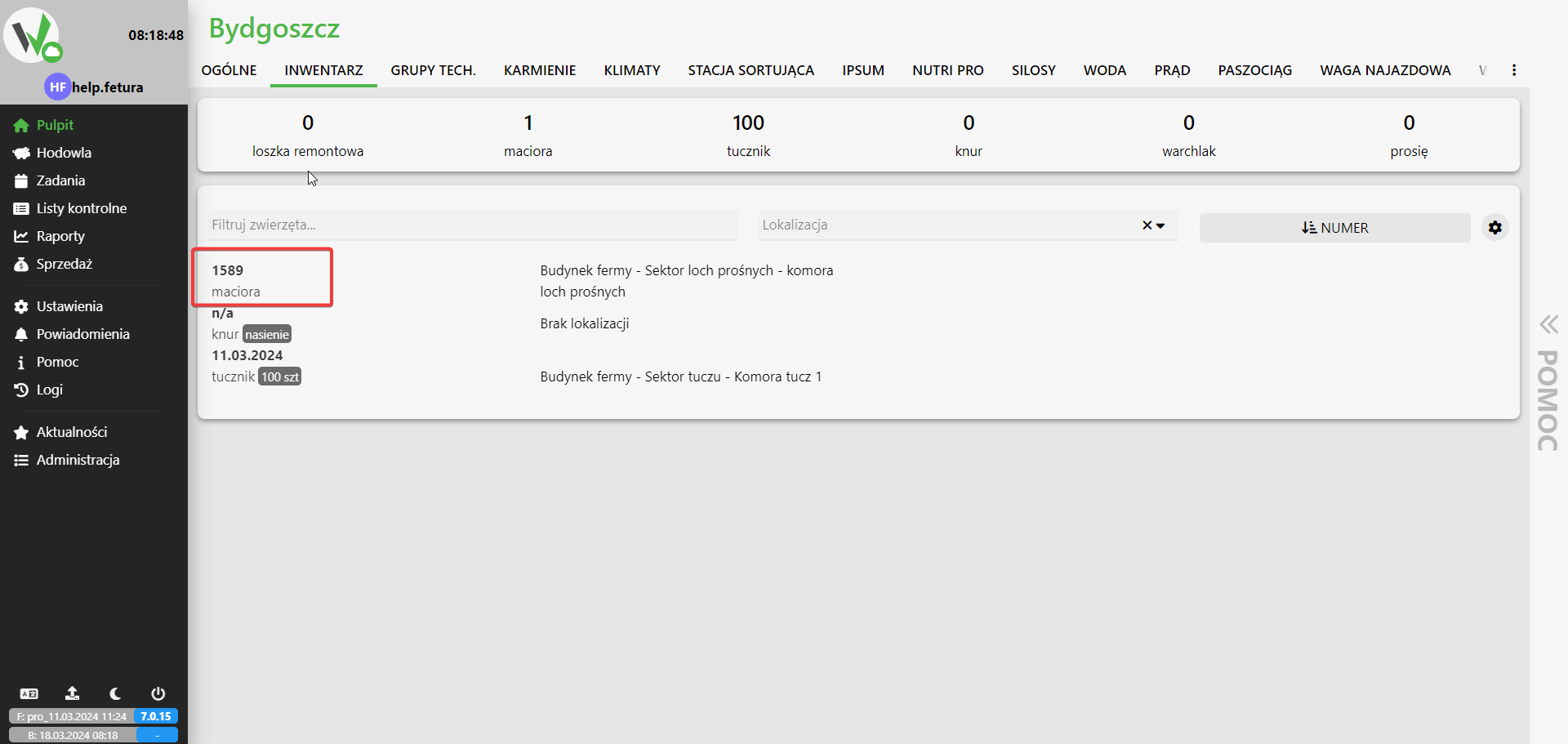
    • We start by being on the main page of the application.
    • On the tab bar, select InventoryFetura CLOUD farm dashboard with the Inventory tab highlighted in red on the top navigation bar.
  2. Choice of animal
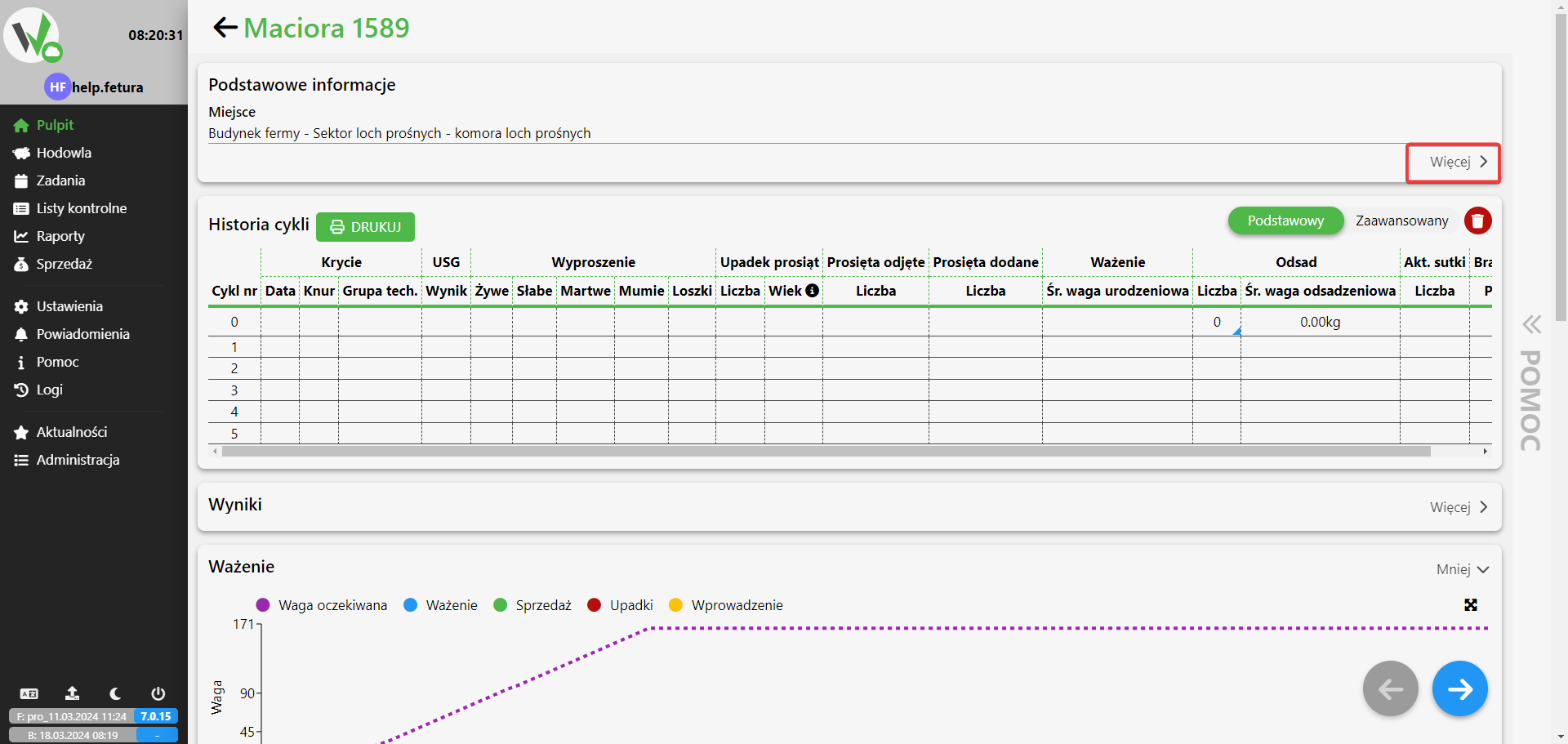
    • We click on the animal of our choice to be removed.Inventory list with an animal record (sow 1589) highlighted in red, selected to open its details.
  3. Removal of the animal
    • Expand the list Basic informationSow detail page showing the cycle history table, with the "More" button next to Basic information highlighted in red to expand it.
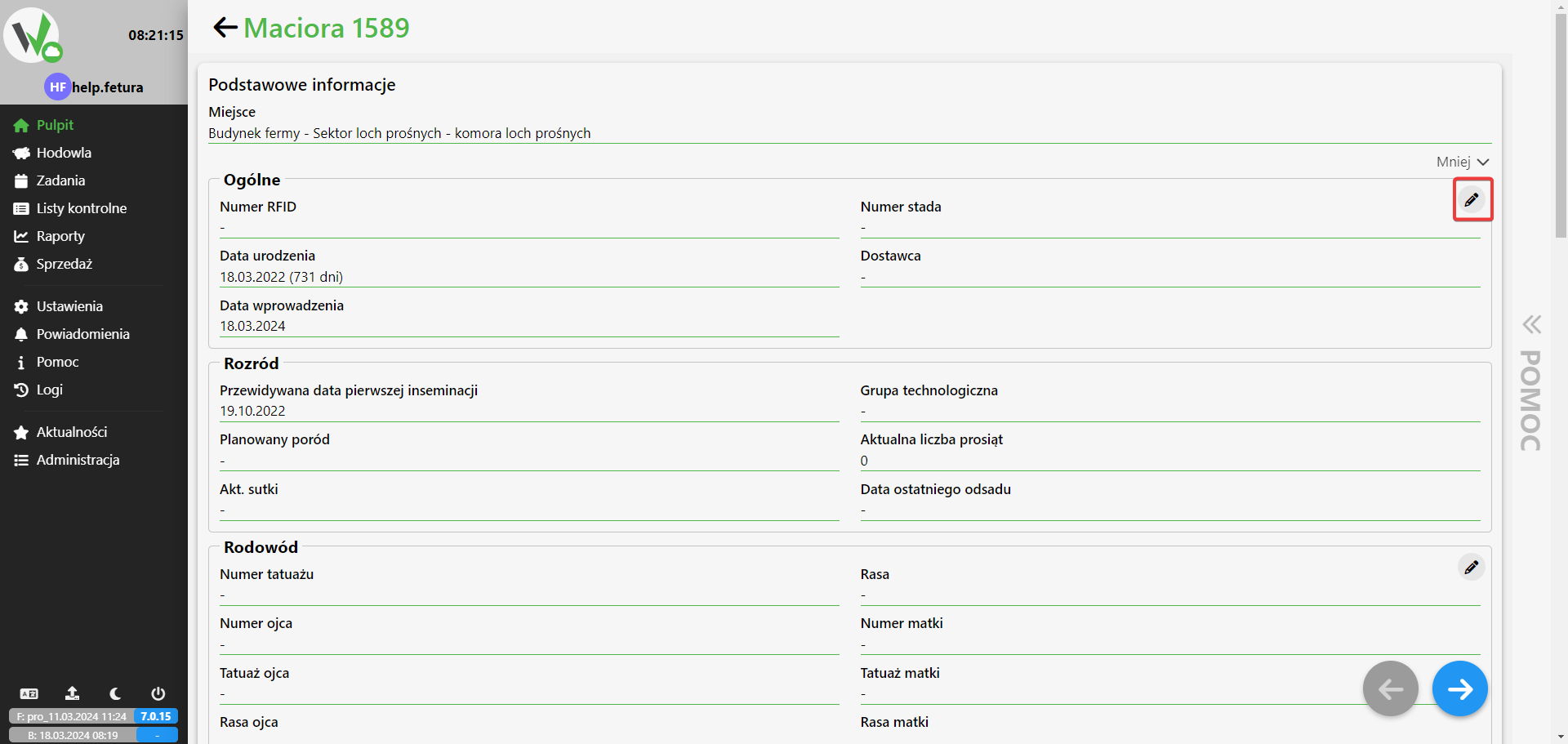
    • We click editExpanded Basic information section for the sow, with the edit (pencil) icon highlighted in red used to modify the animal's details.
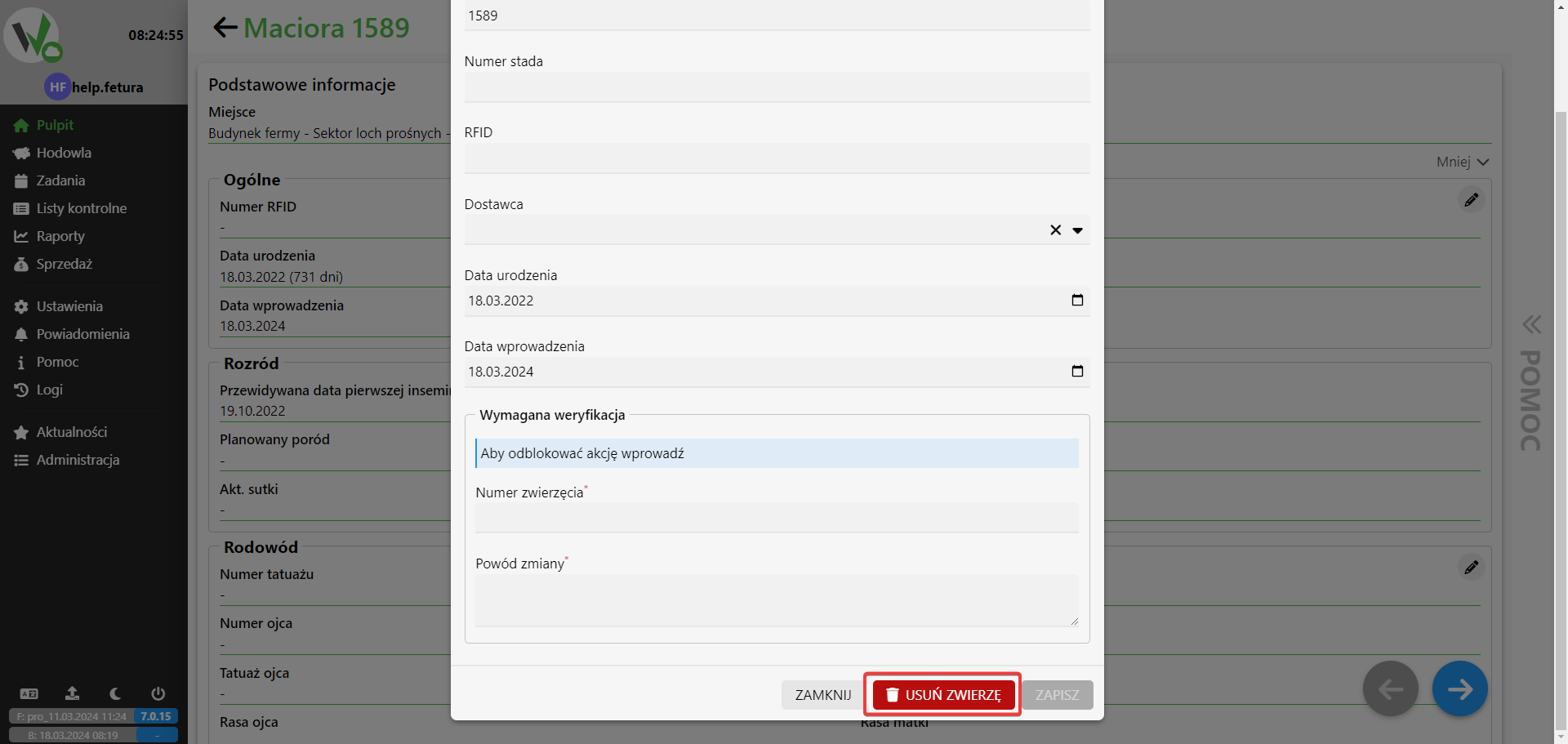
    • Select the REMOVE ANIMAL buttonEdit form for the animal with the red REMOVE ANIMAL button highlighted, plus fields for animal number and reason for removal.
    • You provide the number of the animal and the reason for your decision.
Updated on 2026-07-23
Was this article helpful?

Related Articles

Need Support?
Can't find the answer you're looking for?
Contact Support

Leave a Comment