1. Home
  2. Breading
  3. Sows/Gilts/Piglets
  4. How to report a heat?
  1. Home
  2. Breading
  3. How to report a heat?

How to report a heat?

Breeding

After logging in, go to the “Breeding” tab.
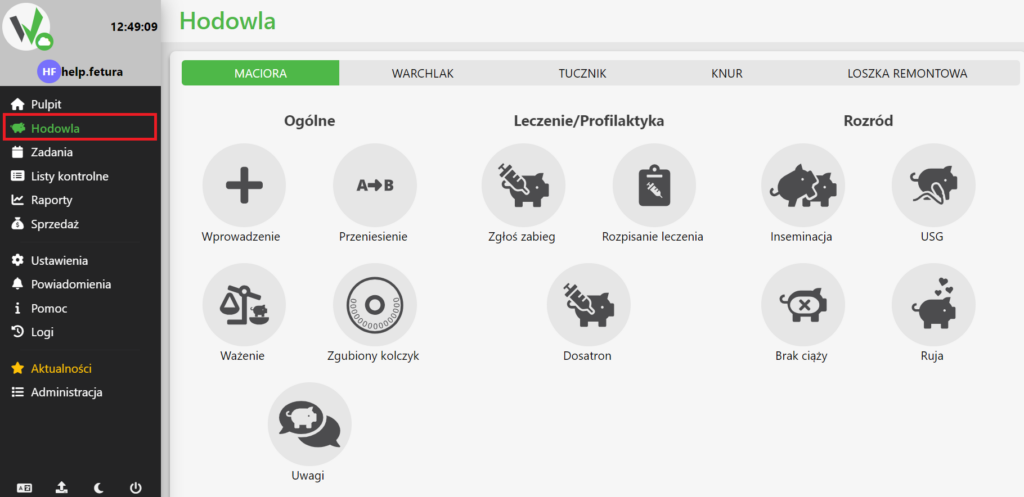
Fetura CLOUD sidebar menu with the Breeding section highlighted in red, used to open the breeding module.

Choosing the type of pig

If oestrus is to be reported in a renovation gilt go to the “renovation gilt” tab. Otherwise, do not change the tab.
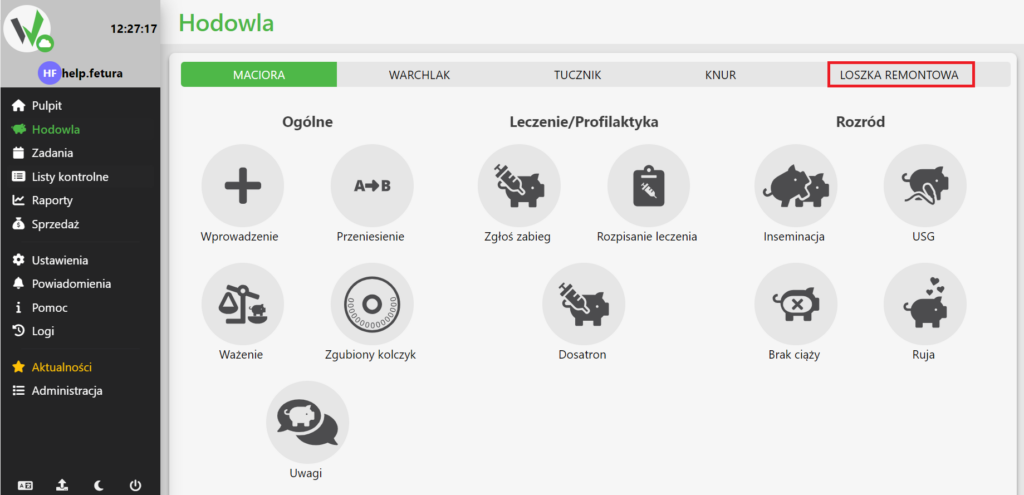
Breeding screen with animal type tabs; the Replacement gilt tab is highlighted in red - select it only if reporting heat for a replacement gilt, otherwise leave the default Sow tab selected.

Notification of heat

After selecting whether the heat is to be reported in the repair gilt or in the sow, click the button with the caption “Heat”.
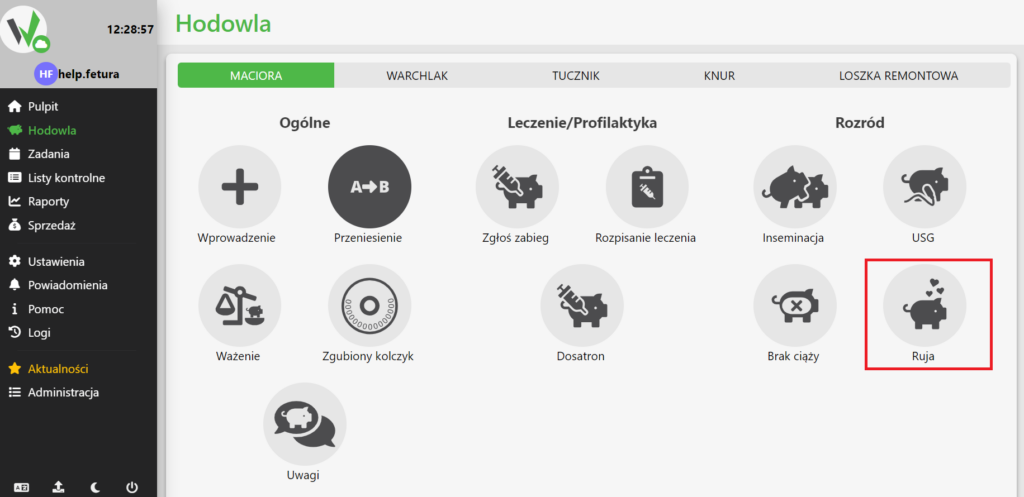
Breeding screen with the Sow tab active; the Heat icon (heart symbol) is highlighted in red - click it to report a heat.

Pig selection

Once in the form, select a pig by typing the name of the pig in the highlighted box, or click it and select a pig from the list.
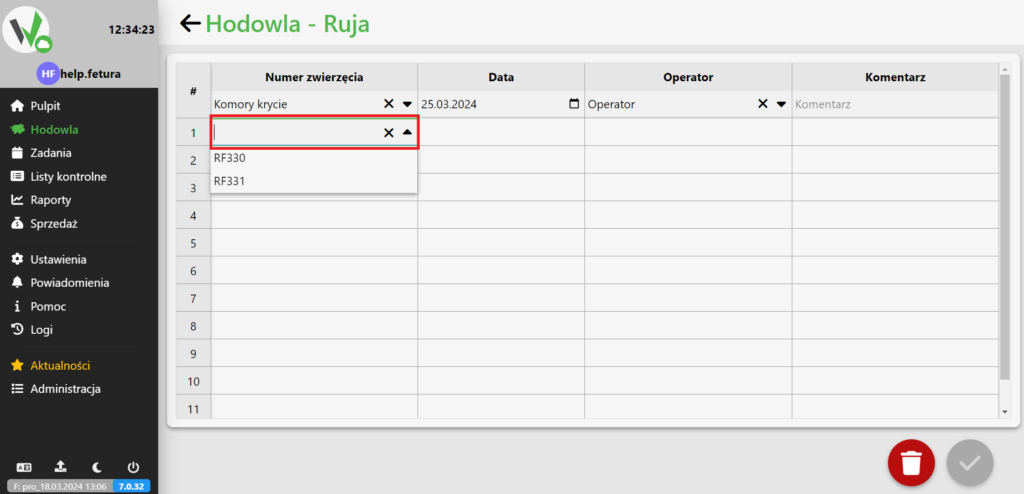
Heat report table with an empty animal search field highlighted in red; type the animal's tag number or click the field to pick it from the dropdown list (e.g. RF330, RF331).

Mandatory fields

After selecting a pig, enter the date of the heat report, and the worker reporting the heat. Optionally, you can also add a comment.
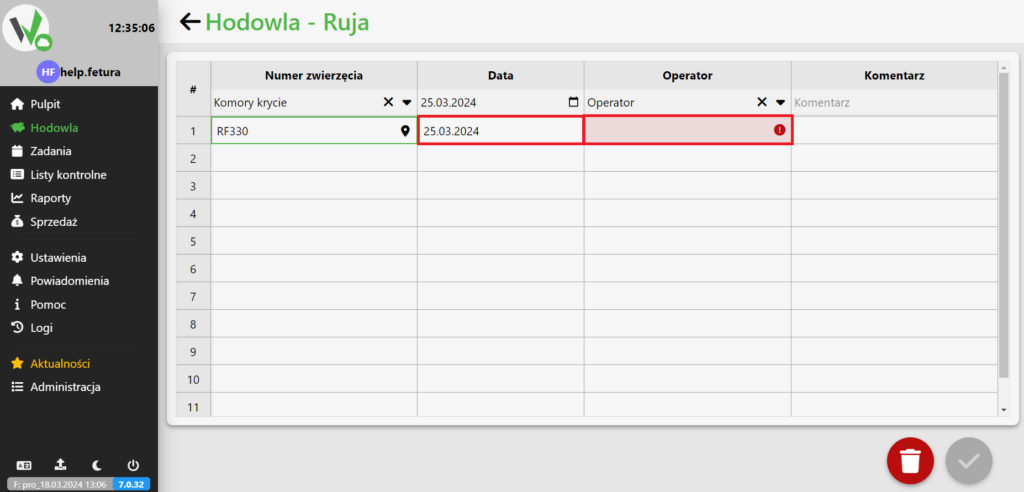
Heat report table with the animal selected; the Operator field is highlighted in red with a warning icon because it is still empty and must be filled in, along with the date, before the report can be saved.
Updated on 2026-07-22
Was this article helpful?

Related Articles

Need Support?
Can't find the answer you're looking for?
Contact Support

Leave a Comment