1. Home
  2. Breading
  3. Weaner/Finisher
  4. How to introduce a group of fattening pigs to a farm?
  1. Home
  2. Breading
  3. How to introduce a group of fattening pigs to a farm?

How to introduce a group of fattening pigs to a farm?

Breeding

After logging in and entering the farm, go to the “Breeding” tab.
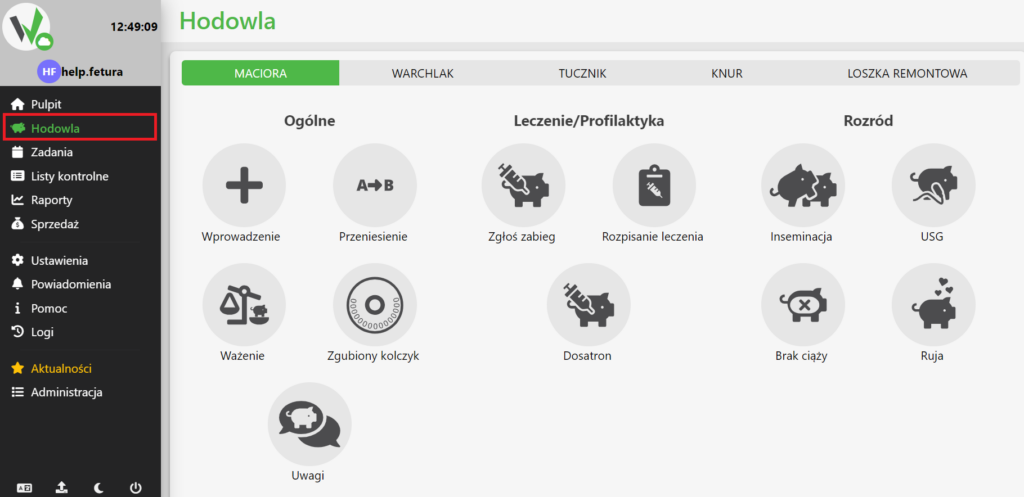
Fetura CLOUD sidebar menu with the Breeding section highlighted in red, used to open the breeding module.

Porker bookmark

In the breeding panel, find the tab titled “Fattening” and click it.
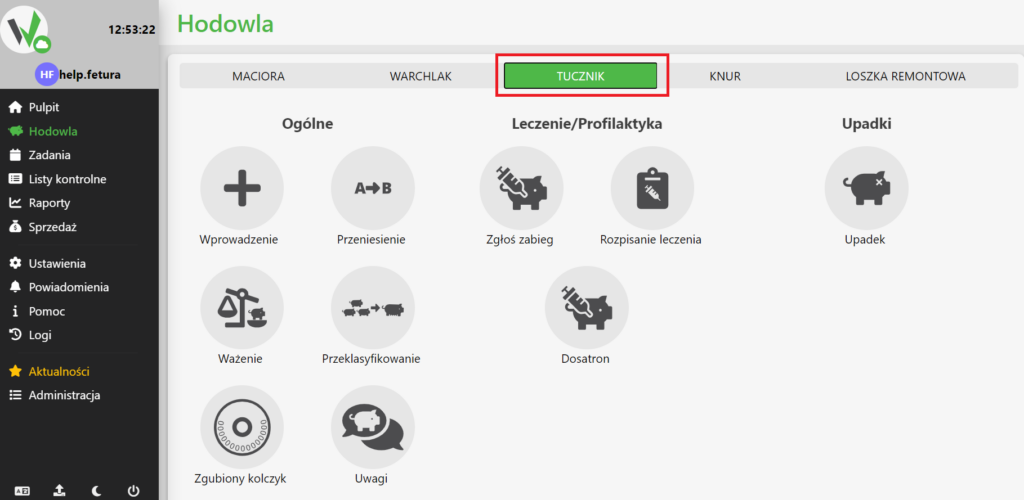
Breeding screen with animal type tabs (Sow, Piglet, Fattening pig, Boar, Replacement gilt); the Fattening pig tab is highlighted in red.

Introducing a group of fattening pigs

In the fattening tab, there is a button labeled “Introduction.” Click it to proceed to the selection of the type of data to be entered.
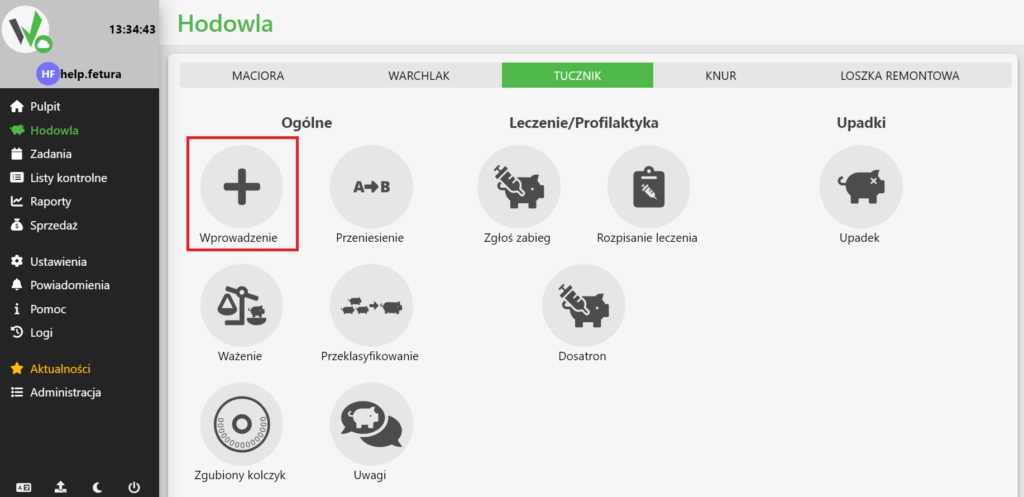
Fattening pig (TUCZNIK) tab of the Breeding module with the Wprowadzenie (Introduction) icon in the top left highlighted in red - click it to start adding animals. The tab groups all available actions into three columns: Ogólne (General) - Wprowadzenie (introduction), Przeniesienie (transfer), Ważenie (weighing), Przeklasyfikowanie (reclassification), Zgubiony kolczyk (lost ear tag), Uwagi (notes); Leczenie/Profilaktyka (Treatment/Prevention) - Zgłoś zabieg (report treatment), Rozpisanie leczenia (treatment plan), Dosatron; Upadki (Deaths) - Upadek (death). Above them the animal type tabs MACIORA, WARCHLAK, TUCZNIK, KNUR, LOSZKA REMONTOWA.

Selection of the type of animal to be introduced

After clicking the “Input” button, select “FATHER – GROUP” to enter data for a group of fattening pigs.
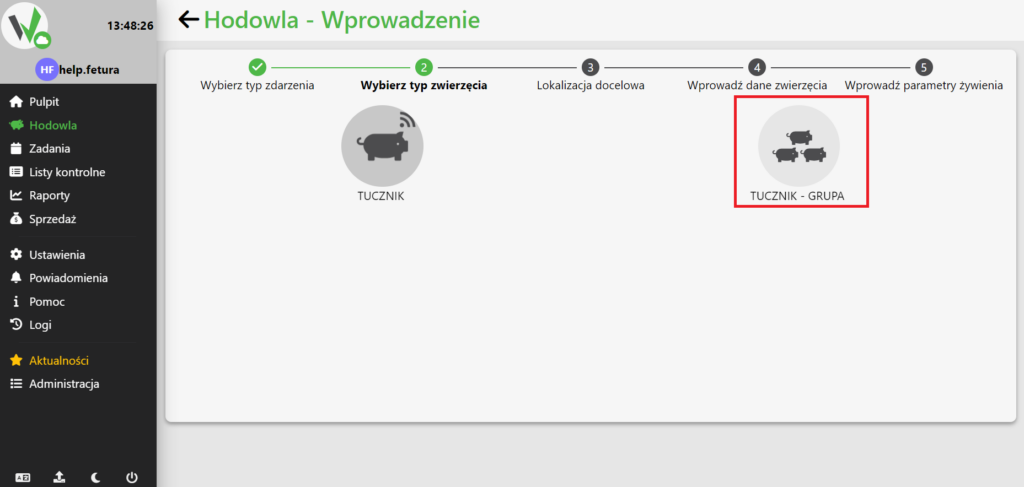
Step 2 of the introduction wizard: select animal type. The 'Fattening pig - Group' option is highlighted in red - choose it to introduce a group of animals.

Sector selection

In this step, select the sector into which the fattening pigs are to be entered. To select a sector, type its name in the field, or click it and select a sector from the list.
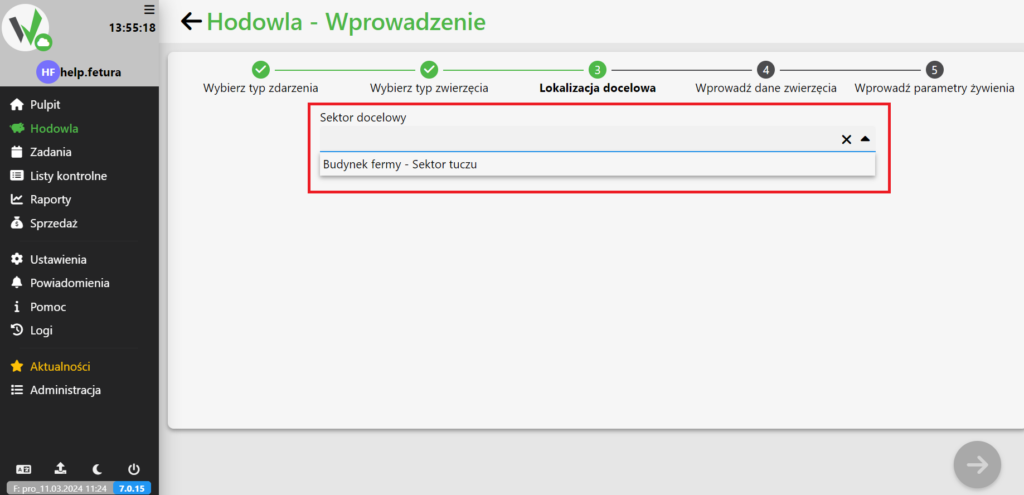
Step 3, target location: the Target sector field with a search result 'Farm building - Fattening sector' highlighted in red - type the sector name and select it from the list.

If there are no sectors on the farm yet, use the following guide.

After selecting a sector, click the button in the lower right corner to go to the fattening group entry form.
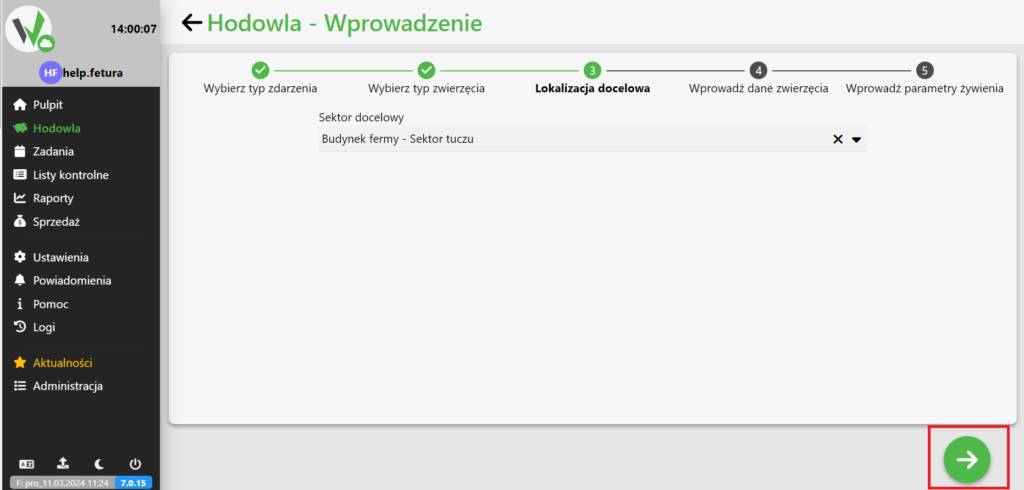
Target sector selected; the green arrow button in the bottom right corner is highlighted in red - click it to proceed to the entry form.

Entering group data

When you enter the form, mandatory fields are checked. You must fill them out so that a group of fattening pigs can be introduced. Fields that are not marked are optional and may not be filled in.
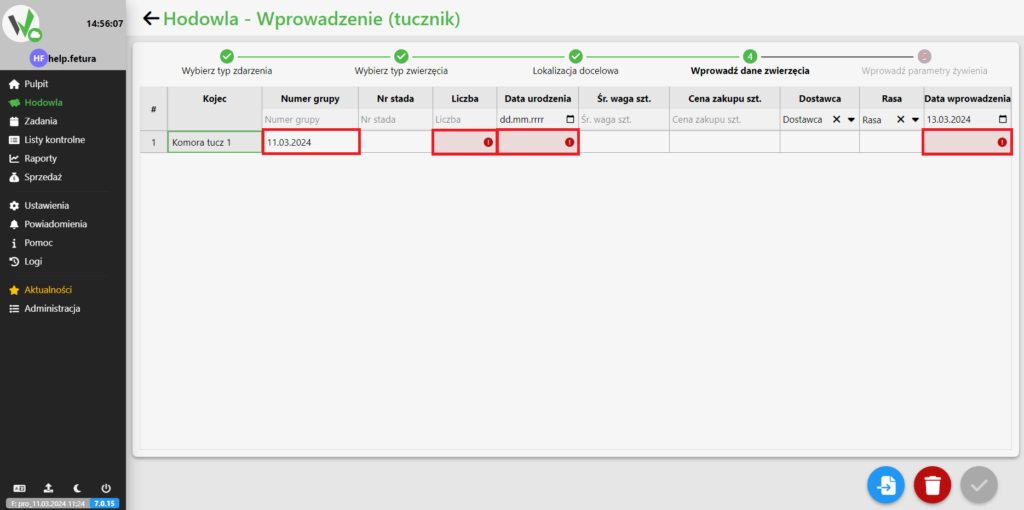
Group entry form, step 4 of the introduction wizard (steps: Wybierz typ zdarzenia, Wybierz typ zwierzęcia, Lokalizacja docelowa, Wprowadź dane zwierzęcia, Wprowadź parametry żywienia). The mandatory fields Liczba (quantity), Data urodzenia (date of birth) and Data wprowadzenia (entry date) are highlighted in red with warning icons because they are still empty. The form is a table with the columns: row number, Kojec (pen), Numer grupy (group number), Nr stada (herd number), Liczba (quantity), Data urodzenia (date of birth), Śr. waga szt. (average weight per head), Cena zakupu szt. (purchase price per head), Dostawca (supplier), Rasa (breed) and Data wprowadzenia (entry date). Buttons in the bottom right: duplicate row, delete row and confirm.

After filling out the form, click the highlighted button to create a group.
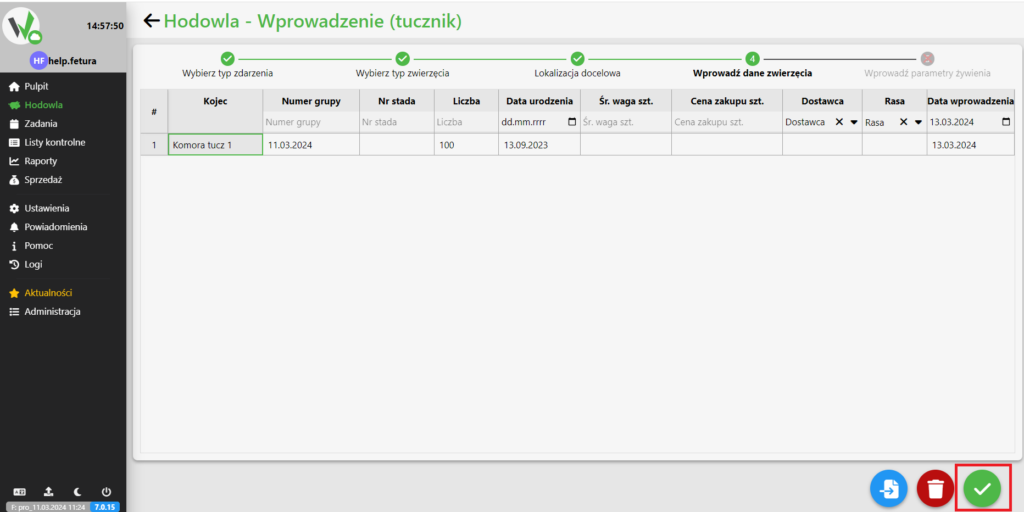
Completed group entry form; the green checkmark button in the bottom right corner is highlighted in red - click it to create the group.
Updated on 2026-07-28
Was this article helpful?

Related Articles

Need Support?
Can't find the answer you're looking for?
Contact Support

Leave a Comment