1. Home
  2. Devices
  3. Nutri Sort
  4. How to assign the Nutri SORT to a chamber?

How to assign the Nutri SORT to a chamber?

To assign Nutri SORT to a chamber, go to the Settings tab.
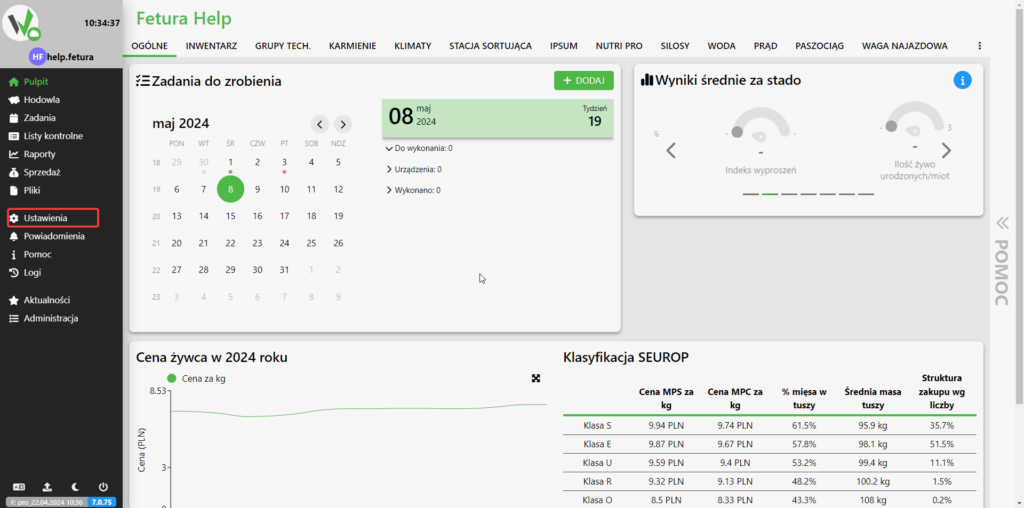
Fetura CLOUD dashboard with the Settings item in the left sidebar highlighted in red.

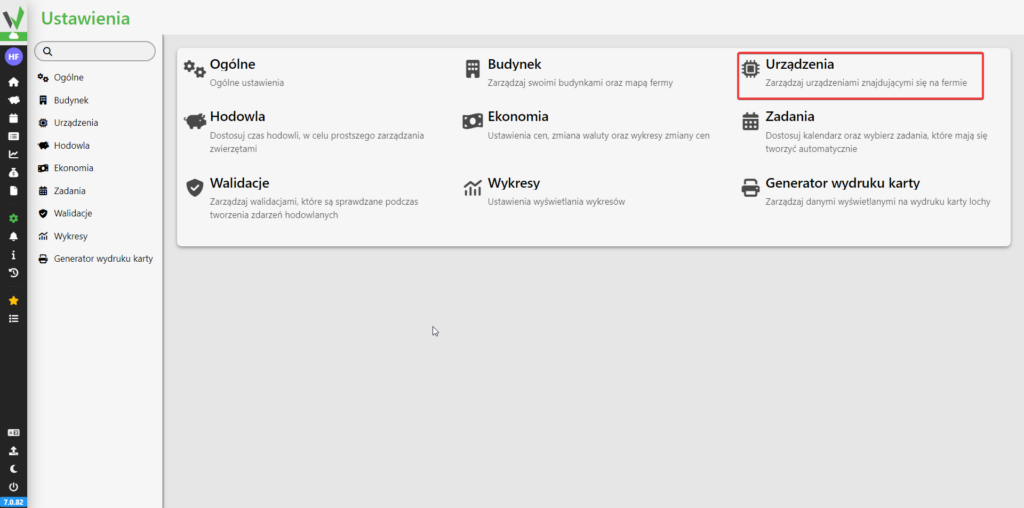
Then go to the Devices tab.

Settings screen with tiles for each configuration area; the Devices tile is highlighted in red - click it to manage devices.

Then go to the Assign devices to places tab.

If you have not yet created chambers use the article below.

From the available chambers, select the one you want to assign the Nutri SORT to and click the highlighted button. Clicking it will automatically assign it to the chamber.
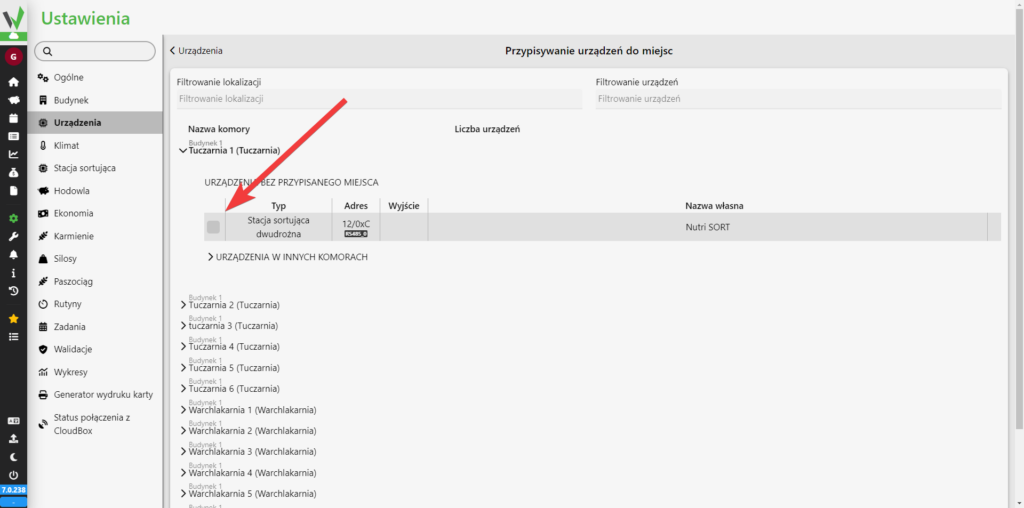
Device-to-location assignment screen; a red arrow points to the checkbox next to the unassigned Nutri SORT device (listed as 'Stacja sortująca dwudrożna') - select it, then confirm to assign it to the currently expanded chamber.
Updated on 2026-07-22
Was this article helpful?

Related Articles

Need Support?
Can't find the answer you're looking for?
Contact Support

Leave a Comment