
FarmWatch Pro allows you to customize how you receive notifications about events and alarms. You can decide which events should trigger SMS messages or phone calls.
By default, all available notifications are enabled in FarmWatch Pro. This ensures that the user receives information about the most important events related to the operation of the device and connected sensors.
Notification settings can be changed in three ways:
- from the Fetura CLOUD platform,
- from the web browser version,
- from the mobile version,
- directly from the FarmWatch Pro control panel.
Notifications can be customized both in the web browser version and the mobile version of the Fetura CLOUD platform.
Opening FarmWatch Pro settings
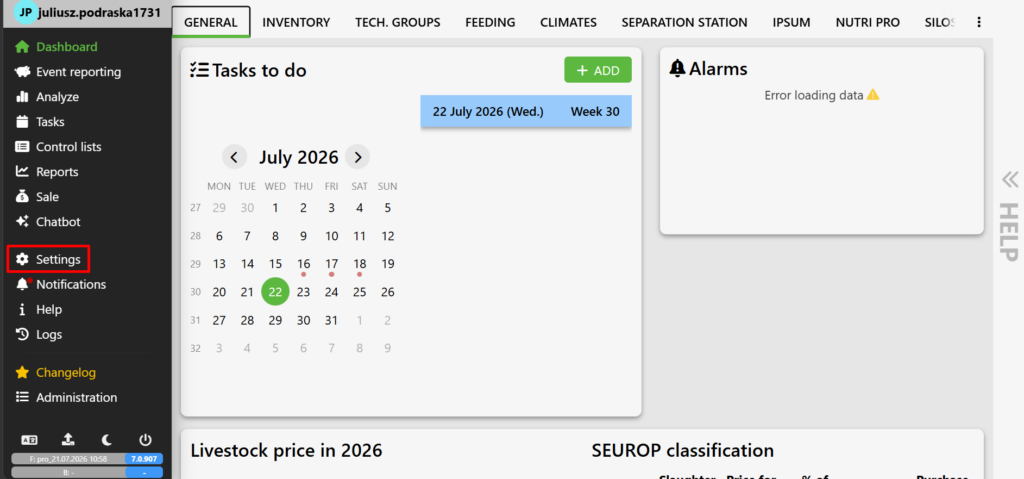
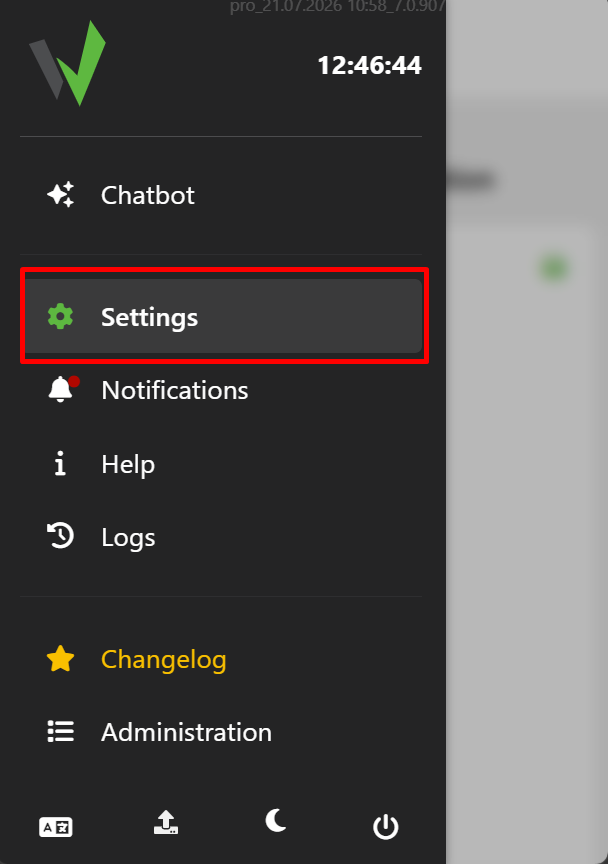
Open your farm and go to Settings.
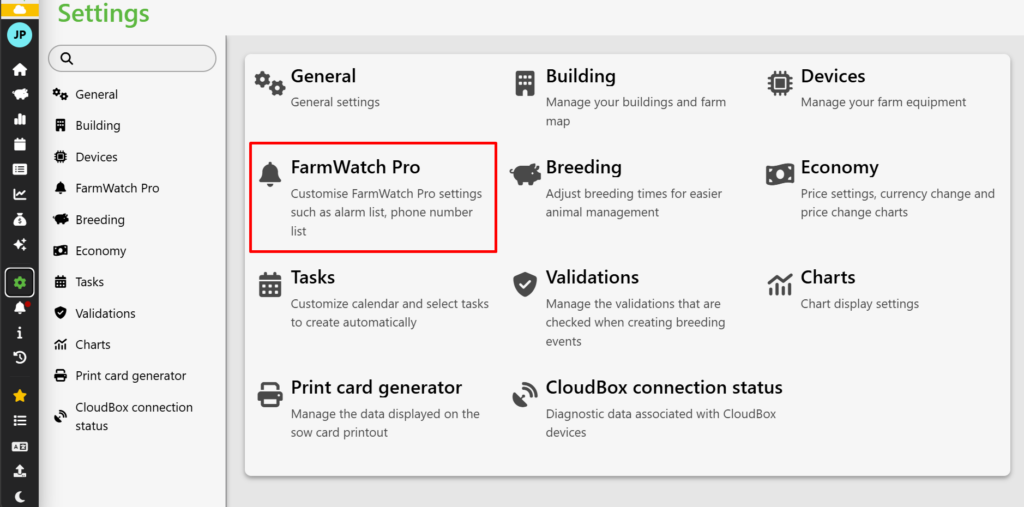
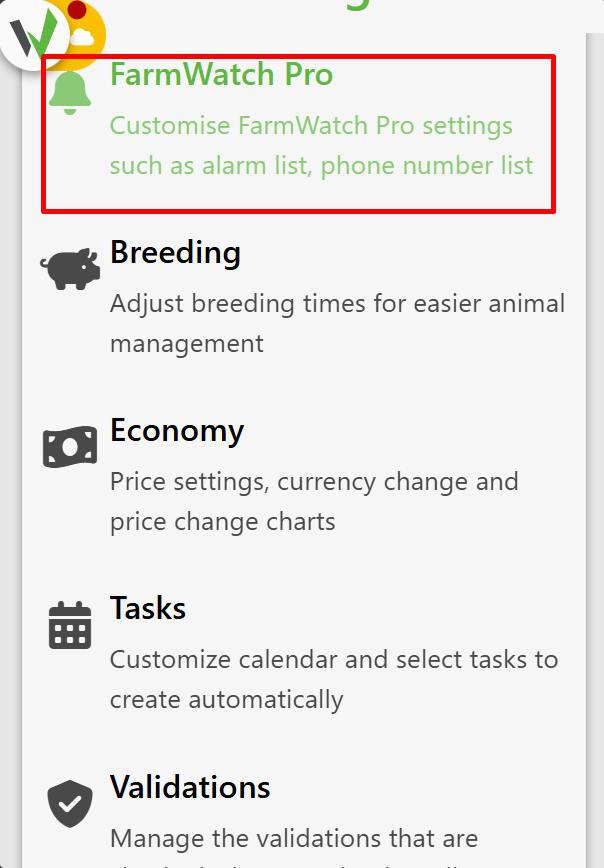
Next, select FarmWatch PRO Settings.
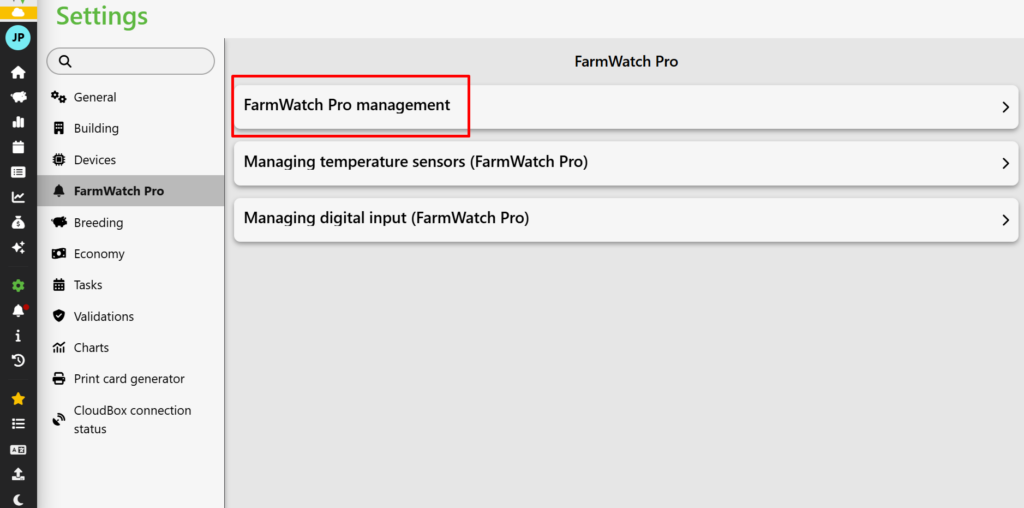
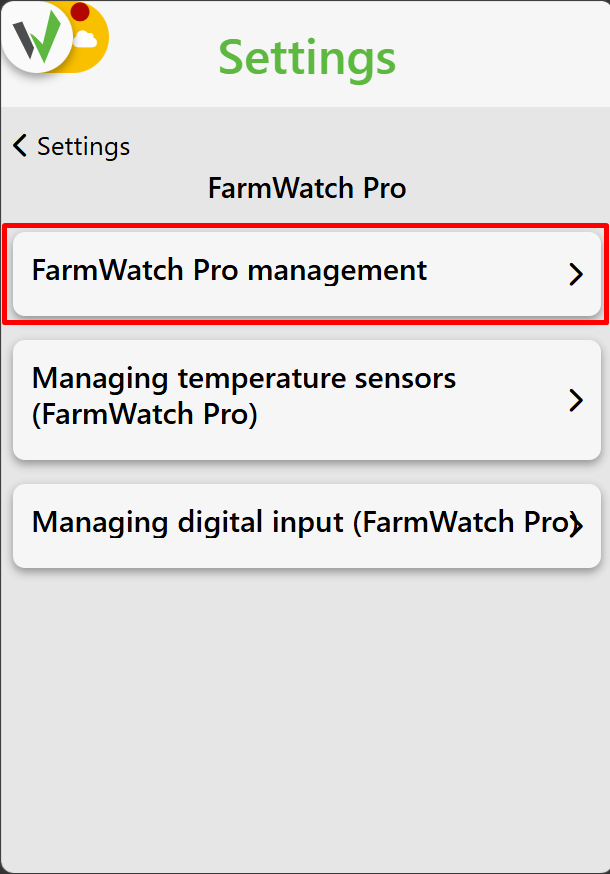
Go to the FarmWatch PRO Management section.
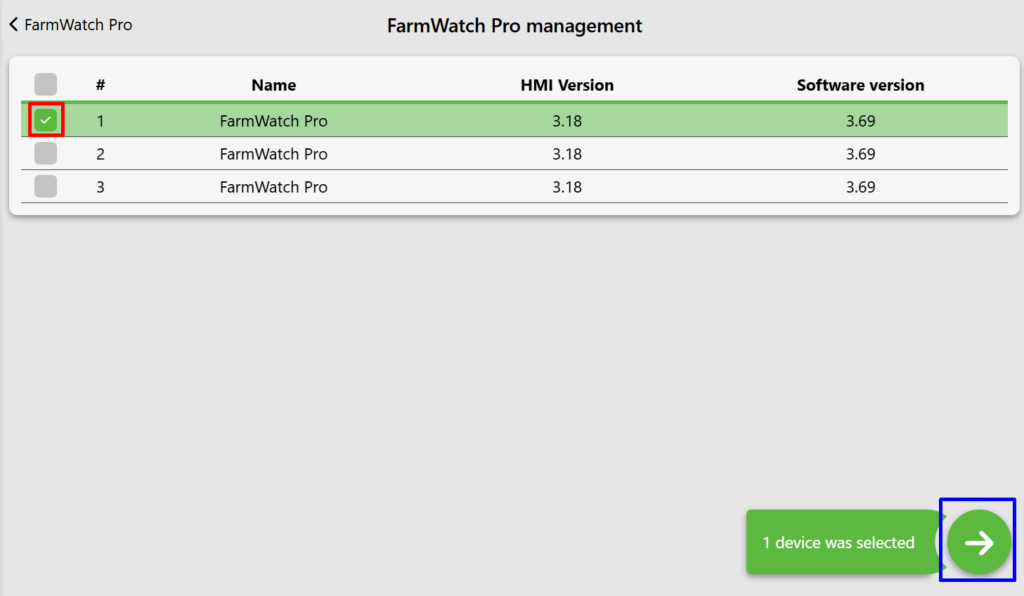
Select the FarmWatch PRO device for which you want to change notification settings [red], then continue [blue].
Adjusting notifications
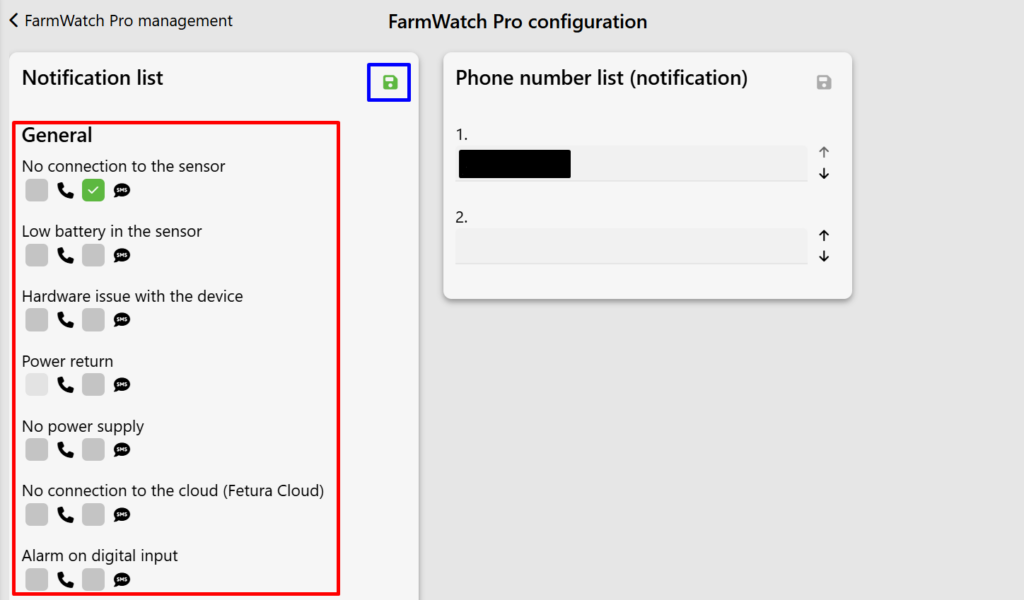
After entering the device settings, a list of available event types will be displayed. For each notification type, you can decide whether you want to receive information about that event.
To disable a selected notification, uncheck the corresponding option [red]. After completing the configuration, save the changes using the save button [blue].
Opening FarmWatch Pro settings
Open your farm and go to Settings.
Next, select FarmWatch PRO Settings.
Go to the FarmWatch PRO Management section.
Select the FarmWatch PRO device for which you want to change notification settings [red], then continue [blue].
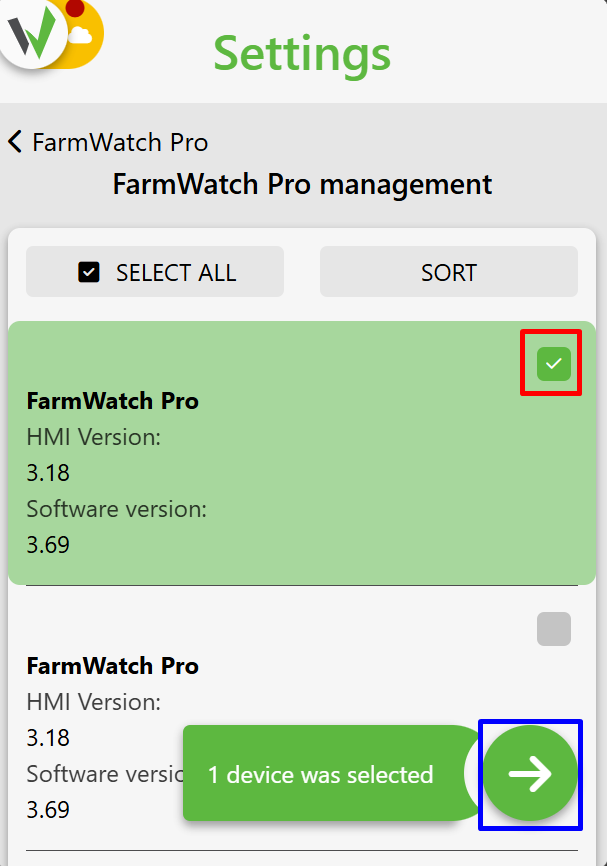
Adjusting notifications
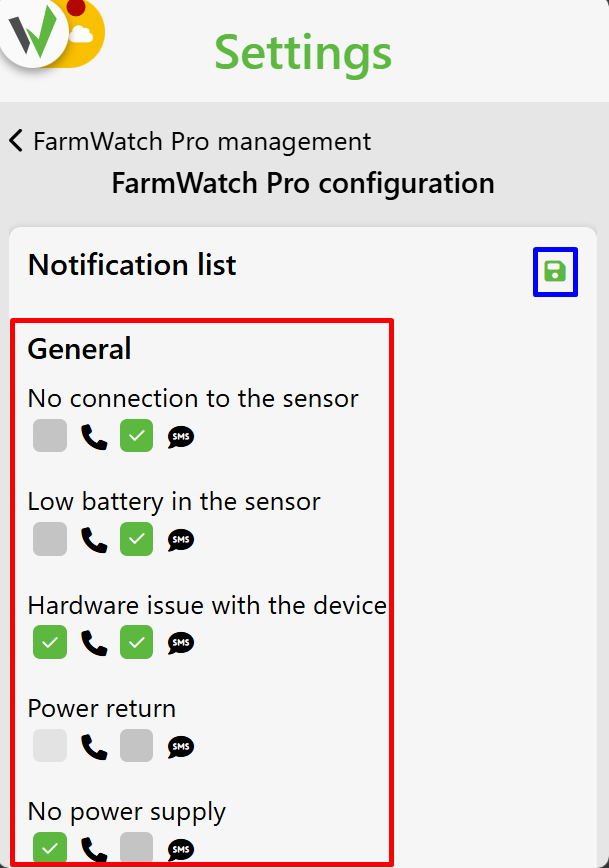
After entering the device settings, a list of available event types will be displayed. For each notification type, you can decide whether it should remain active.
To disable a selected notification, uncheck the corresponding option [red]. After completing the configuration, save the changes using the save button [blue].
Notifications can also be customized directly from the FarmWatch Pro control panel.
Opening notification settings
Approach the FarmWatch Pro control panel and enter your PIN.
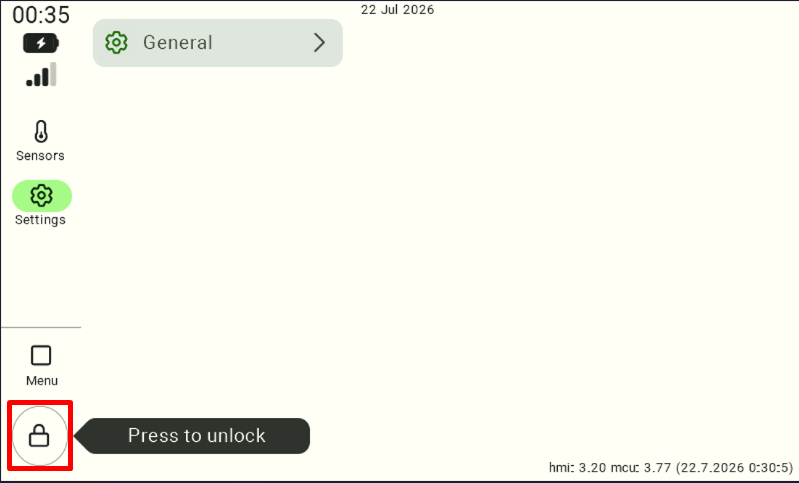
Next, go to Settings.
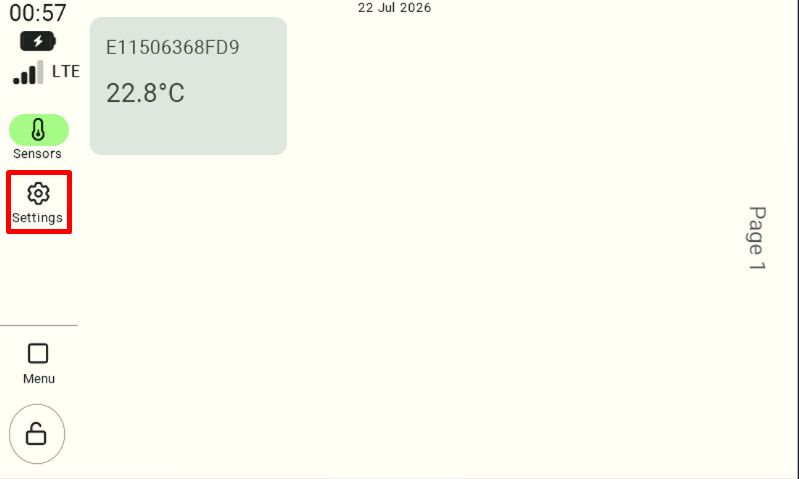
Select Notification settings.
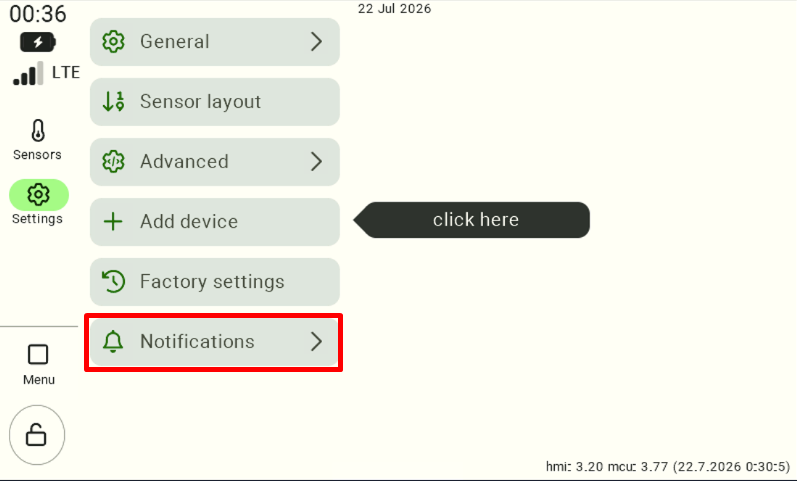
Open notification configuration.
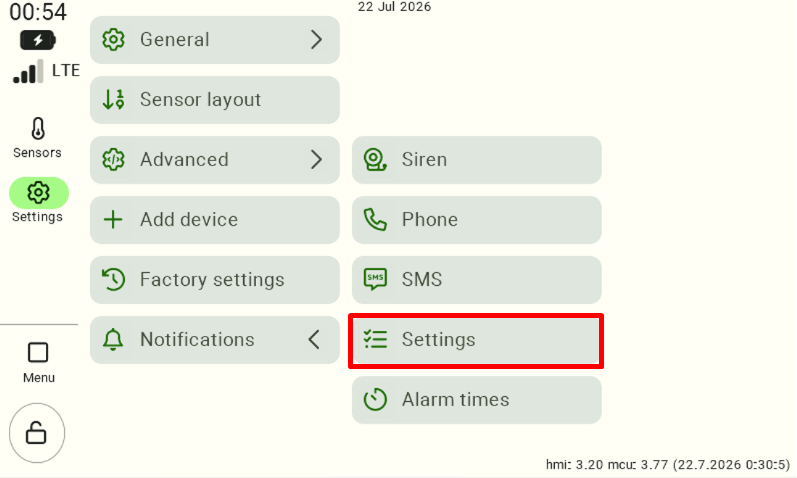
Adjusting notifications
A list of all available event types will be displayed. For each notification type, you can decide whether you want to receive information about that event.
To disable a selected notification, uncheck the corresponding option [red]. After completing the configuration, save the changes using the save button [blue].
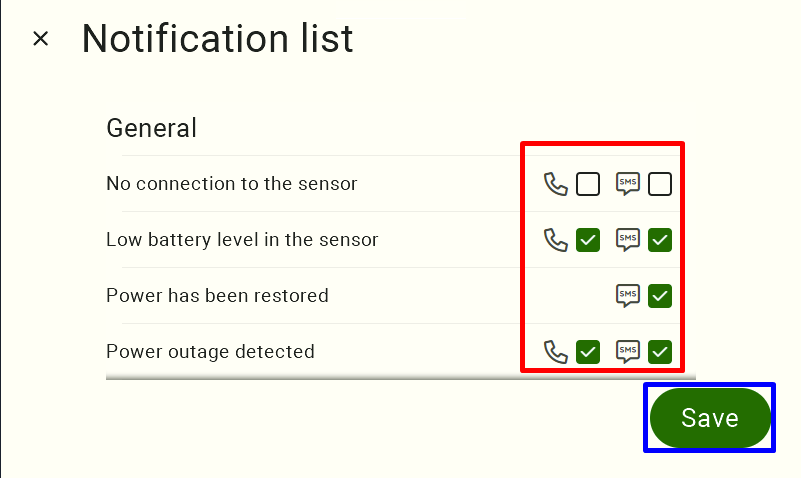
Before disabling selected notifications, make sure that this will not prevent you from receiving important information about farm operation.
For example:
- temperature alarms may require immediate action,
- power failure notifications may be important for proper device operation,
- less important events can be limited to reduce the number of received notifications.
We recommend adjusting notification settings according to your individual needs and the operating conditions of your farm.
We hope this article helped you configure notifications in FarmWatch Pro. Enjoy using the system!


