
Resetting the FarmWatch Pro control unit to its factory settings deletes any configurations you have entered and restores the device’s default settings. This option may be useful, for example, when transferring the device to another user or reconfiguring the system.
To restore the device to its factory settings:
First, unlock the control panel by entering your PIN.
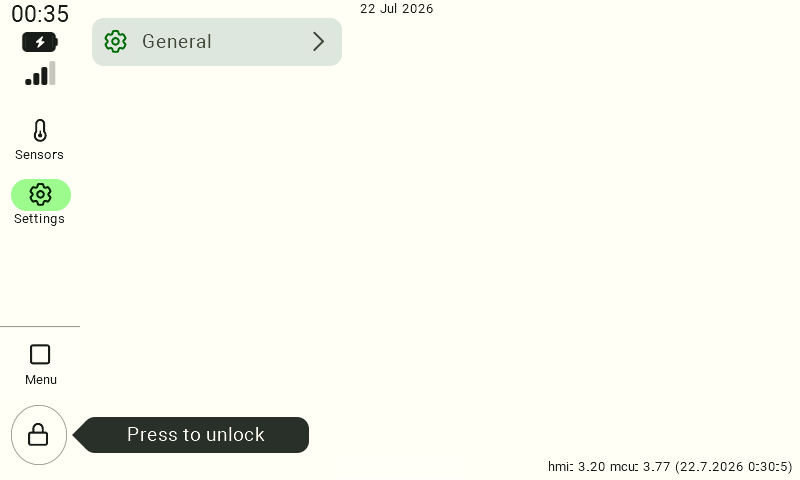
After unlocking the device, go to Settings > “> ” > Factory Reset.
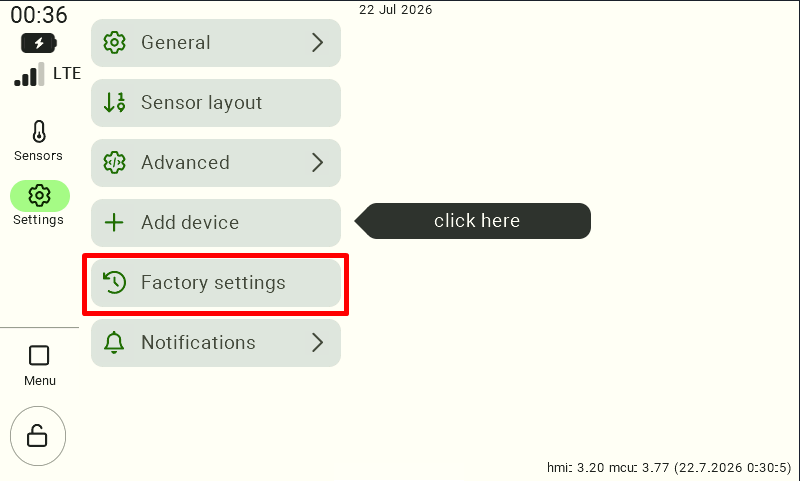
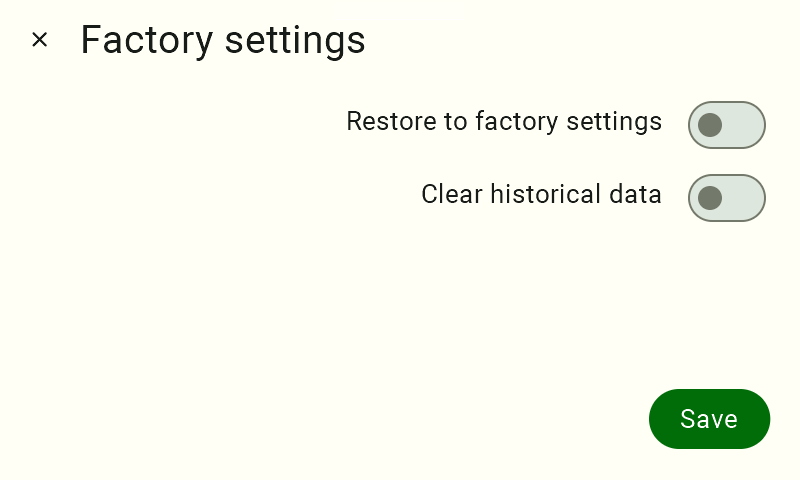
To completely clear the device’s configuration, select both available options:
- Restore to Factory Settings – restores the control panel to its default settings.
- Clear Historical Data – Deletes stored measurement data and the event log.
After selecting both options, confirm the changes by clicking the Save button.
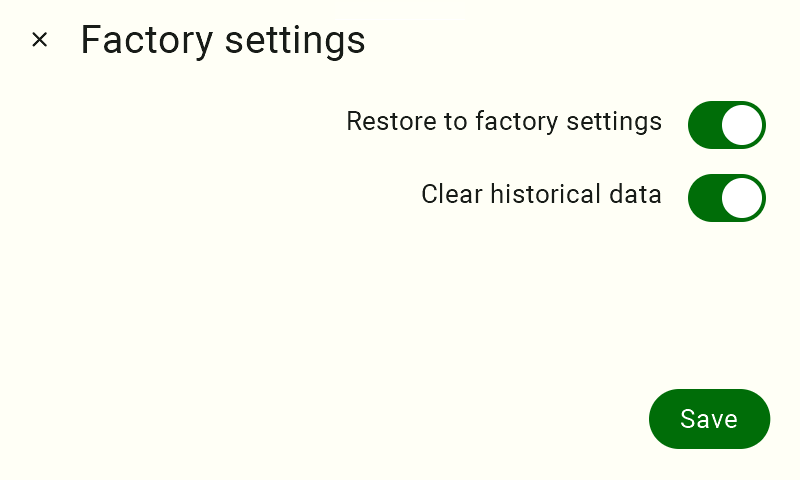
Once the operation is confirmed, the control panel will begin the factory reset process. The duration of the process may depend on the amount of stored data and the device’s current configuration. Once the process is complete, you will need to reconfigure the control panel and add the connected sensors.
Thank you for using FarmWatch Pro, and we hope you have a smooth setup process.


