In this article we will show how to remove the animal from the farm.
- Moving to the Inventory section
- We start by being on the main page of the application.
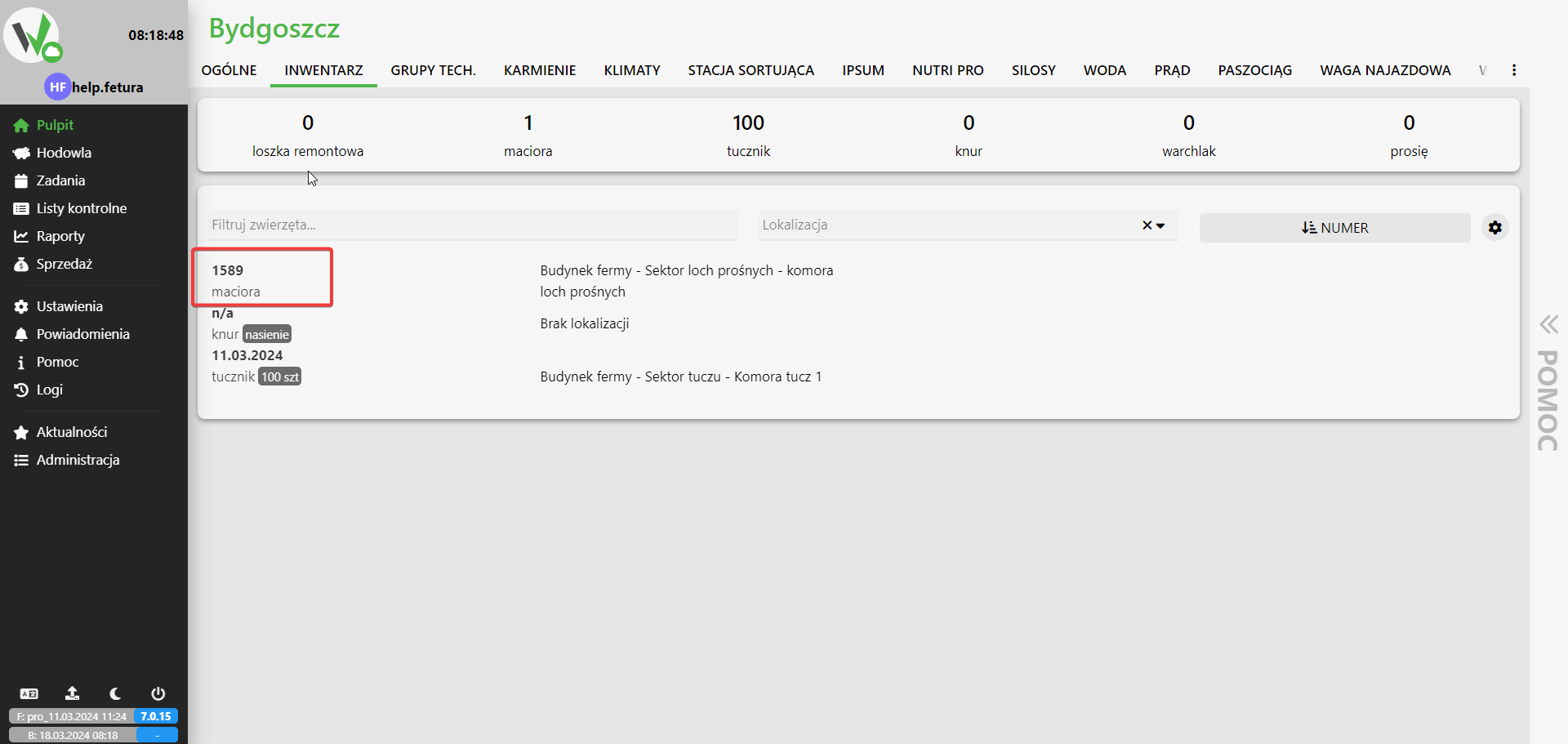
- On the tab bar, select Inventory

- Choice of animal
- We click on the animal of our choice to be removed.
- We click on the animal of our choice to be removed.
- Removal of the animal
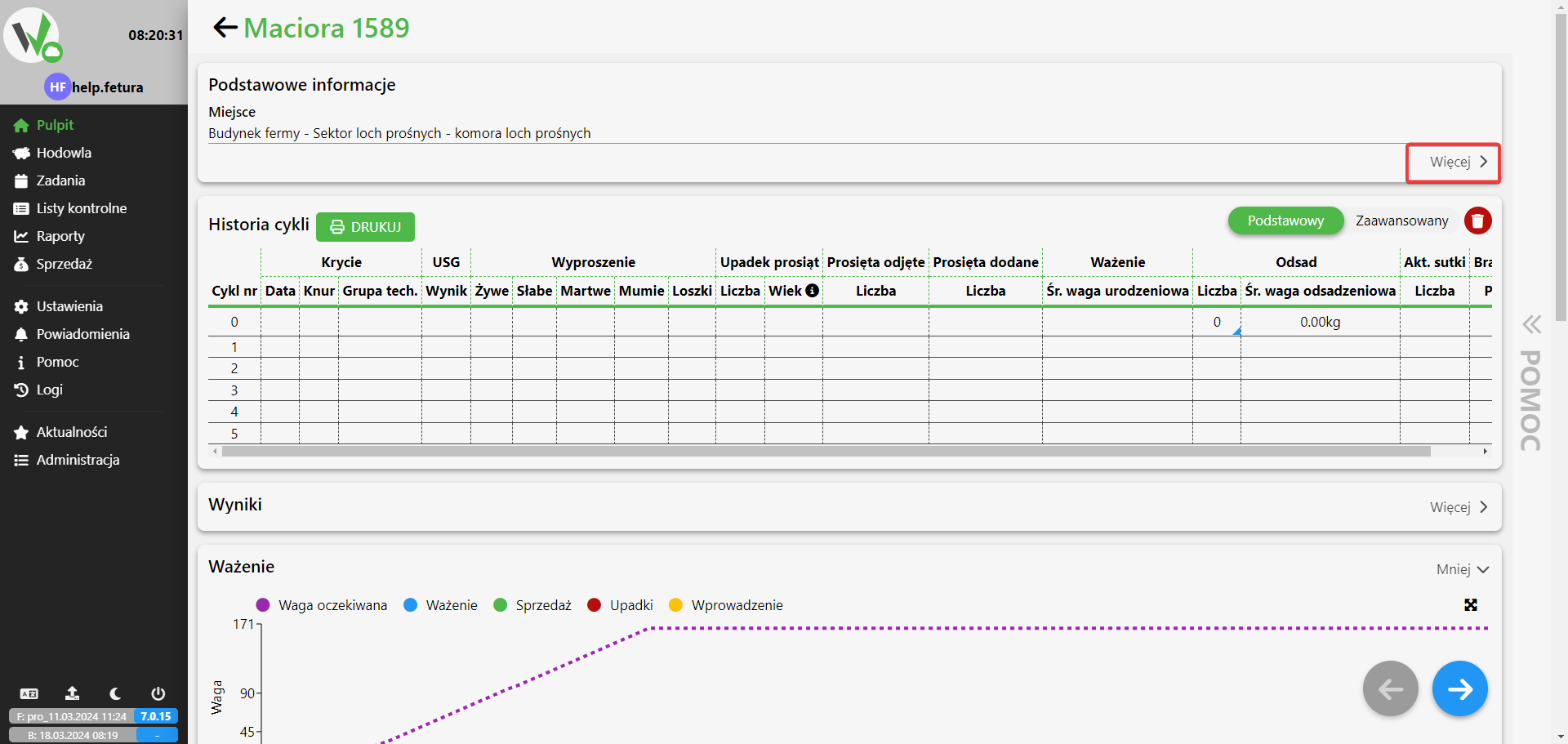
- Expand the list Basic information
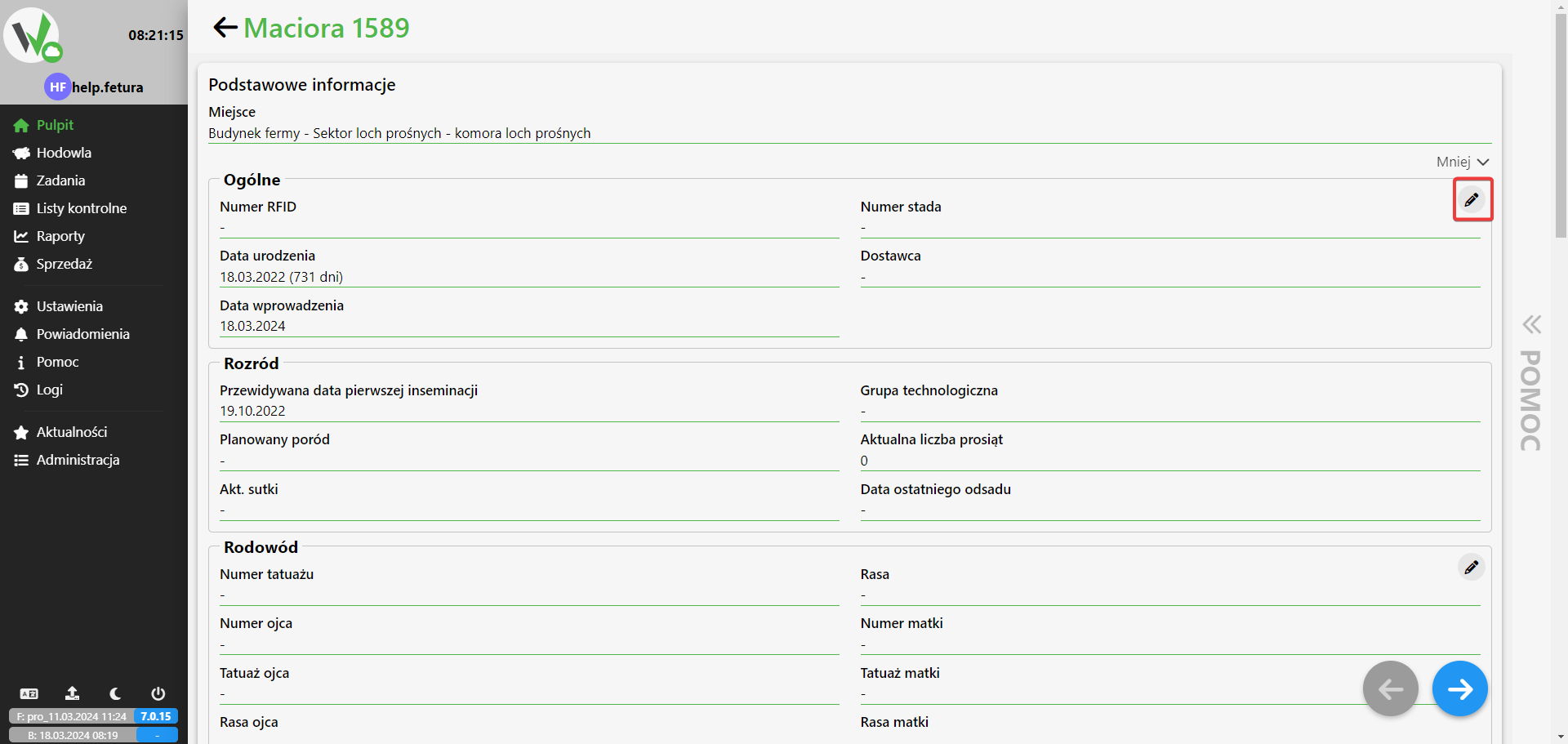
- We click edit
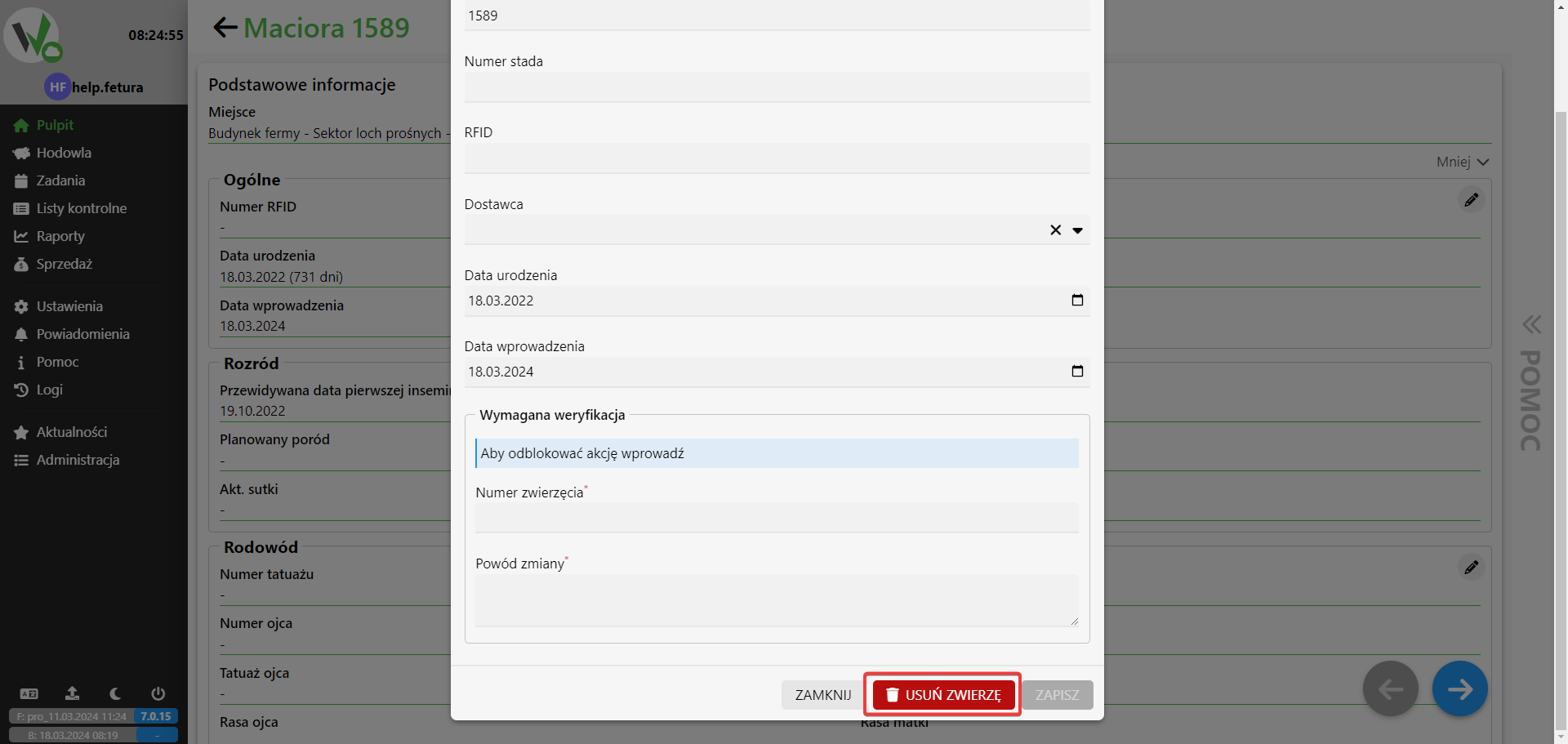
- Select the REMOVE ANIMAL button
- You provide the number of the animal and the reason for your decision.
- Expand the list Basic information