1. Home
  2. Breading
  3. Sows/Gilts/Piglets
  4. How to conduct weaning on piggeries
  1. Home
  2. Breading
  3. Weaner/Finisher
  4. How to conduct weaning on piggeries
  1. Home
  2. Breading
  3. How to conduct weaning on piggeries

How to conduct weaning on piggeries

Start in the Breeding Module: Go to the Breeding module in the FETURA Cloud system.
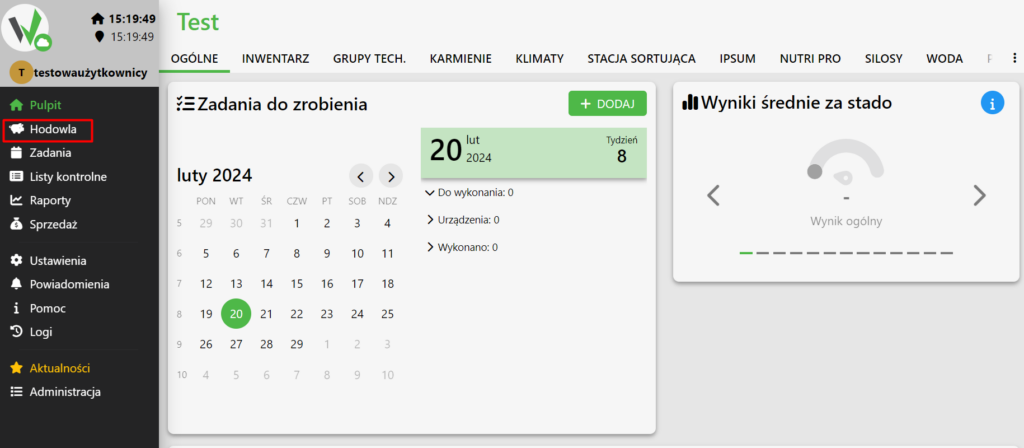
Main dashboard with the Breeding menu item highlighted in red in the left sidebar, used to open the breeding module.

Select Sow: Select the “Sow” animal type from the menu, as we can only perform weaning for sows.
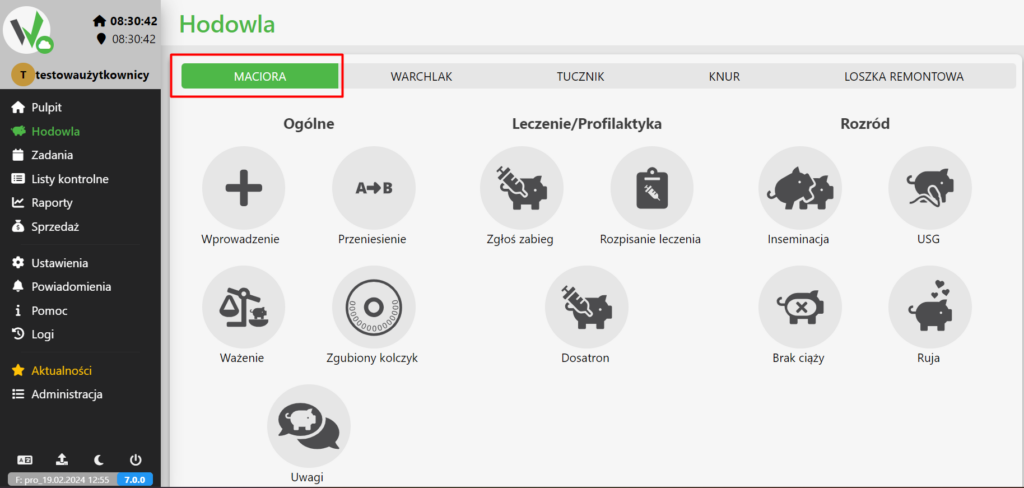
Breeding module with the SOW tab highlighted in red, selected because weaning can only be performed for sows.

Weaning to piggyback: Check the “Weaning to piggyback” option to proceed.
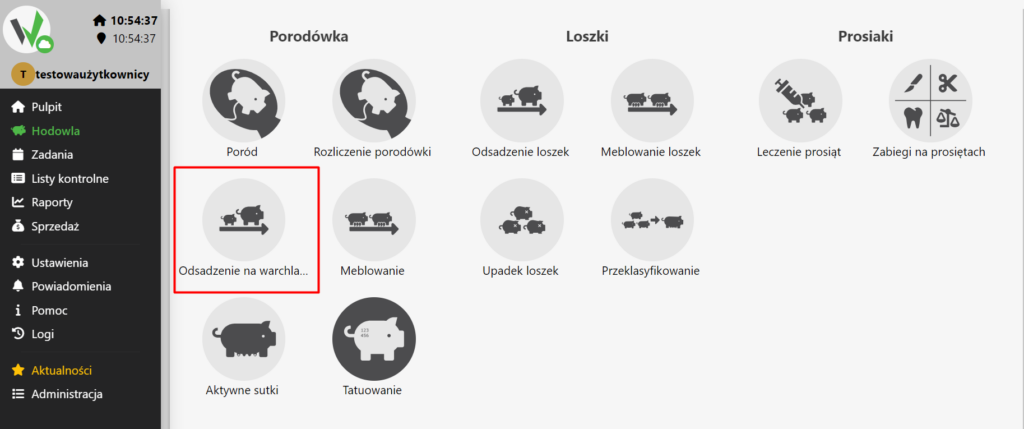
Breeding icons for the piglets section with the Weaning to piggyback icon highlighted in red.

Select Sow: Select the specific sow for which you want to add weaning information.

Enter the number of piglets: After selecting the appropriate sow, enter the weaning result, which is the number of piglets.

The Fetura Cloud system allows for partial desludging. To do this, disable the corresponding validation in the Settings – Validations tab .

Choose the right location: Select the appropriate location where the piglets are to be weaned.

Enter the weight of the piglet: Enter the average weight of the piglet.

Enter Weaning Date: Enter the date on which weaning took place for the selected sow.
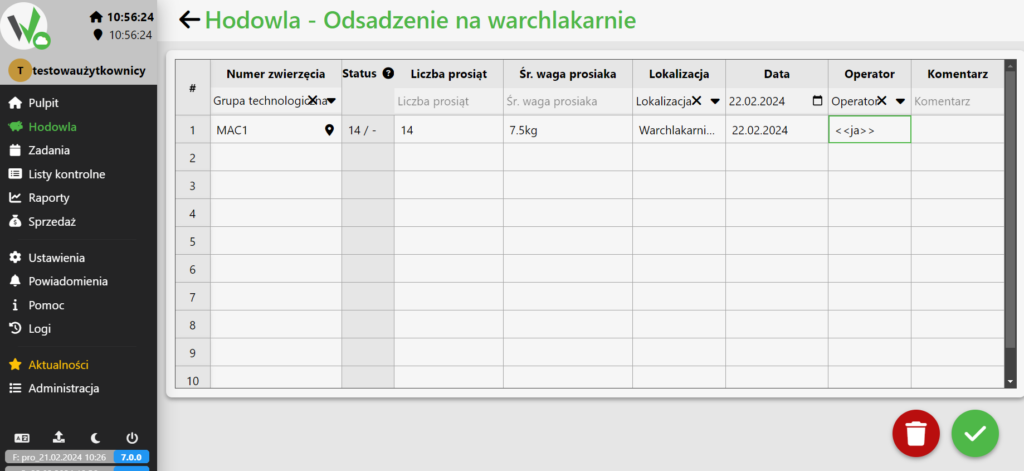
Weaning to piggyback data entry table with columns for animal number, status, number of piglets, average piglet weight, location, date, operator, and comment, showing an example row for sow MAC1.

Enter User: Enter the user who entered the weaning.

Updated on 2026-07-23
Was this article helpful?

Related Articles

Need Support?
Can't find the answer you're looking for?
Contact Support

Leave a Comment