1. Home
  2. Reports & Analyze
  3. Prepare data for genetics report

Prepare data for genetics report

1 To generate a data report for genetics, select the “Reports” tab from the side navigation menu.

(2) Then, from the available list, select the report named “Prepare data for genetics report”.
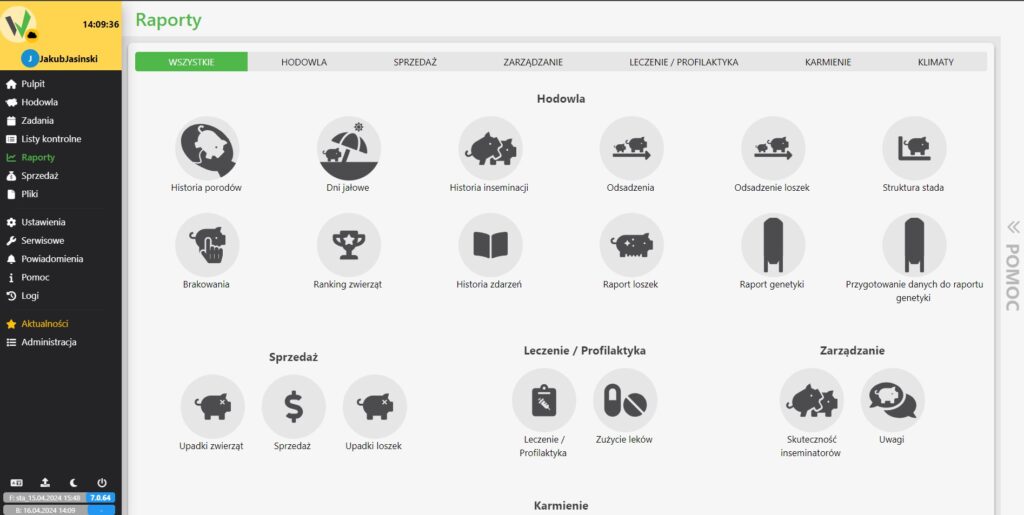
Reports module showing the full report catalog, with the Prepare data for genetics report icon listed under the Breeding category.

3. select the data range for the report and select “Generate”.
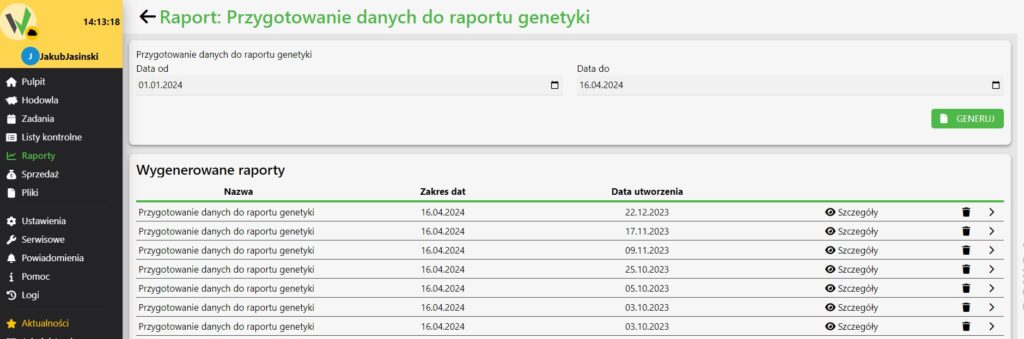
Prepare data for genetics report generation screen with the date range fields, Generate button, and a list of previously generated reports.

Updated on 2026-07-23
Was this article helpful?

Related Articles

Need Support?
Can't find the answer you're looking for?
Contact Support

Leave a Comment