
When a sensor stops transmitting data, the problem is usually due to a dead battery, poor signal, or too frequent transmission of measurements. Below are the steps to fix this.
1. Identifying the cause
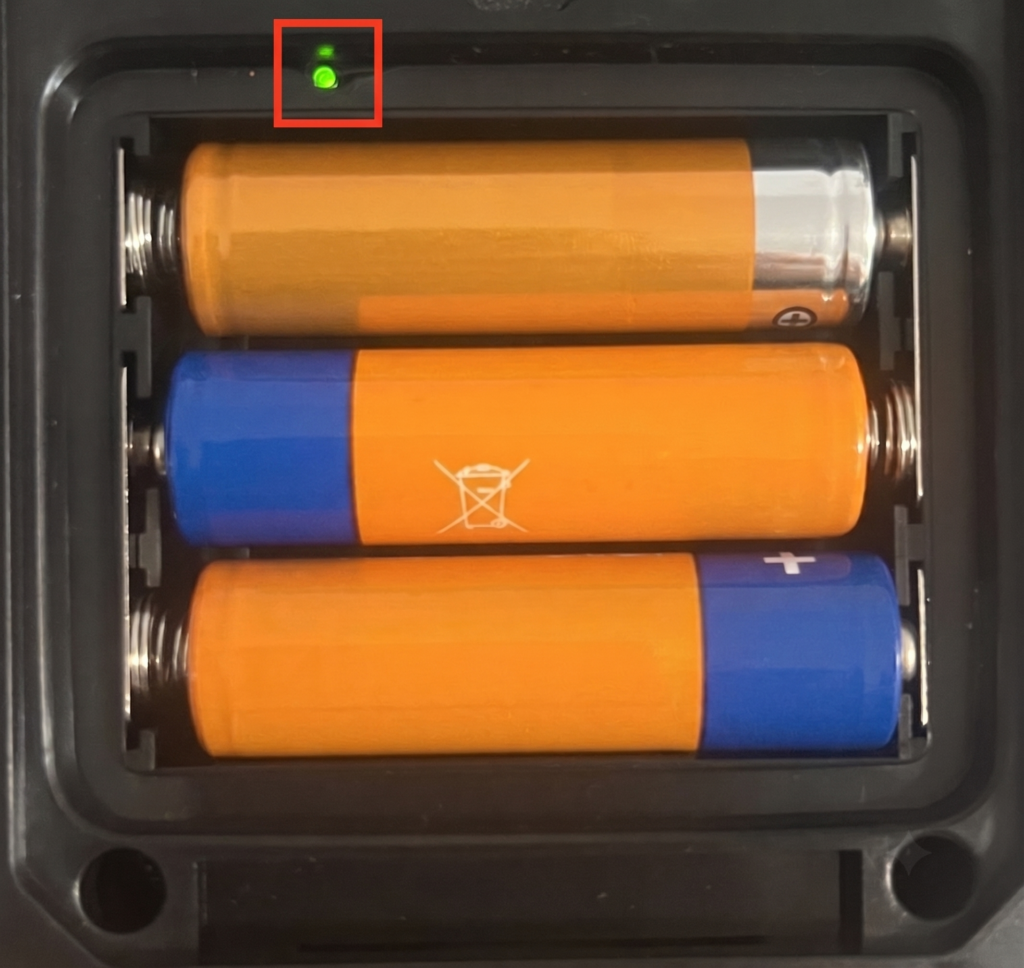
To check the device’s status, unscrew the battery cover, remove one of the batteries, and then reinsert it. Watch the LED above the batteries —it should light up for a longer period and then start flashing.
If the LED does not light up at all: This means the device is not receiving power. You will most likely need to replace the battery with a new one.
If the LED lights up once but then does not start flashing: This means the sensor is working but cannot establish a connection. In this case, the problem is most likely related to range—go to step 2 to fix it.
2. Increasing Transmission Power
If readings still do not appear, you can increase the transmission power from within FarmWatch Pro. By default, the transmission power is set to 10 dBm.
To change this:
- Go to the “Sensors” tab on your FarmWatch Pro device.
- Select the sensor that’s causing problems, then click the gear icon to open the settings.
- Select the “Change General” option.
- In the transmission power setting, enter a higher value—for example, increase it from 10 dBm to 12 dBm to start with.
3. How often should the sensor send readings?
The default reporting interval is 15 minutes, and we recommend keeping this setting.
If there are a large number of sensors on the farm, reducing the reporting interval (e.g., to 5 minutes) will cause the system to freeze. Transmitting too frequently causes the devices to take up too much “space” on the radio waves (exceeding 20% of the bandwidth). Signals from different thermometers then begin to collide and interfere with one another. As a result, the network becomes congested, and readings stop reaching the base station altogether.
4. What if the problem persists?
If the problem persists and there are still no sensor readings, the issue may lie in the communication settings on FarmWatch Pro.
We have a separate article on how to properly configure this communication so that it runs smoothly:


