1. Home
  2. Settings
  3. How to change the units in the application?

How to change the units in the application?

In this article, we will show how to change units on a farm.

  1. Unit change section in settings
    • Start by going to the application’s home page.
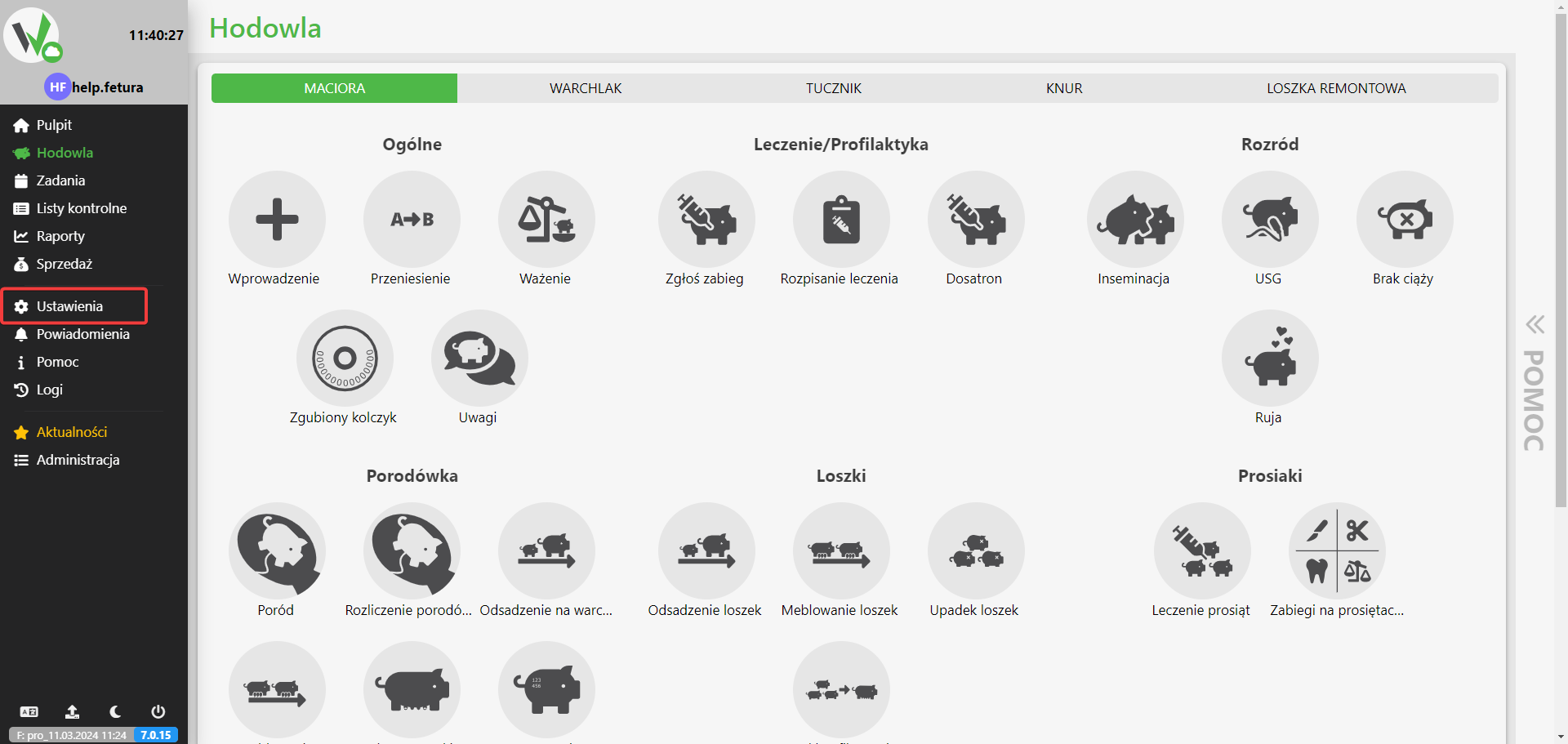
    • From the left side of the menu, select Settings.Breeding panel with the sidebar Settings item outlined in red.
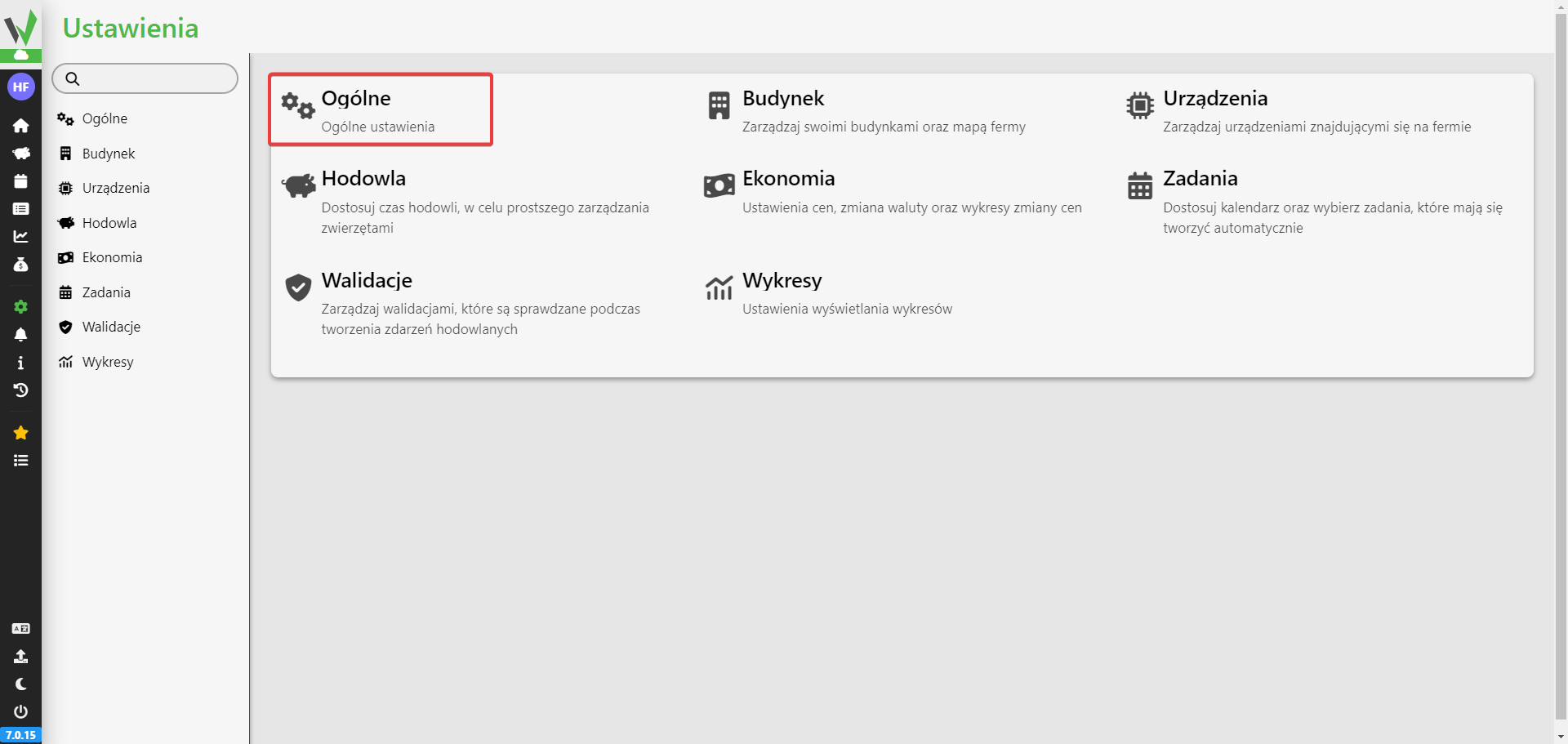
    • Select the General sectionSettings page grid with the General tile outlined in red, used to open general farm settings.
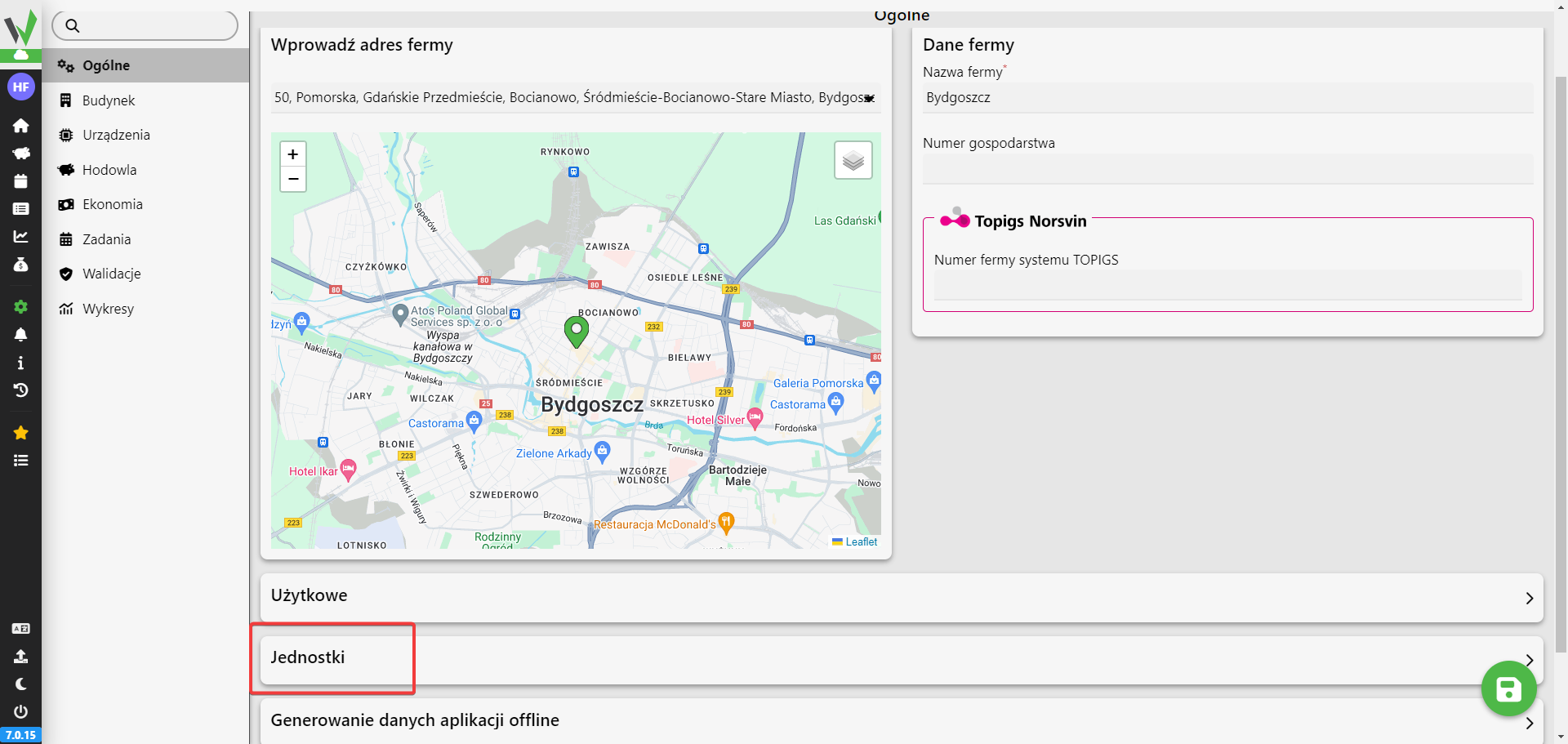
    • Once in, scroll down the screen and three tabs will appear
      • Usable
      • Units
      • Offline application data generation
    • Select the Units tabGeneral settings page showing the farm address and map, with the collapsible Units section outlined in red.
  2. Change of units
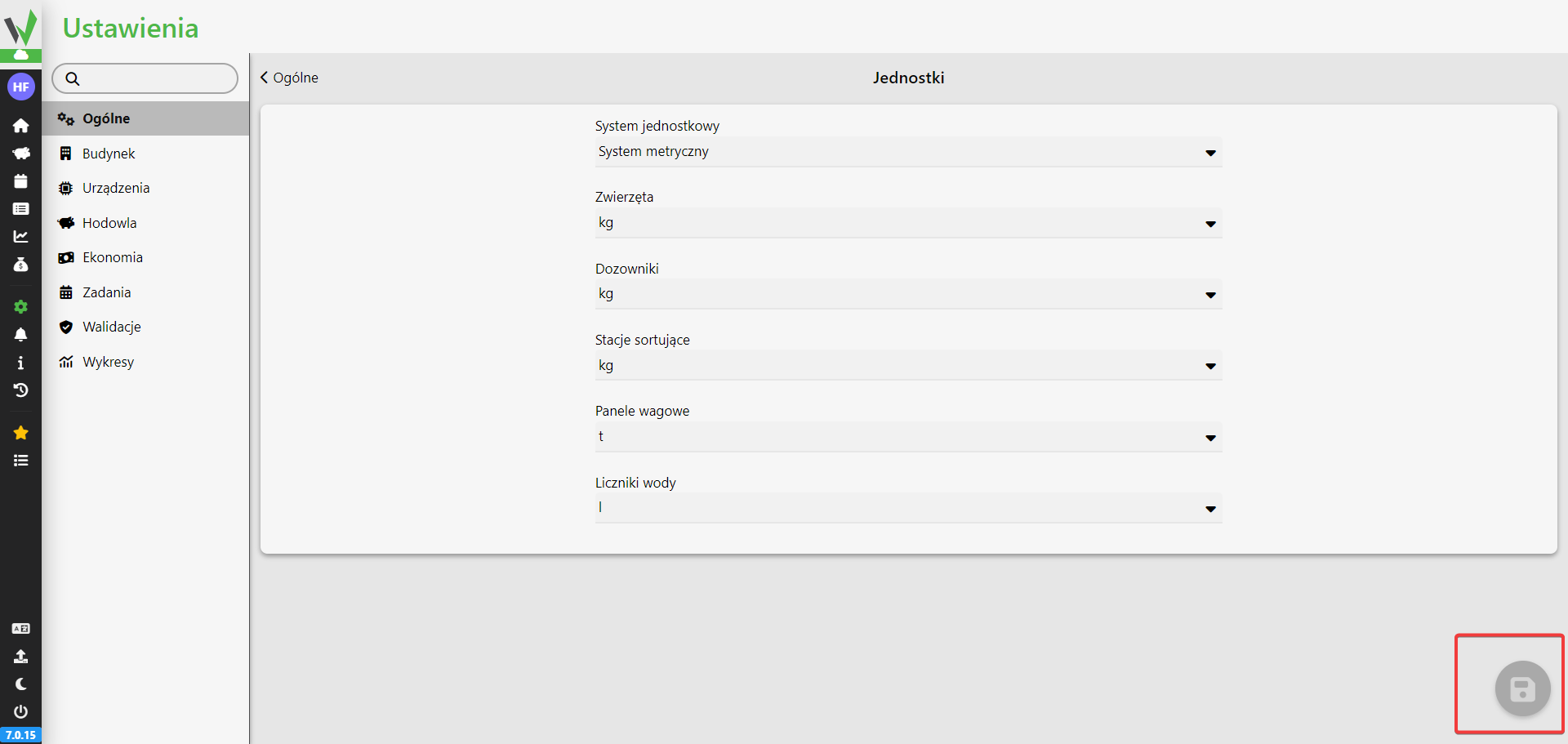
    • To change the unit, select one of the available fields in the one-choice list
    • After making changes, press the save button located in the lower right corner of the screen.Units settings page with dropdowns for the unit system and units for animals, dispensers, sorting stations, weighing panels and water meters, with the save button outlined in red in the bottom right corner.

Updated on 2026-07-23
Was this article helpful?

Related Articles

Need Support?
Can't find the answer you're looking for?
Contact Support

Leave a Comment