1. Home
  2. Settings
  3. How to change the name of the farm?

How to change the name of the farm?

This article will show how to change the name of the farm.

  1. Moving to the Settings section
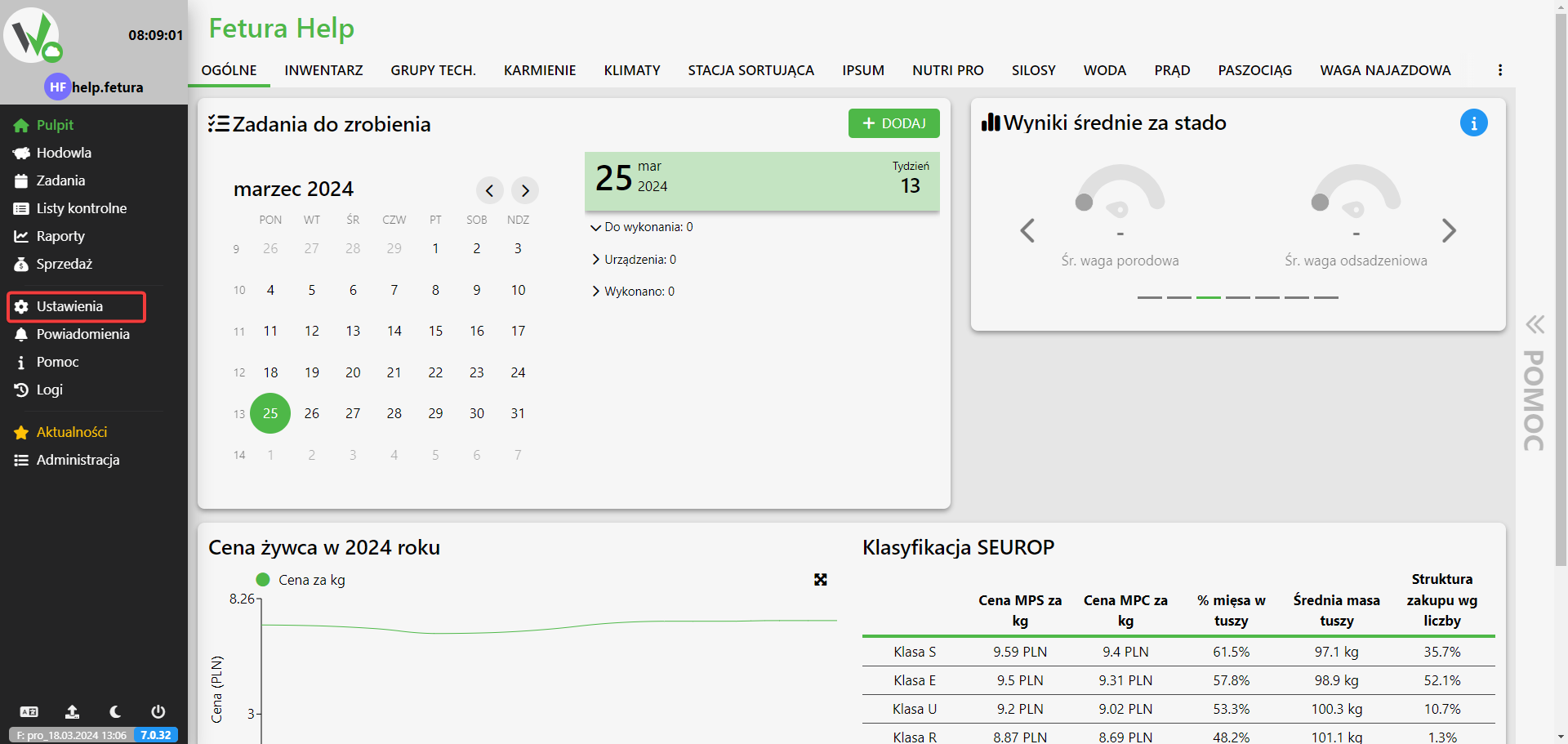
    • We start by being on the main page of the application.
    • On the sidebar, click Settings.Dashboard with the sidebar Settings item outlined in red.
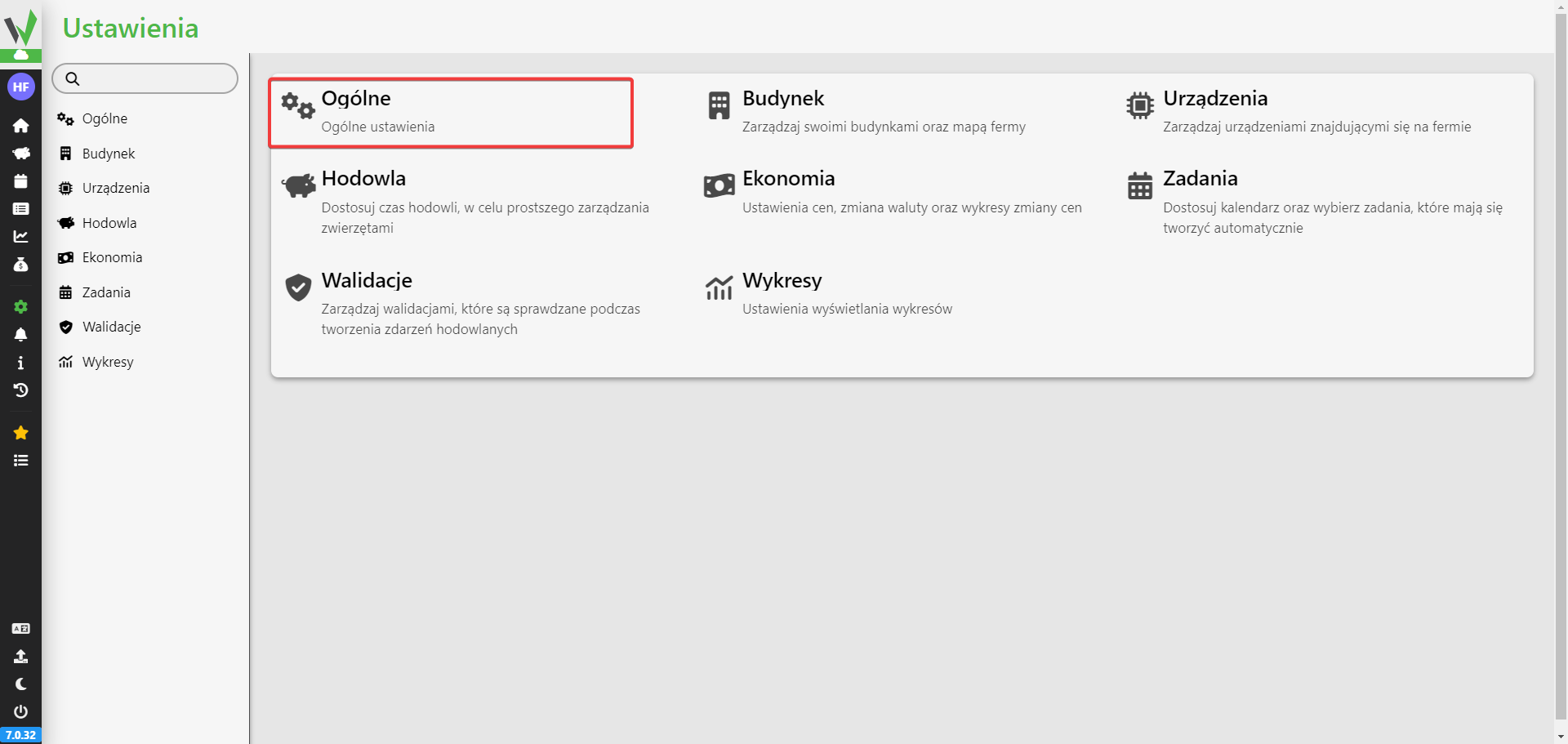
    • Select the General section.Settings page grid with the General tile outlined in red, used to open general farm settings.
  2. Name change
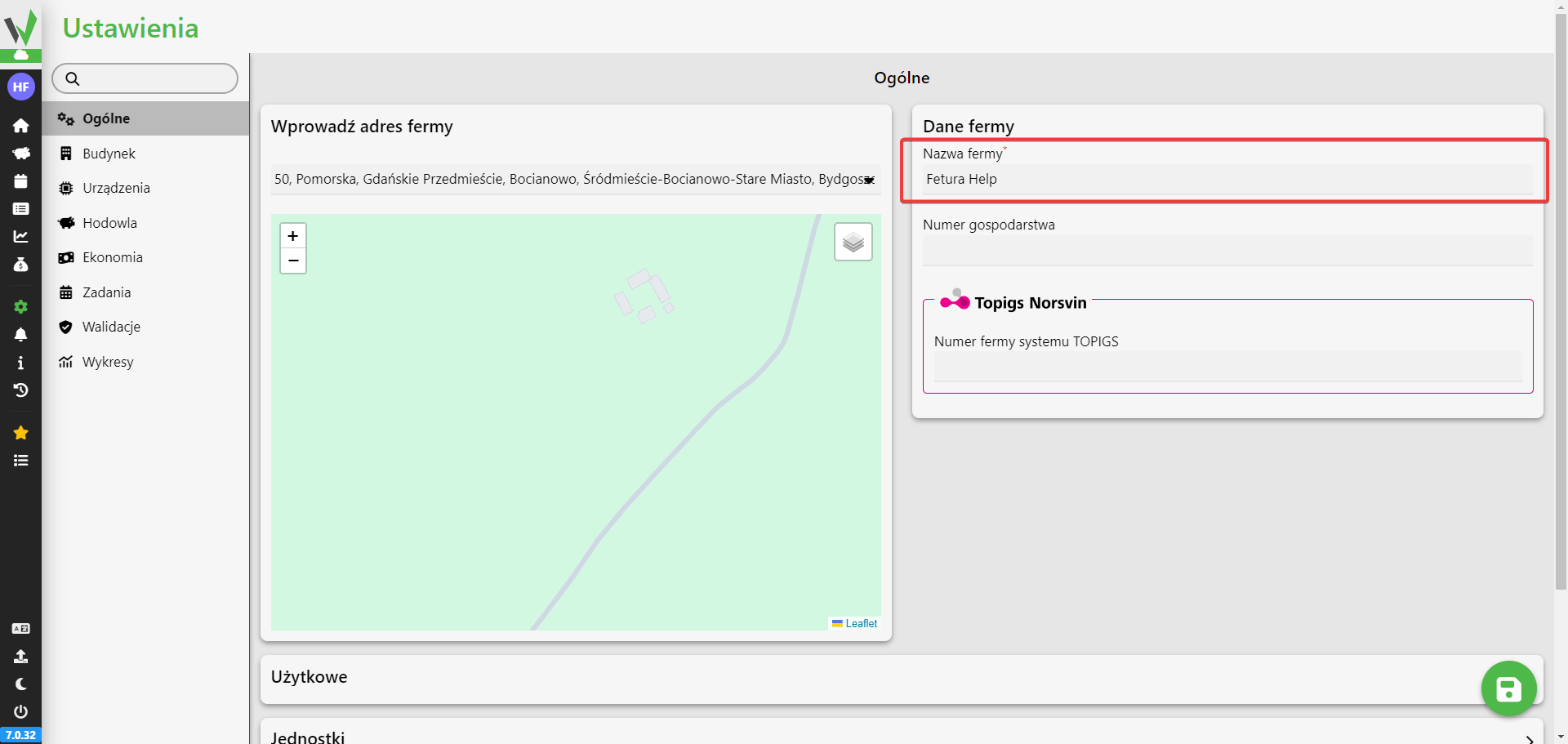
    • In the text box we change the name to the new one.General settings page with the Farm name text field outlined in red, where the new farm name is entered before saving with the green save button.
    • After changing the name, confirm by clicking the save button in the lower right corner.
Updated on 2026-07-23
Was this article helpful?

Related Articles

Need Support?
Can't find the answer you're looking for?
Contact Support

Leave a Comment