
A status SMS is an automated message sent by FarmWatch Pro that informs the user that the system is operating normally and that the base station is available on the network.
If you want to change the phone number to which the status SMS is sent, or set a different time for it to be sent, go to:
Settings → Advanced → SMS Status
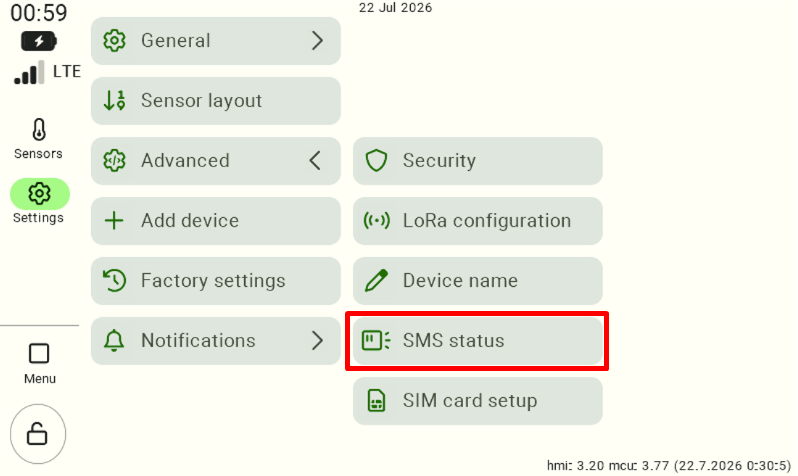
Changing the phone number for status SMS messages
To change the phone number to which the status SMS is sent, click the gray box next to the “Phone number” option .
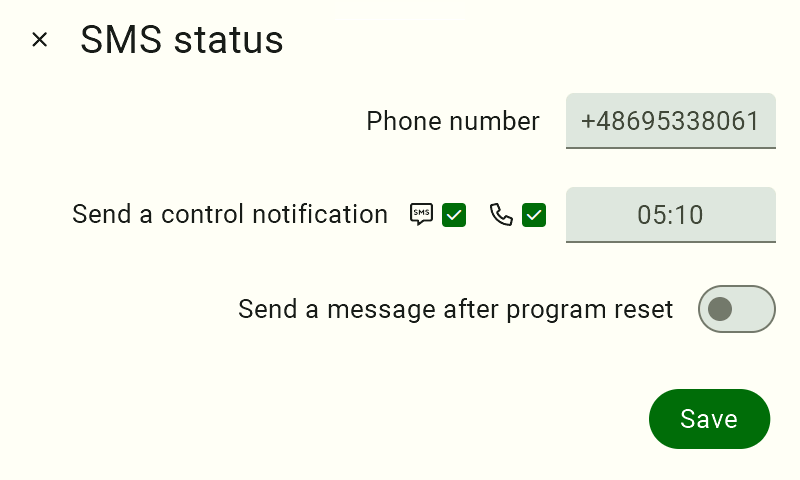
Enter your new phone number and confirm the changes.
Change in the time the status SMS is sent
To change the time the message is sent, click the gray box next to the “Send a control notification” option .
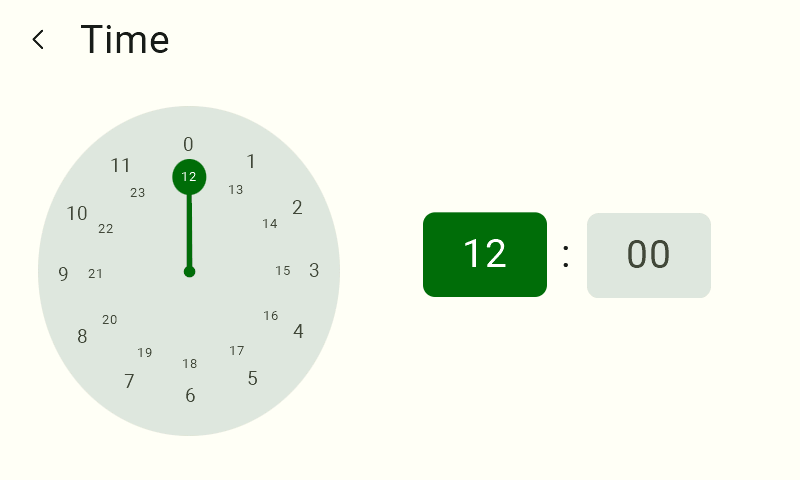
First, select the hour field, then set the appropriate value on the clock face. After setting the hour, select the minute field and set the desired value.
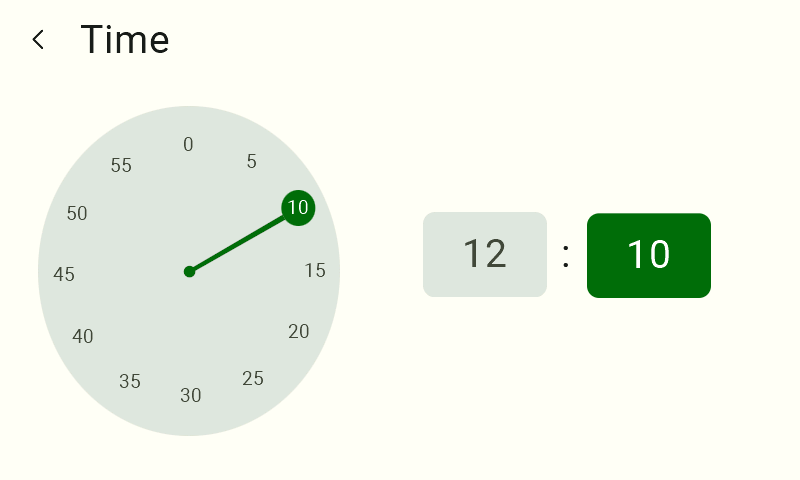
Once you have finished the configuration , click the “Save” button to save your changes .
We hope this article has helped you set up status SMS messages in FarmWatch Pro. We hope you enjoy using the system!


