
Securing access to the FarmWatch Pro control unit helps protect the device’s settings and system operation data. Changing your PIN regularly is a simple way to enhance security and restrict unauthorized access to the configuration.
Go to Security Settings
To change your PIN, go to the FarmWatch Pro control panel settings.
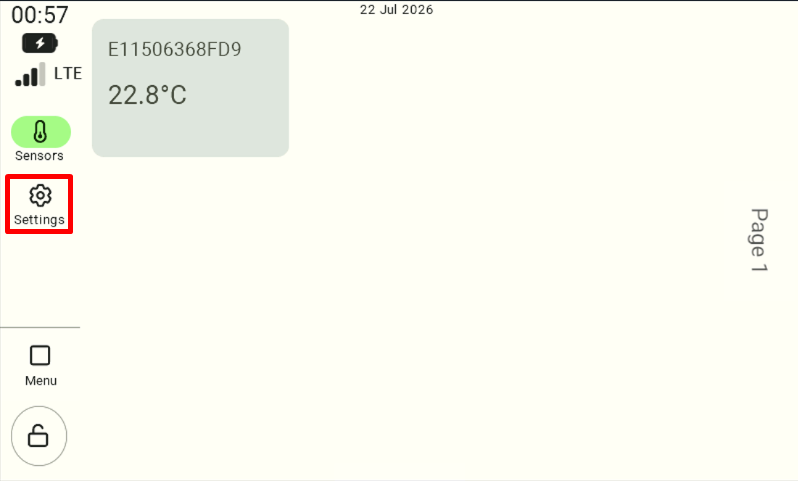
In the settings menu , select ” Security.”
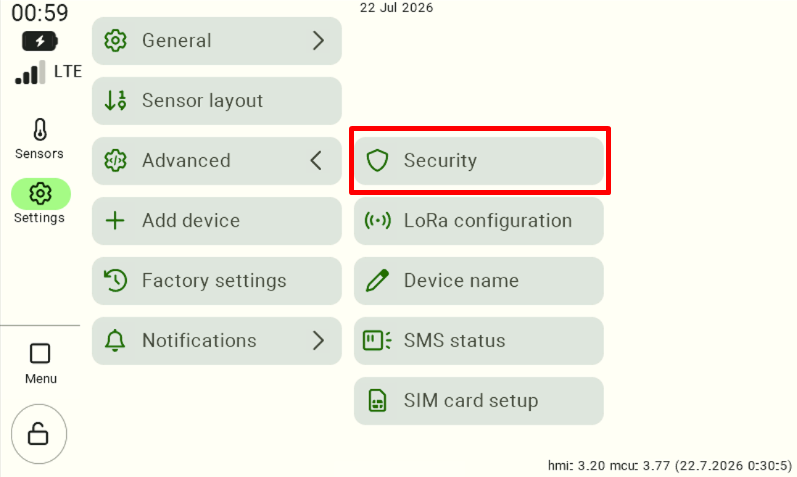
Setting a New PIN
When you open the “Security” section, fields will appear that allow you to change your password:
Re-enter PIN – a field used to re-enter the code for confirmation.
New PIN – a field for entering a new security code,
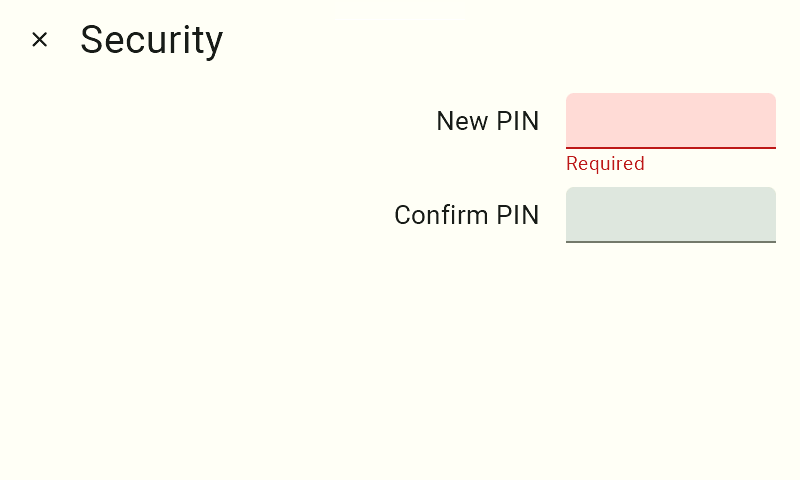
Enter a new PIN. We recommend choosing a code that is difficult for unauthorized users to guess, but easy for you to remember.
Next, enter the same PIN again in the “Repeat PIN” field to confirm that the code you entered is correct.
Save Changes
After you have entered and confirmed your new PIN correctly, click the “Save” button to confirm the changes.
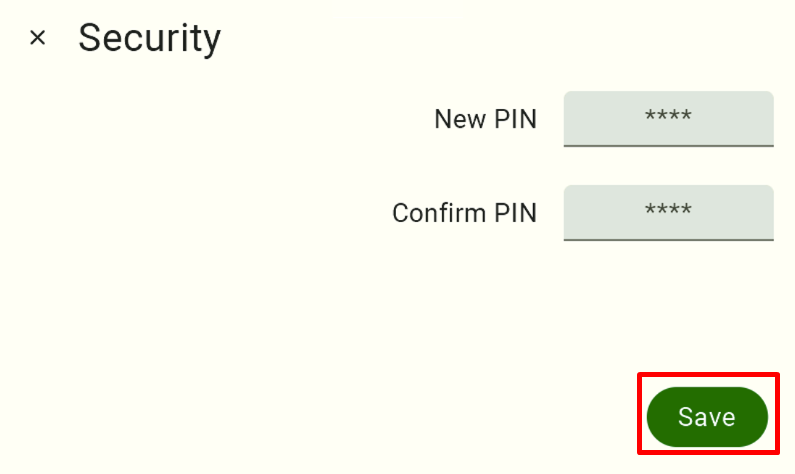
From this point on, the FarmWatch Pro control unit will require a new PIN code to unlock the screen.
We hope this article has helped you change your screen lock PIN in FarmWatch Pro. We hope you enjoy using the system!


