1. Home
  2. Settings
  3. Breading Settings
  4. Settings and Breeding Parameters

Settings and Breeding Parameters

A tab in the FeturaCloud system containing all the rules for breeding on the farm. Among other things, you can change the settings for cycle, time on fattening, process group size and result calculation ranges. The ranges can be changed with the sliders, or with the buttons next to them.
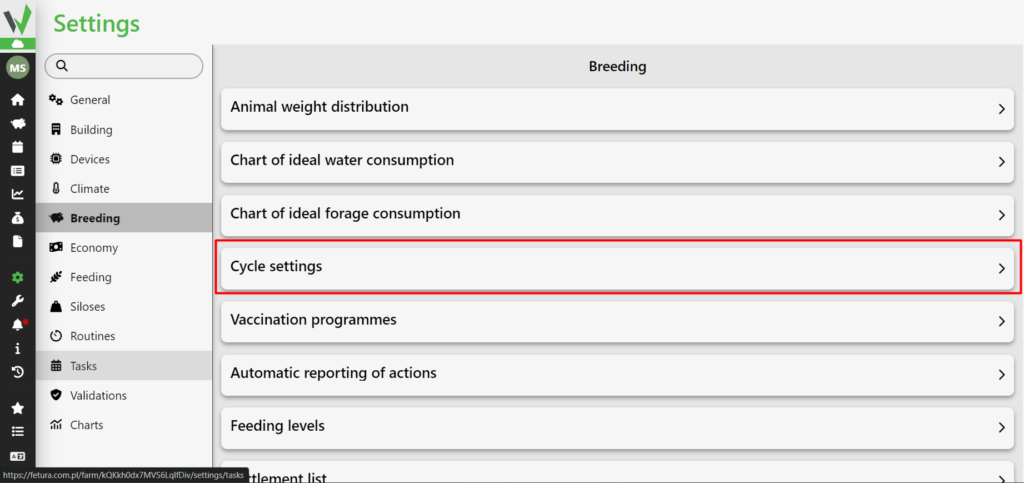
Fetura CLOUD Breeding settings menu with the Cycle settings option highlighted in red, used to open cycle configuration parameters.

Breeding results

In the tab it is possible to customize the range of data used for calculations. They will be visible in the sow’s chart. By default, indicators are automatically calculated based on data from the system. However, once the lock is unchecked, the user will be given the ability to edit the data range themselves.

The ranges can be changed with the sliders, or with the buttons next to them. Breeding performance includes key indicators of animal performance and health, such as reproductive, production and health indicators. By adjusting the lower and upper data ranges, users can tailor the analysis to the specific needs of their farm.
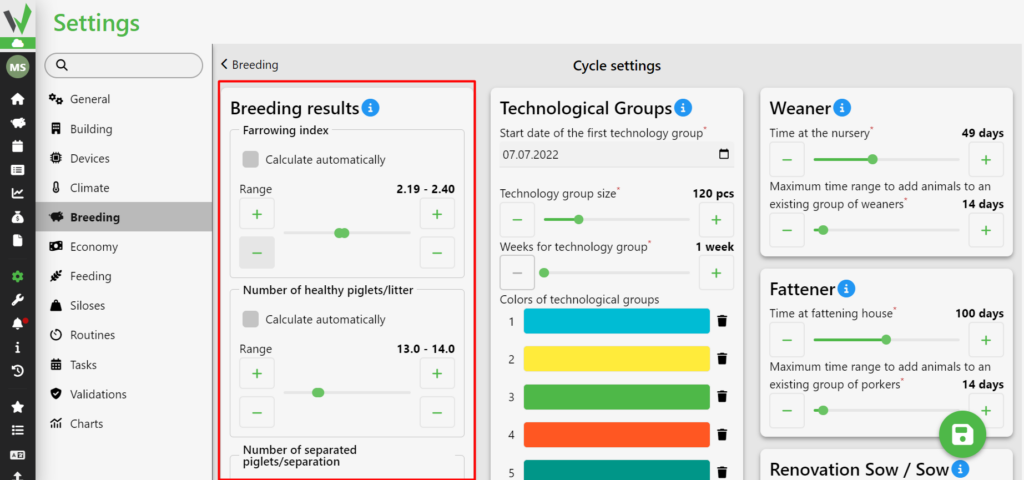
Cycle settings screen with the Breeding results panel highlighted in red. The panel lists the breeding indicators, each with a Calculate automatically checkbox and an editable Range (default values shown): Farrowing index 2.19 - 2.40, Number of healthy piglets/litter 13.0 - 14.0, Number of separated piglets/separation 12.0 - 13.0, Avg. farrowing weight 1.0kg - 1.5kg, Avg. separation weight 5.3kg - 5.6kg, Avg. number of idle days 0.0 - 14.0, Avg. number of lactation days 19.0 - 22.9, Piglets mortality 12% - 13%, Weaner mortality 2% - 3%, Porker mortality 4% - 5%, Average growth of piglets 0.3kg - 0.6kg, Average growth of porkers 0.7kg - 0.9kg, Fattening day (weaner) 49.0 - 55.0.
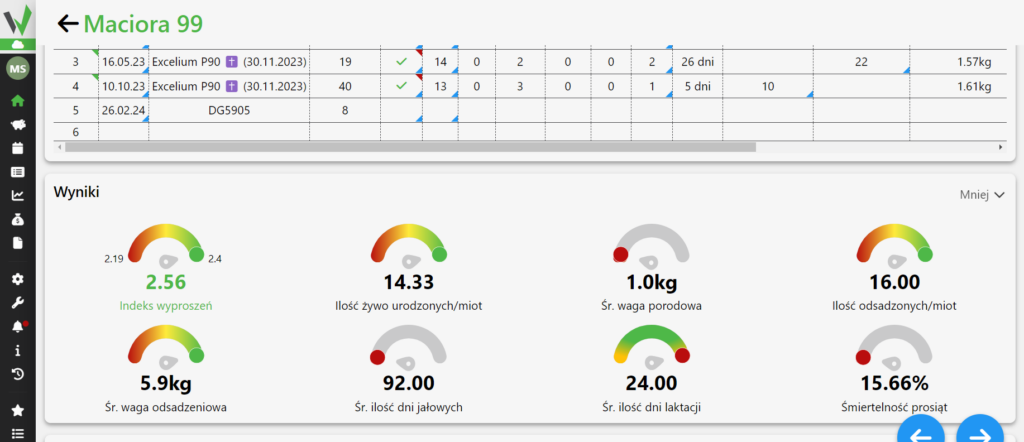
View of the Results (Wyniki) section on the sow card, here for Maciora 99, above it the cycle history table. The section shows eight gauge indicators with example values: Indeks wyproszeń (farrowing index) 2.56 on a 2.19 - 2.4 scale, Ilość żywo urodzonych/miot (live born per litter) 14.33, Śr. waga porodowa (average birth weight) 1.0kg, Ilość odsadzonych/miot (weaned per litter) 16.00, Śr. waga odsadzeniowa (average weaning weight) 5.9kg, Śr. ilość dni jałowych (average idle days) 92.00, Śr. ilość dni laktacji (average lactation days) 24.00, Śmiertelność prosiąt (piglet mortality) 15.66%. Each gauge is coloured red to green against the range configured in Cycle settings - Breeding results.

Technology groups

One of the most important parameters. The settings relate to the creation of technology groups. They were divided into:

Start date of the first technology group – the date from which technology groups are created

Technology group size – the maximum number of pigs that fall into a technology group

Number of weeks per technology group – the number of weeks that fall into one technology group

Colors of technology groups – the color in which the group is displayed on the technology groups tab depending on what week it is

Color of the current technology group – the color in which the group of the current week is displayed in the technology groups tab
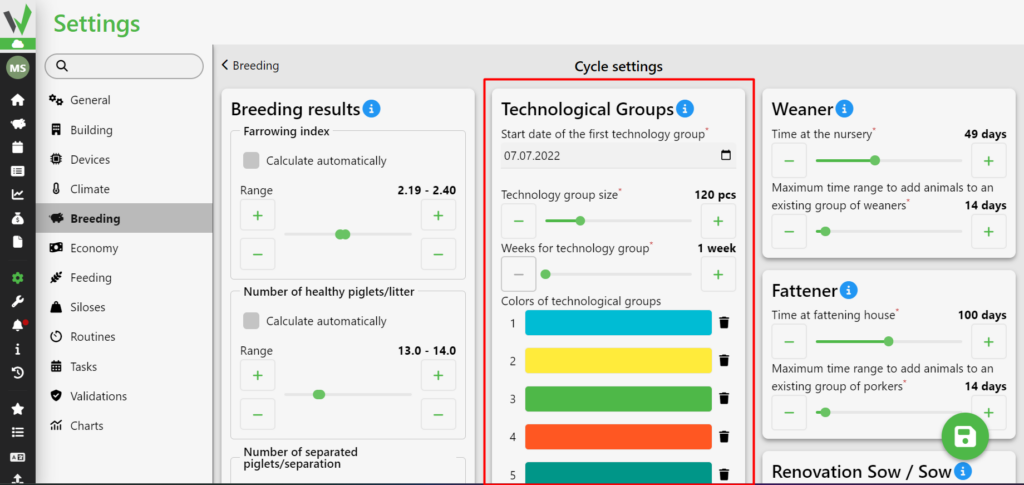
Cycle settings screen with the Technological Groups panel highlighted in red. Fields and example values: Start date of the first technology group 07.07.2022, Technology group size 120 pcs, Weeks for technology group 1 week, Colors of technological groups shown as a numbered list of eight colour rows (1 cyan, 2 yellow, 3 green, 4 orange, 5 teal, 6 pink, 7 blue, 8 yellow), each with a delete icon, and below it The color of the current technology group set to yellow.

Colostrum

When the “Notify of Piglet Change” button is checked, a notification will be delivered if more piglets are detected at the sow than active nipples.
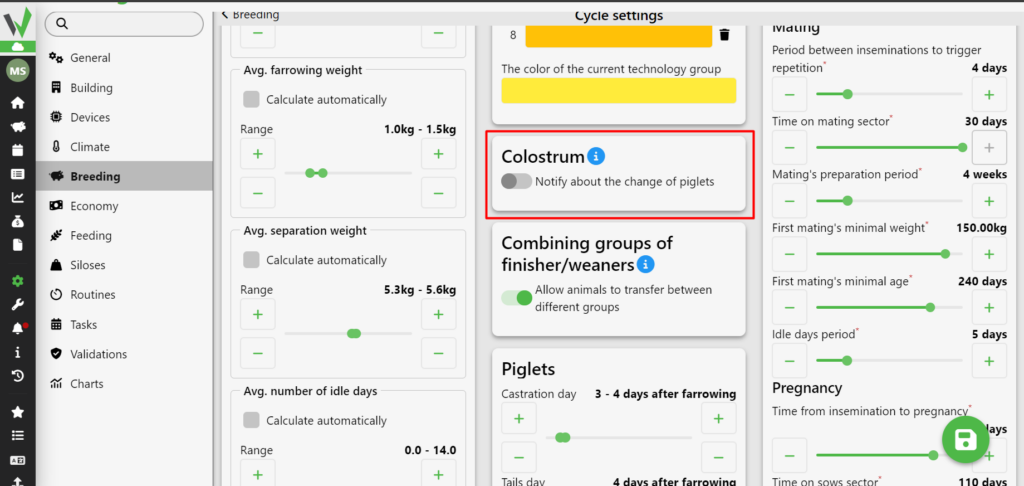
Cycle settings screen with the Colostrum panel highlighted in red, containing the toggle to notify about a change in piglet count.

Combining Fattening Groups

Enabling this parameter allows the transfer of fattening pigs or piglets between different groups of animals when they have divergent birth dates.
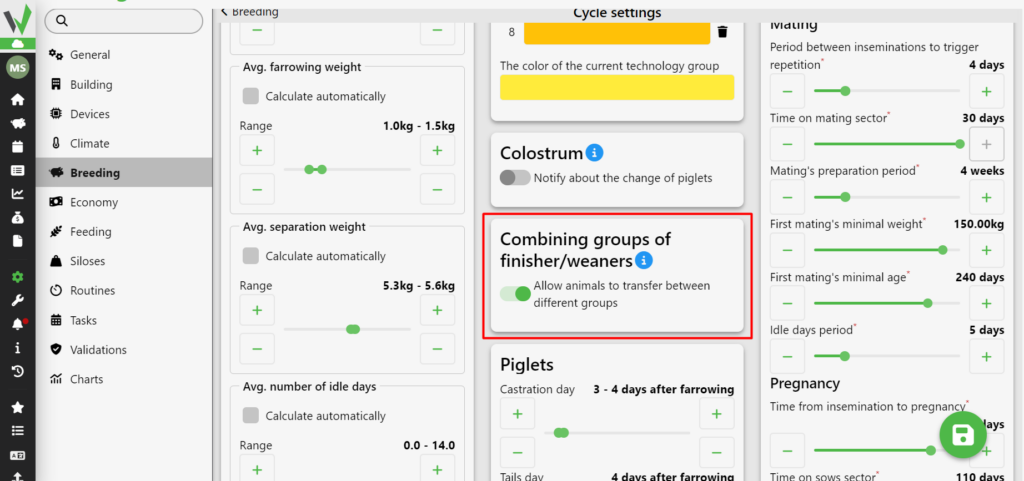
Cycle settings screen with the Combining groups of finisher/weaners panel highlighted in red, containing the toggle to allow transferring animals between different groups.

Piglets

Once the piglets are born, there is a special tab on the sow’s chart designed to monitor the health of the newborn piglets and the treatments performed on them. This set of indicators reminds breeders to keep track of piglet health from birth.
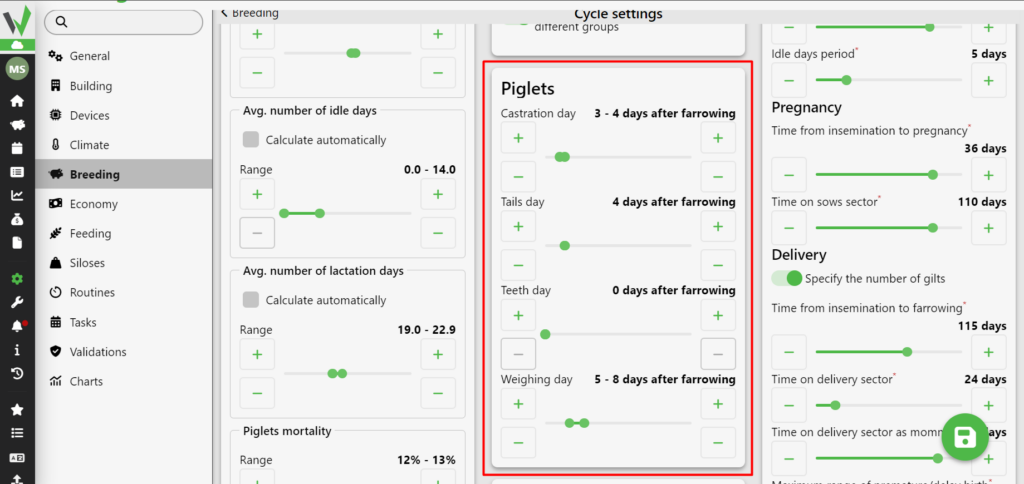
Cycle settings screen with the Piglets panel highlighted in red. The panel holds four sliders defining piglet treatment days relative to farrowing (example values): Castration day 3 - 4 days after farrowing, Tails day 4 days after farrowing, Teeth day 0 days after farrowing, Weighing day 5 - 8 days after farrowing.

Treatment and Prevention

Settings for the maximum range of premature or delayed drug administration.
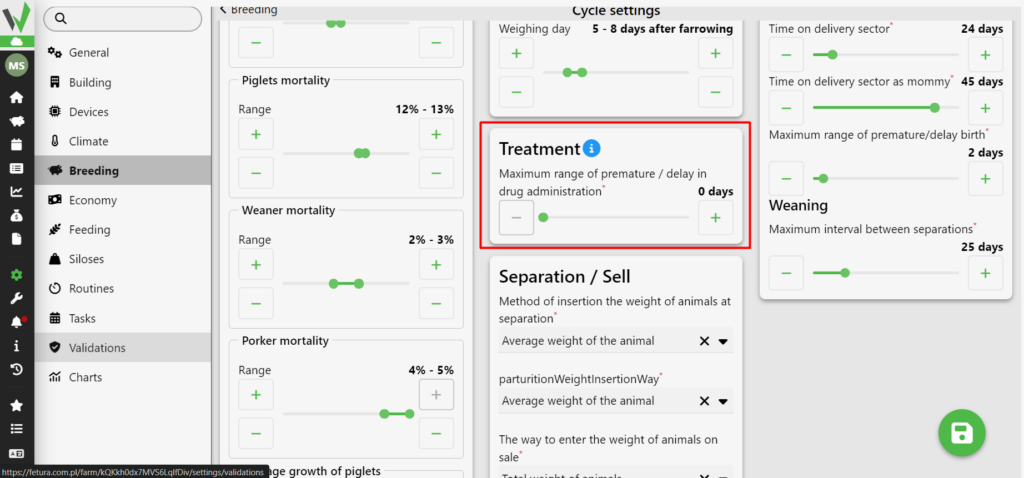
Cycle settings screen with the Treatment panel highlighted in red, containing the slider for the maximum range of premature or delayed drug administration.

Sludge/Sale

The system offers two options for entering weight when weaning, spaying or selling animals.

Average Weight

  • The system automatically calculates the average weight of each animal.
  • If you need to convert to a total weight, the system adds up the weights of individual animals.

Total Weight:

  • The system automatically calculates the total weight of a batch of animals.
  • If you need to convert to average weight, the system automatically divides the total weight by the number of animals.

These two options provide flexibility and accuracy in weight management during the process of weaning, herding or selling animals, adapting to different scenarios
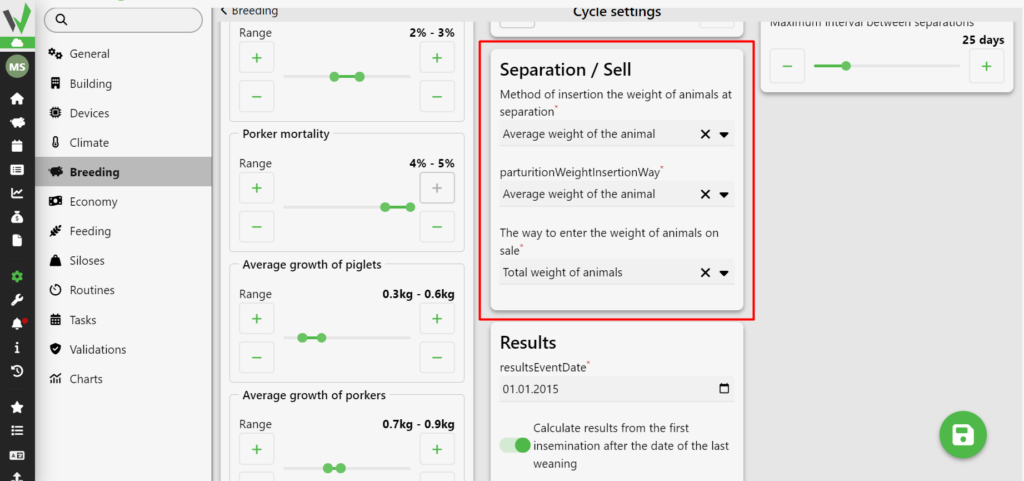
Cycle settings screen with the Separation / Sell panel highlighted in red. The panel holds three dropdowns with example values: Method of insertion the weight of animals at separation - Average weight of the animal; parturitionWeightInsertionWay (label shown untranslated in the interface) - Average weight of the animal; The way to enter the weight of animals on sale - Total weight of animals. Each dropdown offers a choice between average weight of the animal and total weight of animals.

Results

Set the initial date for calculating the results.
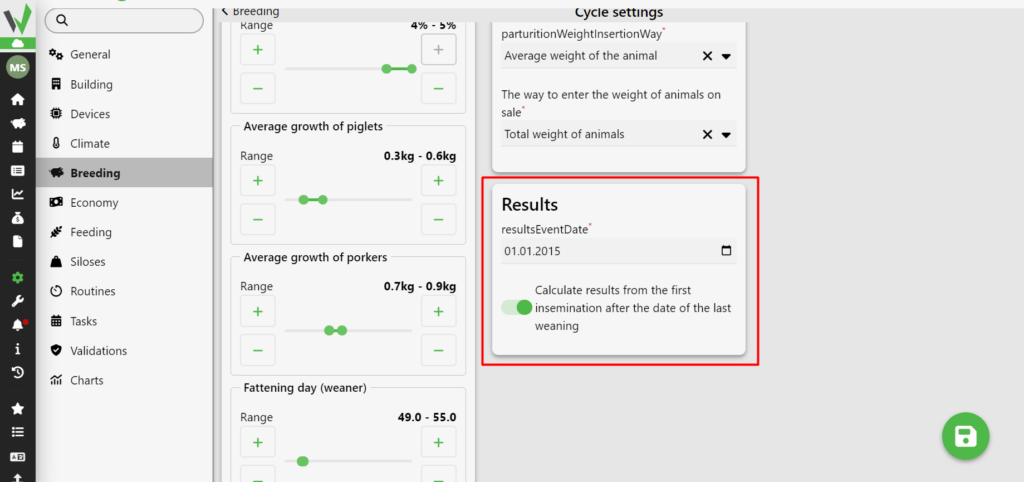
Cycle settings screen with the Results panel highlighted in red. The panel contains the resultsEventDate field set to 01.01.2015 and an enabled toggle Calculate results from the first insemination after the date of the last weaning.

Piglet

Two parameters can be controlled in the “warbler” tab

  • Time on the pig house – the number of days for how many piglets should be on the pig house
  • Maximum range of time to add animals to an existing varsity group – the period of time for which animals can be added to an existing varsity group
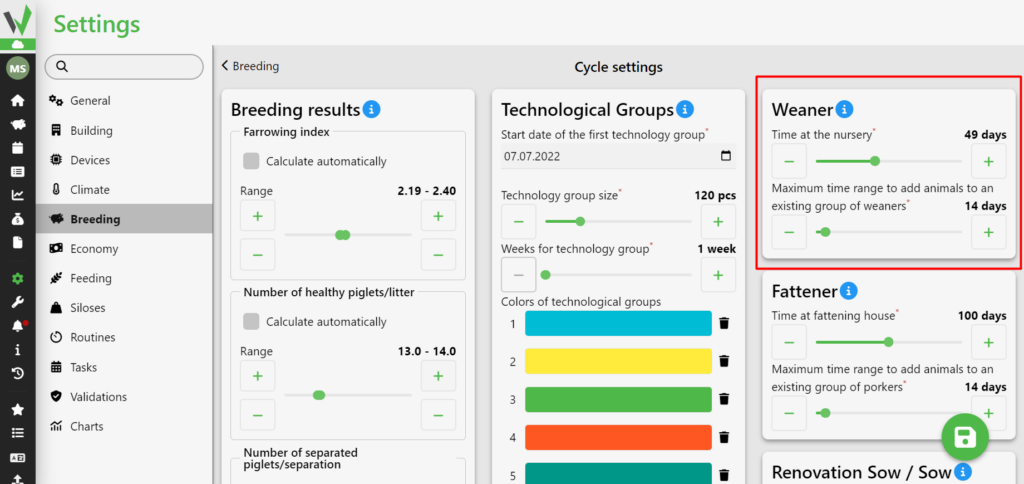
Cycle settings screen with the Weaner panel highlighted in red. The panel contains two sliders with example values: Time at the nursery 49 days and Maximum time range to add animals to an existing group of weaners 14 days.

Porker

In the “fattening” tab, two parameters can be controlled

  • Time on the fattening house – the number of days for how many days the fattening house should be on the fattening house
  • Maximum time range for adding animals to an existing fattening group – the period of time for which animals can be added to an existing fattening group
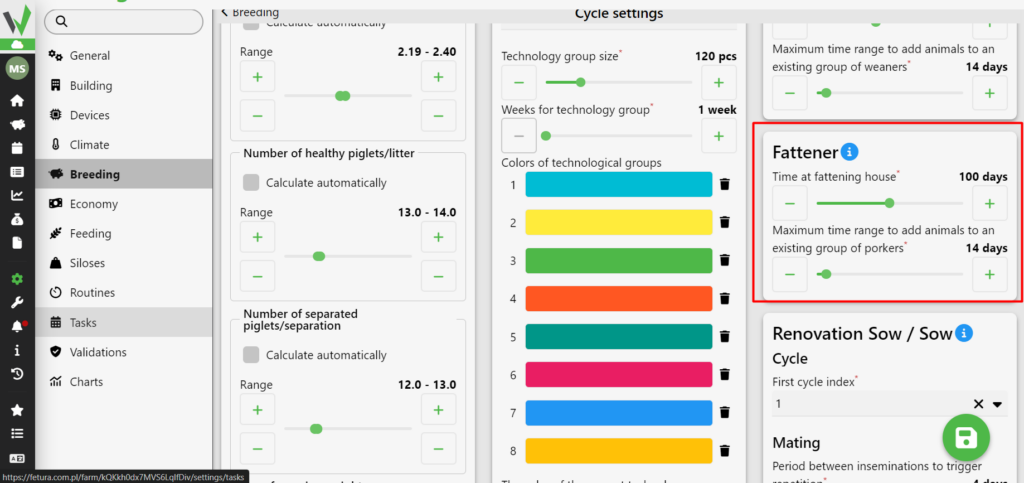
Cycle settings screen with the Fattener panel highlighted in red. The panel contains two sliders with example values: Time at fattening house 100 days and Maximum time range to add animals to an existing group of porkers 14 days.

Renovation Sow/Sow

Renovation Sow/Sow: basic parameters allow for proper pig breeding

First cycle index – the number that is assigned to a pig’s first cycle

Period between inseminations to determine repetition – the number of days between inseminations after which repetition is determined

Time on mating – the number of days a pig should spend in the mating sector

Mating preparation period – the length of time a pig is prepared for mating

Minimum first mating weight – the lowest weight a pig should be at first mating

Minimum age of first mating – a parameter that determines at least how old a pig should be at first mating

Number of days from insemination to delivery – planned length of pregnancy

Time in the delivery room – the period of time a pig should spend in the birthing sector

Time in the delivery room as a mamma – the period of time a pig should spend in the delivery sector if it is a mamma

Maximum range of premature/delayed birth – a parameter that determines how many days too early, or too late, a birth can be reported

Maximum weaning inter val – a parameter that determines what the maximum weaning interval per pigleting house can be
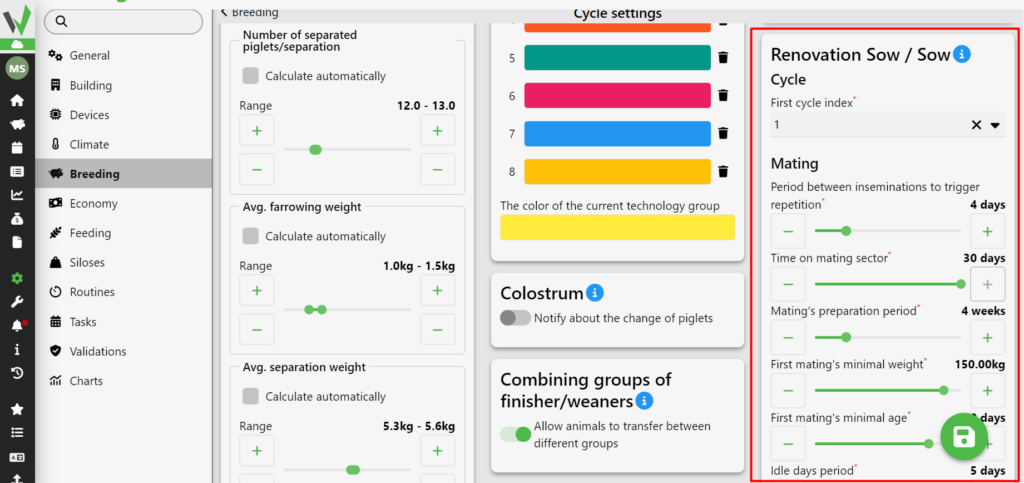
Cycle settings screen with the Renovation Sow / Sow panel highlighted in red. The panel is split into sections with example values: Cycle - First cycle index 1. Mating - Period between inseminations to trigger repetition 4 days, Time on mating sector 30 days, Mating's preparation period 4 weeks, First mating's minimal weight 150.00kg, First mating's minimal age 240 days, Idle days period 5 days. Pregnancy - Time from insemination to pregnancy 36 days, Time on sows sector 110 days. Delivery - toggle Specify the number of gilts, Time from insemination to farrowing 115 days, Time on delivery sector 24 days, Time on delivery sector as mommy 45 days, Maximum range of premature/delay birth 2 days. Weaning - Maximum interval between separations 25 days.

Save function

All settings should be saved. To do this, always press the button with the floppy disk icon in the lower right corner.
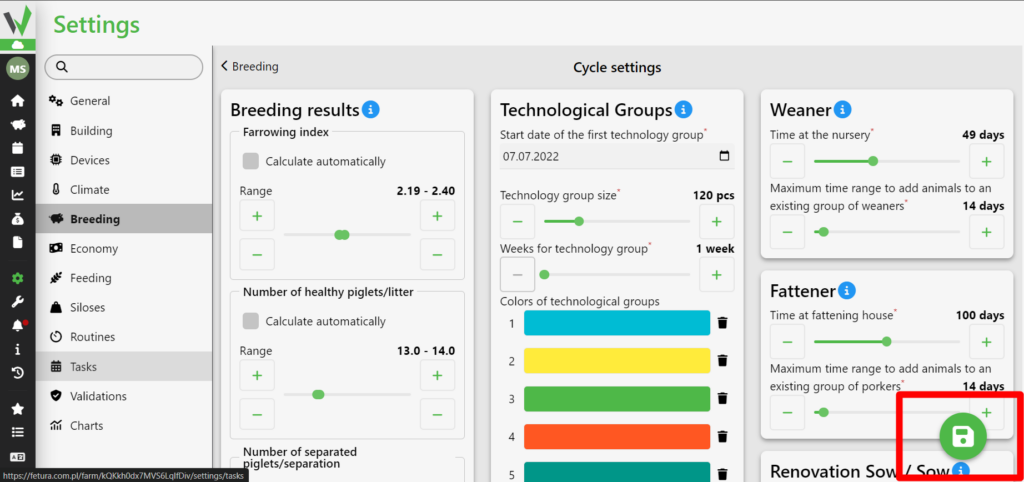
Cycle settings screen with the green save button (floppy disk icon) in the lower right corner highlighted in red - it saves all changes to the breeding parameters. In the background the three configuration columns are visible: Breeding results with the indicator ranges, Technological Groups with start date 07.07.2022, group size 120 pcs, 1 week per group and the colour list, and the right-hand column with the Weaner, Fattener and Renovation Sow / Sow panels.
Updated on 2026-07-28
Was this article helpful?

Related Articles

Need Support?
Can't find the answer you're looking for?
Contact Support

Leave a Comment