1. Home
  2. FarmWatch Pro
  3. How do I set the alarm times for water meters and power outages on FarmWatch Pro?

How do I set the alarm times for water meters and power outages on FarmWatch Pro?

FarmWatch Pro allows you to configure the delay for power outage notifications and set the reporting time for water meter-related alarms. This lets you customize how you’re notified about events to suit the needs of your farm or facility.

To configure alarm times:

Go to Settings → Notifications → Alarm Times.
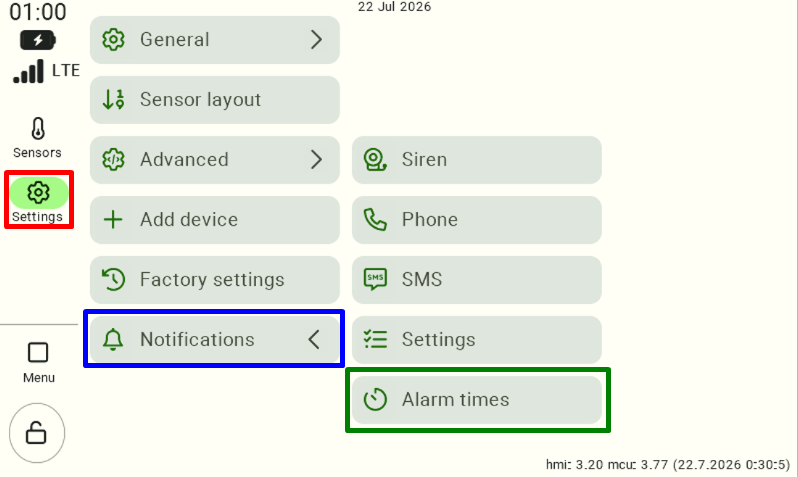
A view of the FarmWatch Pro settings panel. "Settings" is selected in the left-hand menu. Go to "Notifications," then "Alarm Times."

There are two settings available in the configuration panel:

  • Power Outage Notification Delay – Specifies how long after a power outage a notification will be sent.
  • Water Meter Alarm Reporting Time – Specifies the time at which reports on water meter alarms are generated.
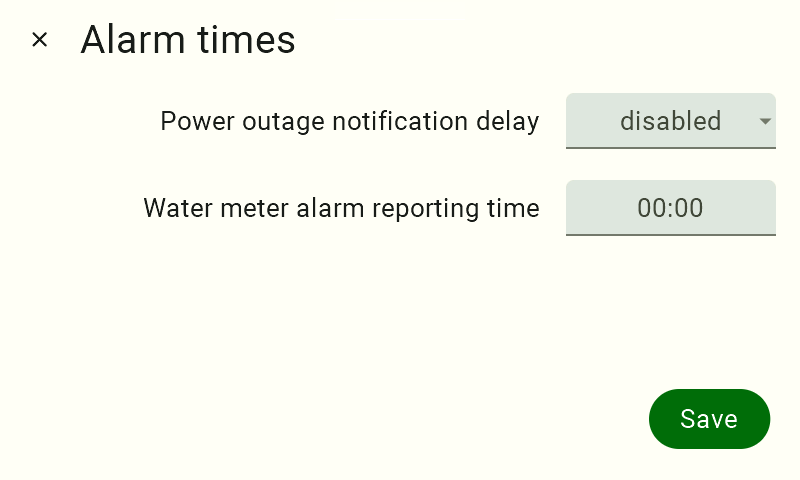
View of the alarm time settings panel. The options "Power Outage Notification Delay" and "Water Meter Alarm Reporting Time" are available. The "Save" button is located in the lower-right corner.

To set the power failure alarm delay, click the checkbox next to ” Power Failure Notification Delay.”
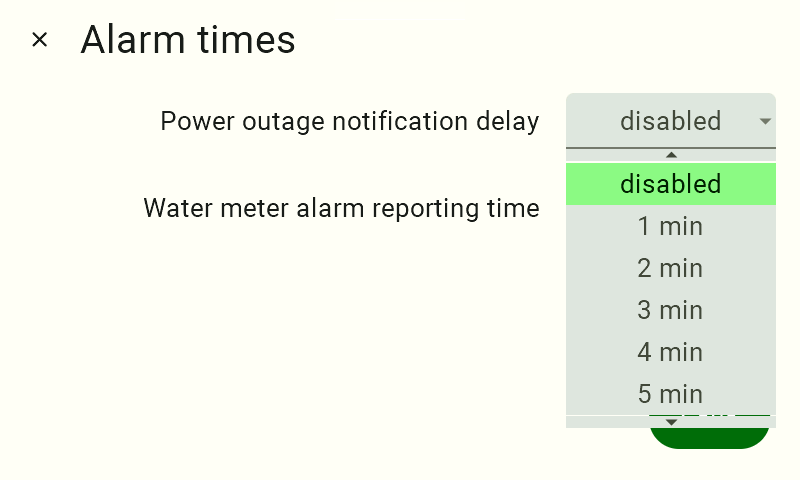
View of the alarm time settings panel. In the "Power Outage Notification Delay" option, the checkbox is selected. Currently, the "Off" option is selected, and a list of other possible settings is displayed. The options range from once every 5 minutes to once per minute.

Select the appropriate value from the list of available delays.
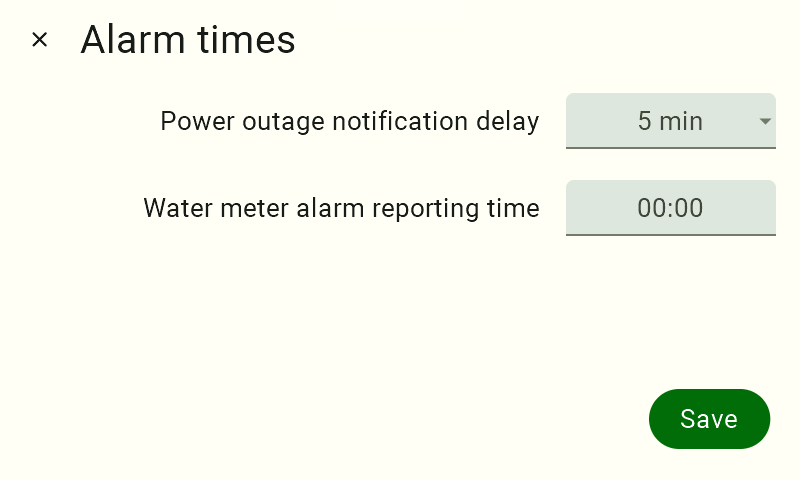
A view of the alarm settings panel. In the "Power Outage Notification Delay" option, the value in the field has changed from "off" to "5 min."

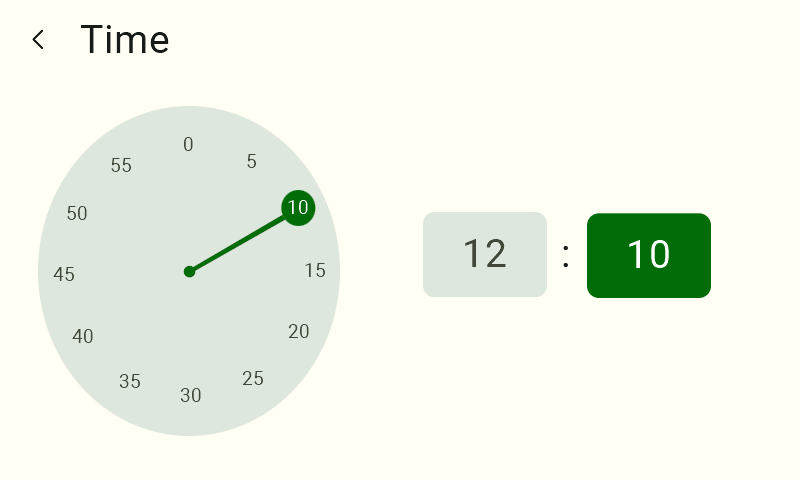
To set the time for water meter alarm reporting, click the ” Water Meter Alarm Reporting Time” option. First, select the time on the clock that appears.
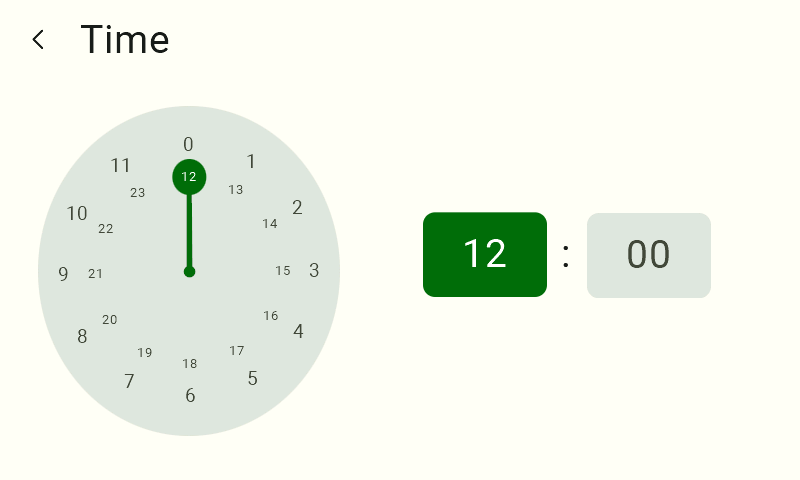
The time-setting screen that appears after selecting the reporting time for water meter alarms. It shows an analog clock for selecting the time. On the right is a digital clock with the time selection area highlighted.

Next, select the reporting minutes.

The time-setting screen that appears after selecting the reporting time for water meter alarms. It shows an analog clock for selecting the minutes. On the right is a digital clock with the minute selection area highlighted.

Once you have finished configuring the settings, click Save to confirm them.

From this point on, FarmWatch Pro will send power outage notifications according to the selected delay and generate water meter alarm reports at the set time.

Updated on 2026-08-03
Was this article helpful?

Related Articles

Need Support?
Can't find the answer you're looking for?
Contact Support

Leave a Comment