
Changing the interface language of the FarmWatch Pro control panel allows you to customize how information is displayed to suit your preferences. In the settings, you can select the available language in which all menu items and system messages will be displayed.
Changing the Interface Language
To change the language of the PBX:
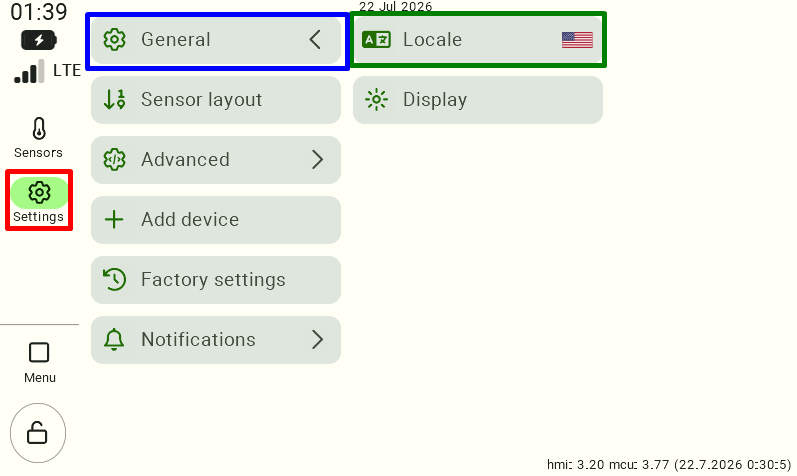
- Click the gear icon labeled “Settings.”
- Next, select the gear icon labeled “General.”
- In the menu that appears , select the “Locale” tile .
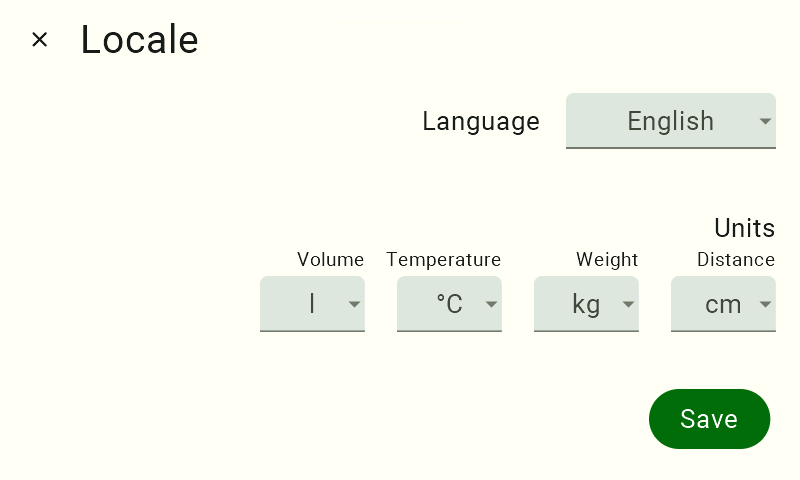
Under “Language,” click the currently selected option.
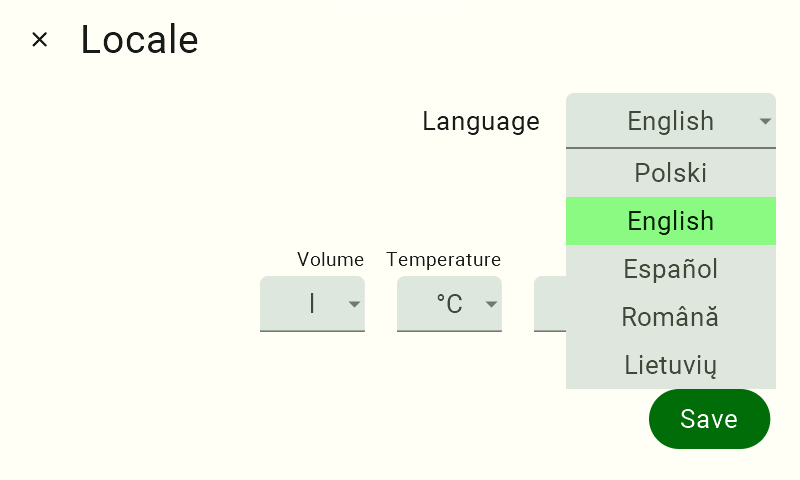
From the drop-down list, select the language you want to use.
After selecting a new language, click the “Save” button to confirm your changes.
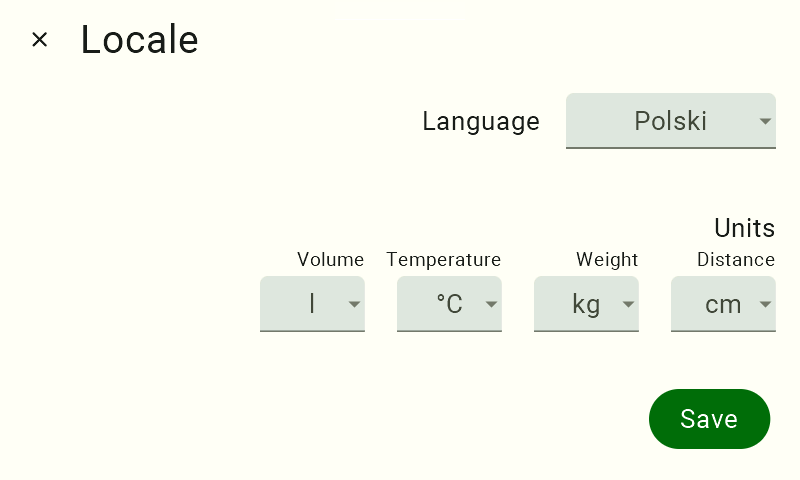
The language change will take effect immediately after you save the settings.
We hope this article has helped you change the interface language of the FarmWatch Pro control panel. We hope you enjoy using the system!


